Motherboard Technical Specification
Page 33
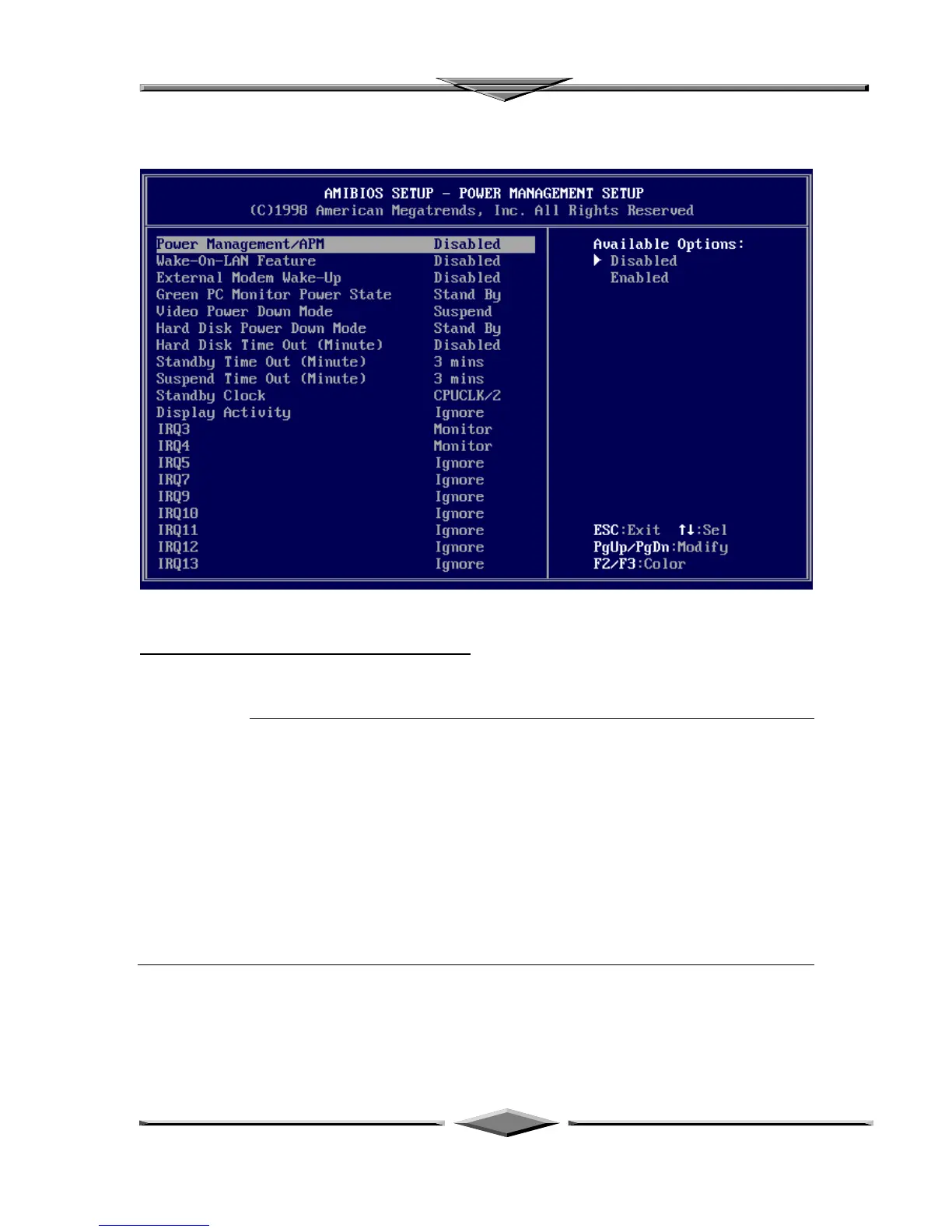
POWER MANAGEMENT SETUP
The AMIBIOS Setup options described in this section are selected by choosing Power
Management Setup from the AMIBIOS Setup main menu.
Power Management/APM Set this option to Enabled to enable the chipset power management and
APM (Advanced Power Management) features. The settings are Enabled or
Disabled. The Optimal and Fail-Safe default settings are Disabled.
Wake-On-LAN Feature Set this option to Enabled to enable the Wake-On-LANfeatures. The settings
are Enabled or Disabled. The Optimal and Fail-Safe default settings are
Disabled
External Modem Wake-Up Set this option to Enabled to enable External Modem Wake-Up. The
settings are Enabled or Disabled. The Optimal and Fail-Safe default settings
are Disabled.



 To Next Page