Motherboard Technical Specification
Page 36
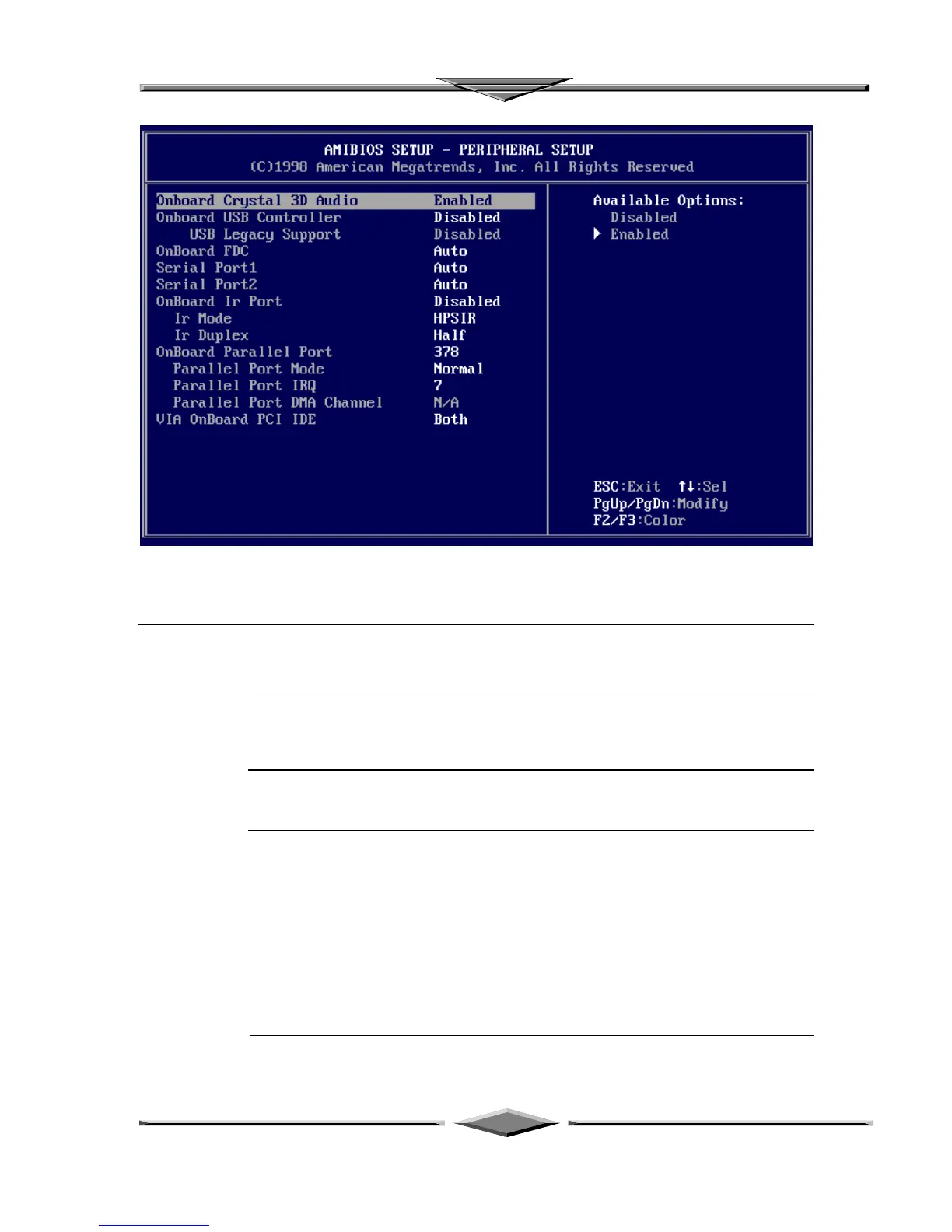
PERIPHERAL SETUP
Peripheral Setup options are displayed by choosing Peripheral Setup from the AMIBIOS
Setup main menu. All Peripheral Setup options are described here.
Onboard Crystal 3D Audio Set this option to Enabled to enable the onboard Crystal 3D Audio.
USB Function Set this option to Enabled to enable USB (Universal Serial Bus) support. The settings
are Enabled or Disabled.
USB Keyboard/Mouse Legacy Support
Set this option to Enabled to enable support for older keyboards and mouse
devices if the USB Function option is set to Enabled. The settings are Enabled or
Disabled.
Onboard IDE This option specifies the IDE channel used by the onboard IDE controller. The settings
are Disabled, Primary, or Secondary.



 To Next Page