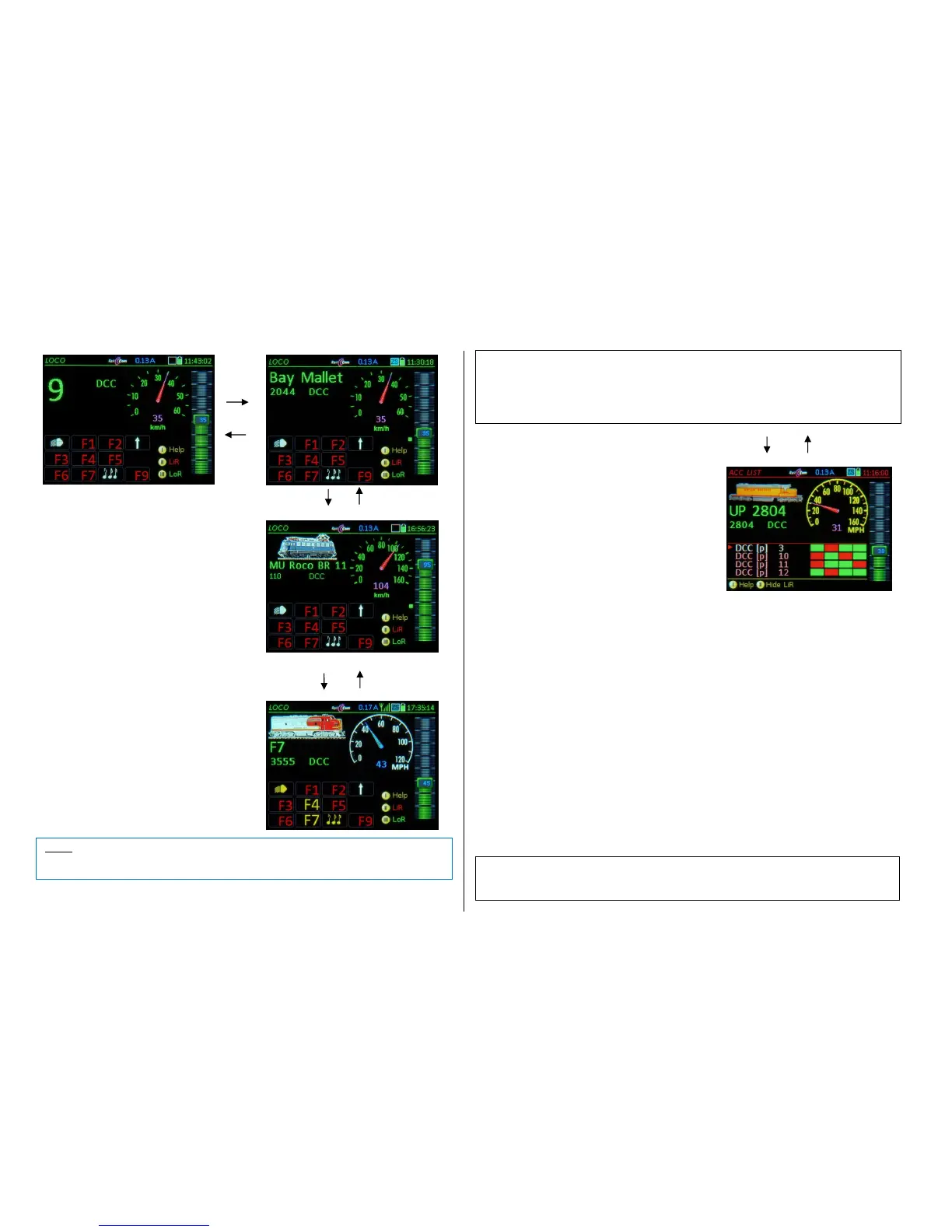
Switching between vehicles:
F- Key or U- Key
in the LoR = Loco Recall
Scrolls through the loco recall memory forward
or backwards one address at a time. Every ad-
dress is automatically activated as it becomes
visible, which means that there is no need to
close the driving mode LOCO during this pro-
cedure.
This works regardless of whether the LoR is dis-
played (visible) or not.
Deleting locos from the LoR (recall memory)
C- Key Deletes an address from the LoR, and
will therefore no longer appear when scrolling
through with the F-Key and U-Key.
Recovering deleted addresses:
Addresses deleted from the LoR remain in the
Object Database with all their data (especially
the GUI’s).
To restore an address back in the LoR, simply
activate it again on the LOCO IN page. Enter-
ing the address is all that’s needed since the
GUI settings such as name, group and speed
steps (DCC, MM2…) will be added automatical-
ly from the Object Database.
To delete the address permanently from the Object
Database, the corresponding operations mode must
be entered first: E-Key + 6 Object DB.
Softkey II LiR Opening and closing the ACC LIST
is an alternate option for activating the accessory
items (switches and signals: it is address-
oriented instead of object-oriented.)
W- Key Object-oriented mode for ACC switching
(see next chapter).
Accessory decoder addresses can be added to the
ACC LIST and addresses already there can be ac-
cessed, operated and modified. All addresses as-
signed to the SWI panels are automatically added to
the ACC LIST and can therefore be operated there as
well. Any MX8, MX9 or StEin modules in the system
will also be listed here automatically and can be op-
erated with the corresponding function keys.
.
To define an additional address it is necessary to first scroll down to the line >NEW<; to edit an
existing address, it must be marked first with the red cursor (Scrolling wheel):
- A- Key: “DCC [e]” (single) is created and can be changed with the rocker switch to:
“DCC [p]” (paired) “MM1 [e]” (Motorola; single)
“DCC [x]” (extended) “MM2 [p]” (Motorola; paired)
- A- Key press again to confirm the format and mode (single or paired outputs) and continue to the
address input using the keyboard.
- Press the A-Key again to store and activate the accessory decoder address.
Other than that, the keys are used for the following tasks:
Numeric keys operate the individual turnouts (or single functions)
Scrolling wheel select a line in the ACC LIST
C- Key delete a line in the ACC LIST
Exit the ACC LIST with:
Softkey II closes the ACC LIST and returns to LOCO.
(Shift) + A- Key LOCO IN (to enter a new vehicle)
E- Key E-Screen
With the ACC LIST visible in the lower screen half:
U- / F- Key switches between vehicles (within the LoR) without leaving the ACC LIST.
TP- Key consist functions, same as in the LOCO mode (but only if LoR is not open).


 To Next Page
 Loading...