Making output settings
Adjusting the line output level
The line output level used for output from the LINE OUT jack to other devices during use as an audio
interface can be adjusted.
For operation details, see “Adjusting the line output level”.
NOTE
This does not affect the recorded audio or the audio levels output from the headphone jack or the USB port.
Adjusting the USB output level
The level output by USB to the computer, smartphone or tablet can be adjusted.
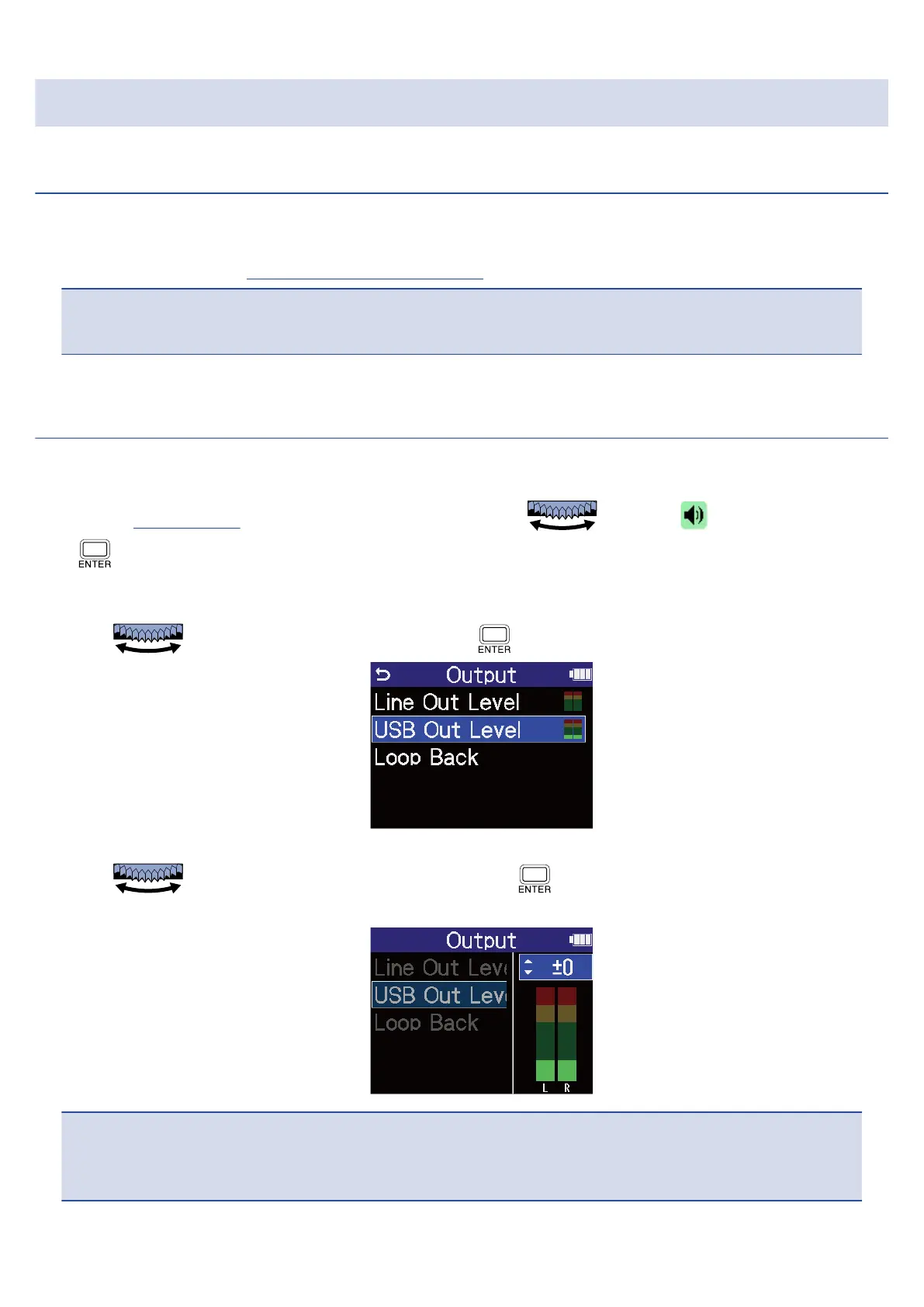
1. On the Home Screen when in audio interface mode, use to select (Output) and press
.
This opens the Output Settings Screen.
2. Use to select "USB Out Level” and press .
3. Use to adjust the USB output level and press .
The output level meters can be checked while adjusting.
NOTE
This setting does not affect the recorded audio or the audio levels output from the headphone jack or the
LINE OUT port.
93



 To Next Page