EasyManua.ls Logo

Zoom L-12 - Using the Built-In Effects

Zoom L-12
47 pages
Print Icon
To Next Page IconTo Next Page
To Previous Page IconTo Previous Page
Loading...
25
Mixer
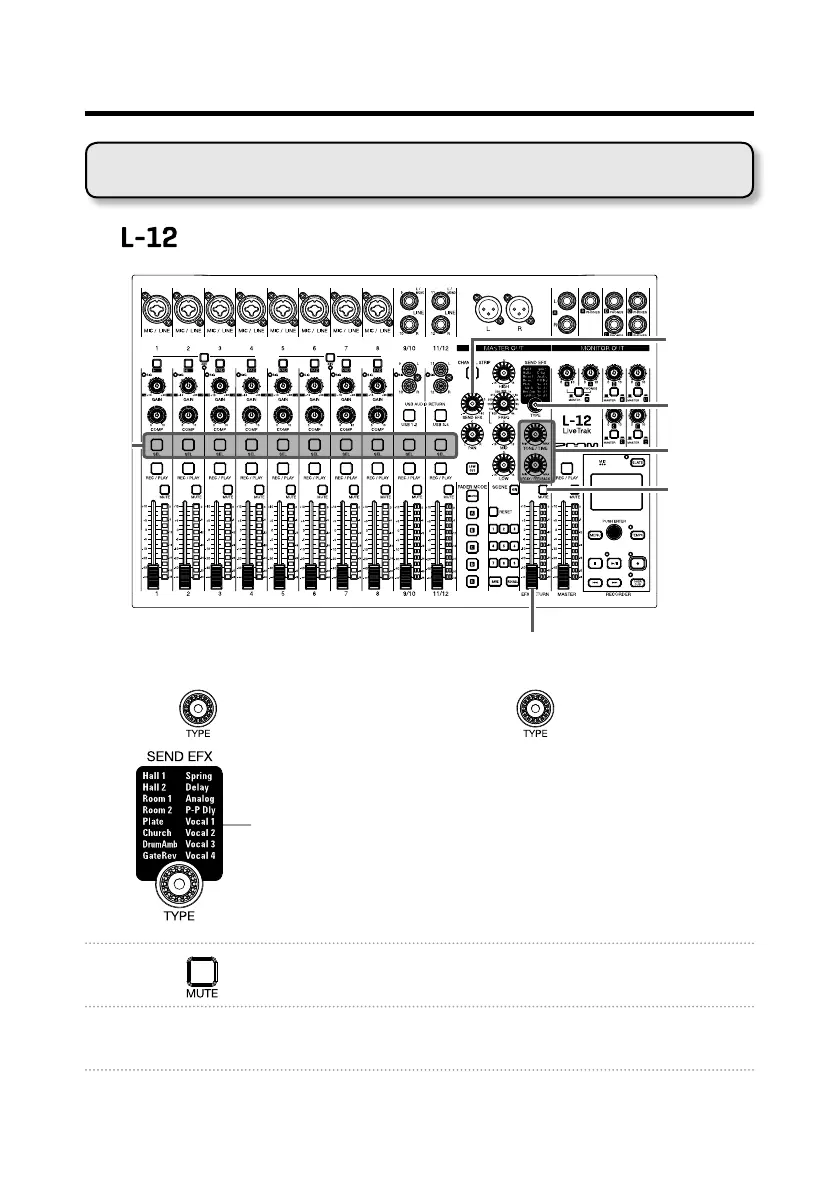
Using the built-in effects
The has 16 types of send effects
TYPE knob
EFX RETURN
MUTE button
Parameters
1 and 2
SEND EFX
knob
EFX RETURN fader
SEL
button
1. Turn to select the effect type, and press to conrm.
Lit: Effect selected
2. Press to turn it off, unmuting the EFX RETURN.
3. Set the SEND EFX RETURN fader to 0.

Related product manuals