38
Recording and playback
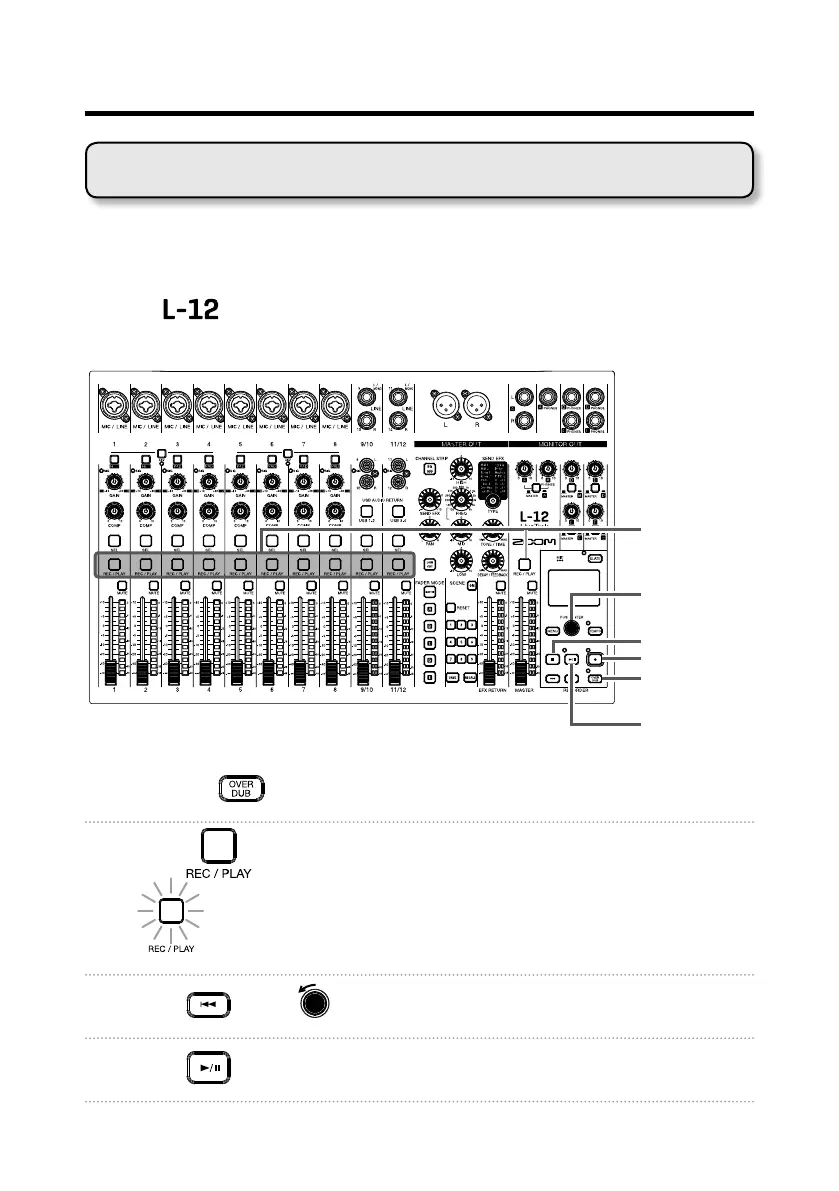
Punching in/out is a function that can be used to rerecord parts of already re-
corded tracks. "Punching in" is switching track status from playback to record-
ing. "Punching out" is switching track status from recording to playback.
With the
, punching in/out can be conducted using buttons on its top or
a footswitch (ZOOM FS01).
REC/PLAY
button
Selection
encoder
STOP button
REC button
OVER DUB
button
1. Press the to turn it on (lighting its indicator).
2. Press repeatedly for the tracks to re-record until they light red.
3. Press or turn left to move to before the part to be rerecorded.
4. Press to start playback.
Redoing parts of recordings (punching in/out)



 To Next Page