Effect Types and Parameters
ZOOM PFX-9003
48
LNGDLY
Mono delay with a maximum delay time of up to 7 seconds.
Parameter 1: TIME Parameter 2: FB
Parameter 3: MIX
[A]
DLYHAL
Combined delay and hall reverb effect.
Parameter 1: DLYTIM
Parameter 2: DLYMIX
[A]
Parameter 3: REVMIX
DLYROM
Combined delay and room reverb effect.
Parameter 1: DLYTIM
Parameter 2: DLYMIX
[A]
Parameter 3: REVMIX
AIR
Simulates the air ambience of a room and gives depth to the sound.
Parameter 1: SIZE Parameter 2: TONE
Parameter 3: MIX
[A]
WIDE
Simulates a stereo recording with two mics.
Parameter 3: TIME
Parameter 1: WETLVL
[A]
Parameter 3: DRYLVL
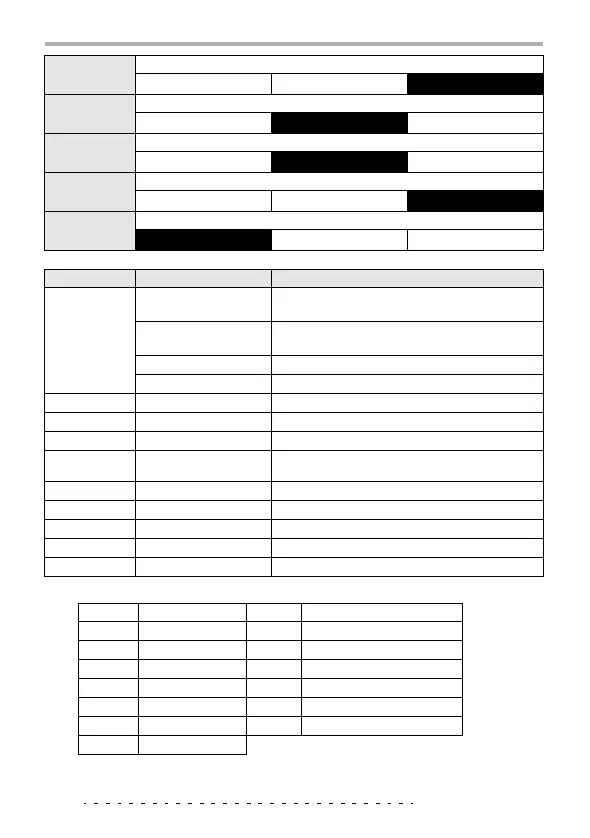
Parameter description
Parameter name
Setting range Explanation
TIME
1 – 30 (HALL,
ROOM, SPRING)
Adjusts the delay time.
1 – 190, M1 – t9
(MN-DLY, PP-DLY)
Adjusts the delay time in 10-ms steps. (For M1 - t9,
see table 5.)
1 – 70 (LNGDLY)
Adjusts the delay time in 100-ms steps.
0 – 63 (WIDE)
Adjusts the mic distance.
TONE
0 – 10
Adjusts the tone.
MIX
0 – 30
Adjusts the balance between direct sound and effect sound.
FB
0 – 0
Adjusts the feedback amount.
DLYTIM
1 – 190, M1 – t9
Adjusts the delay time in 10-ms steps. (For M1 - t9,
see table 5.)
DLYMIX
0 – 15
Adjusts the delay sound mixing amount.
REVMIX
0 – 15
Adjusts the reverb sound mixing amount.
SIZE
1 – 10
Adjusts the size of the simulated space.
WETLVL
0 – 30
Adjusts the effect sound mixing amount.
DRYLVL
0 – 30
Adjusts the direct sound mixing amount.
Table 5: TIME
Setting Duration Setting Duration
M1
Whole note x 4
t4
Dotted eighth note
M2
Whole note x 3
t5
Half triplet note
M3
Whole note x 2
t6
Eighth note
M4
Whole note
t7
Dotted sixteenth note
t1
Half note
t8
Quarter triplet note
t2
Dotted quarter note
t9
Sixteenth note
t3
Quarter note



 To Next Page