Windows Vista Business/Enterprise/Ultimate Edition:
7 - 12 Network T8 Control Unit – Version 2.0 02060720.fm 11.12.07/Ch,Kx
7.2.2 Enabling/disabling a guest account
NOTE
Before making further settings, deselect the User Account Control
[Section 7.2.1 Turning off user account control]
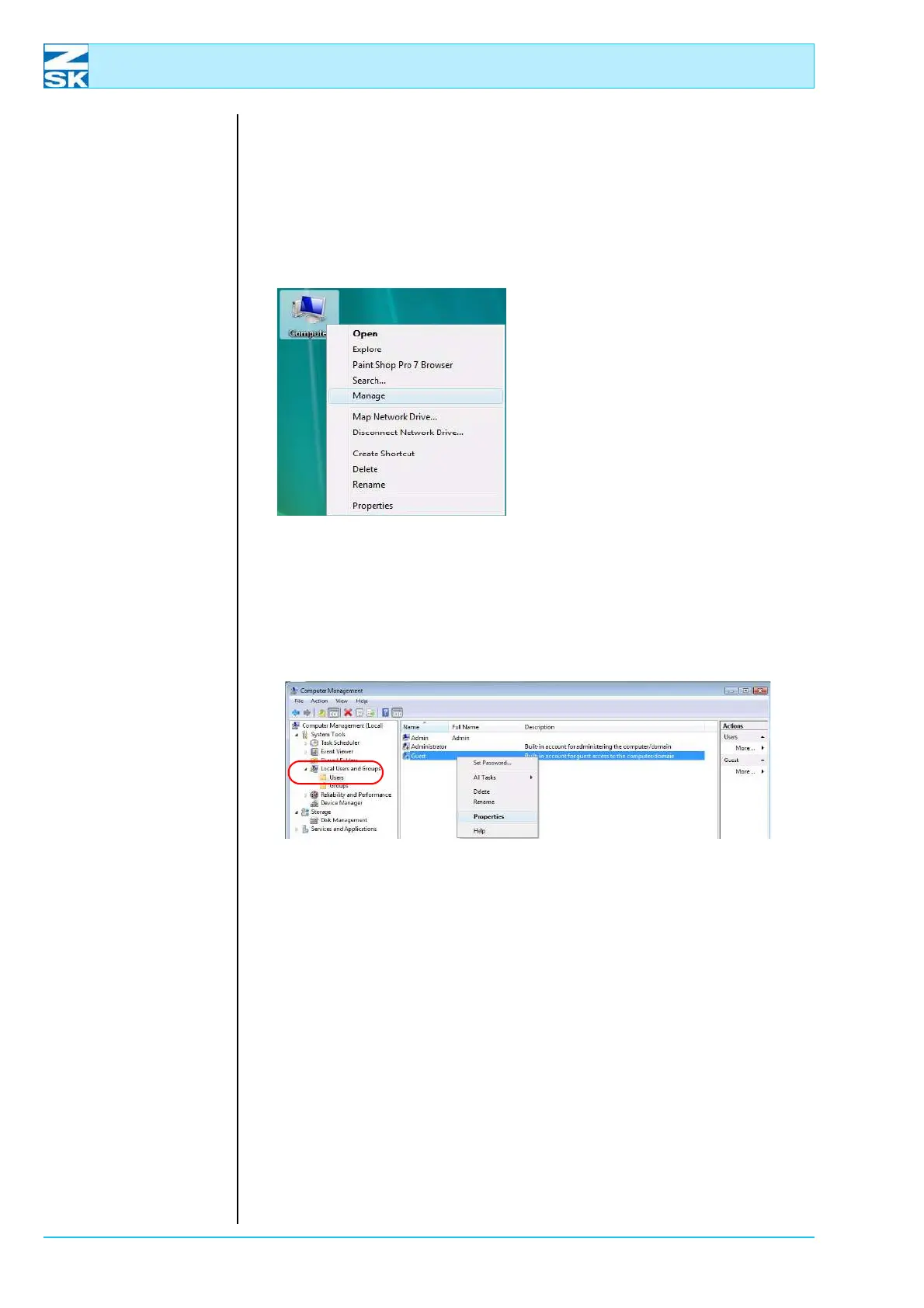
Figure 7.24:
Windows Vista,
Start Menu
• Position the mouse on the sym-
bol Computer and press the right
mouse button.
• In the menu, select Manage.
NOTE
As standard, the guest account is deselected (indicated by the red
circle with a white cross in the middle).
Figure 7.25:
Windows Vista,
Computer Management
•Under Local Users and Groups select the Users directory with the left mouse
button.
• Move the mouse pointer to the Guest user and click the right mouse button.
• In the menu, select Properties.
02060100
02060102



 To Next Page