Network operation with GiS BasePac software
02060420.fm 11.12.07/Ch,Kx Network T8 Control Unit – Version 2.0 3 - 5
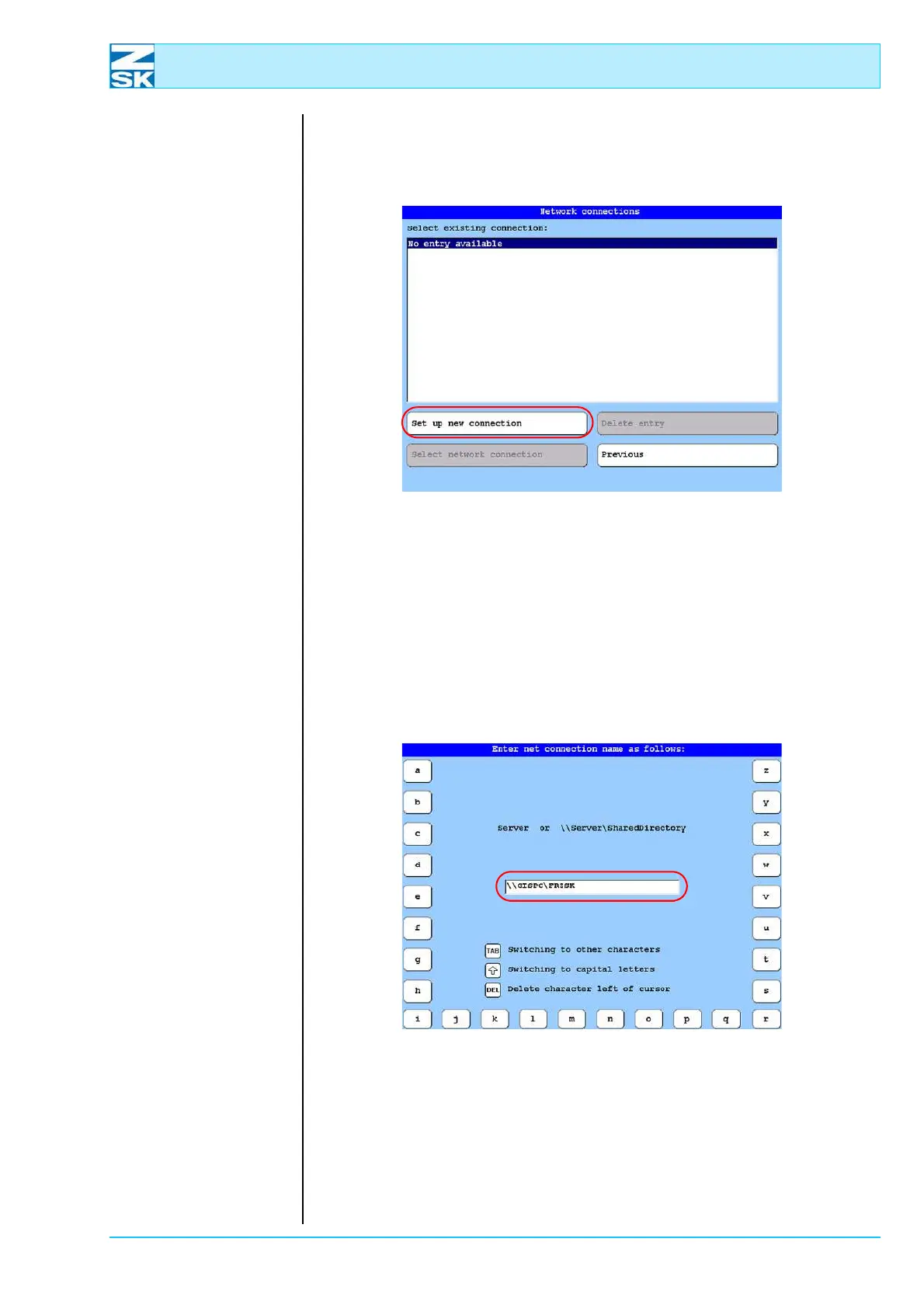
If a connection has already been set up on the T8 control unit, it will now be dis-
played and can be used. Otherwise, a new connection can be set up as follows:
Figure 3.9:
T8 control unit,
network connections
• Press [L7] Set up new connection button.
For connection purposes, enter the computer name [Section 2.1 Necessary oper-
ating system settings (Windows)] and the share name [Section 2.6 Create data ex-
change directory and enable for network operation (Windows)] of the directory
being connected, or the computer name on its own as follows:
Variant 1
Figure 3.10:
T8 control unit,
enter net connection name
as follows,
\\Computer name\
Share name
• Press the [OK] button to create the connection.
02060026
02060027



 To Next Page