Windows XP Home Edition
02060520.fm 11.12.07/Ch,Kx Network T8 Control Unit – Version 2.0 5 - 9
5.1.4 Defining identifiers: computer names and workgroups
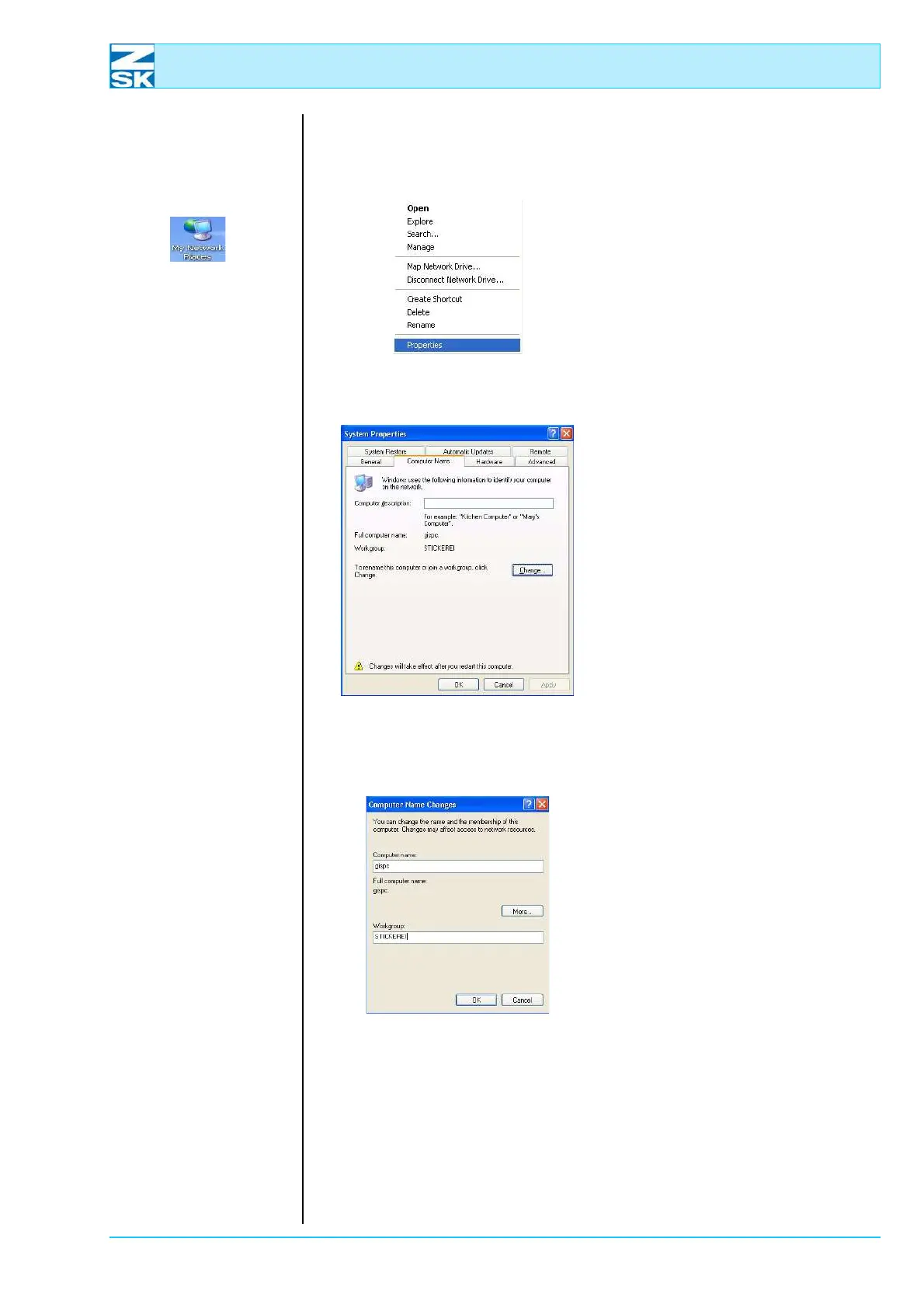
• Position the mouse on the sym-
bol My Computer and press the
right mouse button.
• In the menu select Properties.
D The dialog
System Properties is dis-
played.
Figure 5.16:
Windows XP,
System properties,
computer name
• Select tab
Computer Name and, if neces-
sary, click on Change.
Figure 5.17:
Windows XP,
System Properties,
Computer Name Changes
• Enter the unique computer
name.
• Confirm the entry with
[OK] and
the dialog System Properties
also with
[OK].
• Follow the restart instructions is-
sued by the system.
00491629
00491600
00491606
00491605



 To Next Page