EasyManua.ls Logo

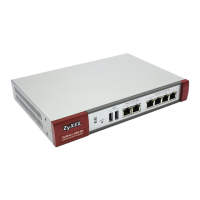
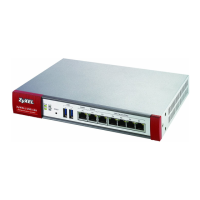
ZyXEL Communications ZyWALL USG 300 - User Manual

ZyXEL Communications ZyWALL USG 300
1156 pages
Print Icon
To Next Page IconTo Next Page
Loading...
www.zyxel.com
www.zyxel.com
ZyWALL USG 300
Unified Security Gateway
Copyright © 2011
ZyXEL Communications Corporation
Firmware Version 2.20
Edition 4, 4/2011
Default Login Details
LAN Port P1
IP Address https://192.168.1.1
User Name admin
Password 1234

Table of Contents

Other manuals for ZyXEL Communications ZyWALL USG 300

Questions and Answers

  • C
    Cheryl Jones DDSAug 1, 2025
    What to do if I cannot access the Internet through my ZyXEL Communications Gateway?
    • J
      Jeff PhillipsAug 1, 2025
      First, verify the ZyXEL Gateway's connection to the Ethernet jack that provides Internet access and ensure that your Internet gateway device, such as a DSL modem, is functioning correctly. Also, check the ge2 status on the Status screen. If necessary, rerun the installation setup wizard, ensuring that you input the correct settings.
  • K
    Kristina HarrisonAug 11, 2025
    What to do if I cannot access the ZyXEL Communications ZyWALL USG 300 from the LAN?
    • J
      Jacob PattersonAug 11, 2025
      Check the cable connection between your computer or switch and the ZyXEL Communications Gateway. Ping the ZyXEL Communications Gateway from a LAN computer to ensure your computer’s Ethernet card is properly installed and functioning, and that its IP address is within the same subnet as the ZyXEL Communications Gateway. If you've forgotten the ZyXEL Communications Gateway’s password, press the RESET button for about 5 seconds (until the PWR LED starts to blink), then release it to return the ZyXEL Communications Gateway to its factory defaults. If you’ve forgotten the ZyXEL Communications Gateway’s IP address, connect your computer to the CONSOLE port using a console cable and a terminal emulation program set to specific settings to check it.
  • A
    Andrew BellAug 21, 2025
    Why none of the LEDs turn on on my ZyXEL Communications ZyWALL USG 300?
    • B
      Brian BryantAug 21, 2025
      Ensure the power cord is securely connected to the ZyXEL Communications Gateway and plugged into a working power source, and that the ZyXEL Communications Gateway is turned on. Check all cable connections. If the LEDs still do not turn on, it may indicate a hardware problem, and you should contact your local vendor.

ZyXEL Communications ZyWALL USG 300 Specifications

General IconGeneral
BrandZyXEL Communications
ModelZyWALL USG 300
CategoryGateway
LanguageEnglish

Related product manuals