User Guide 2N® EasyGate PRO
•
•
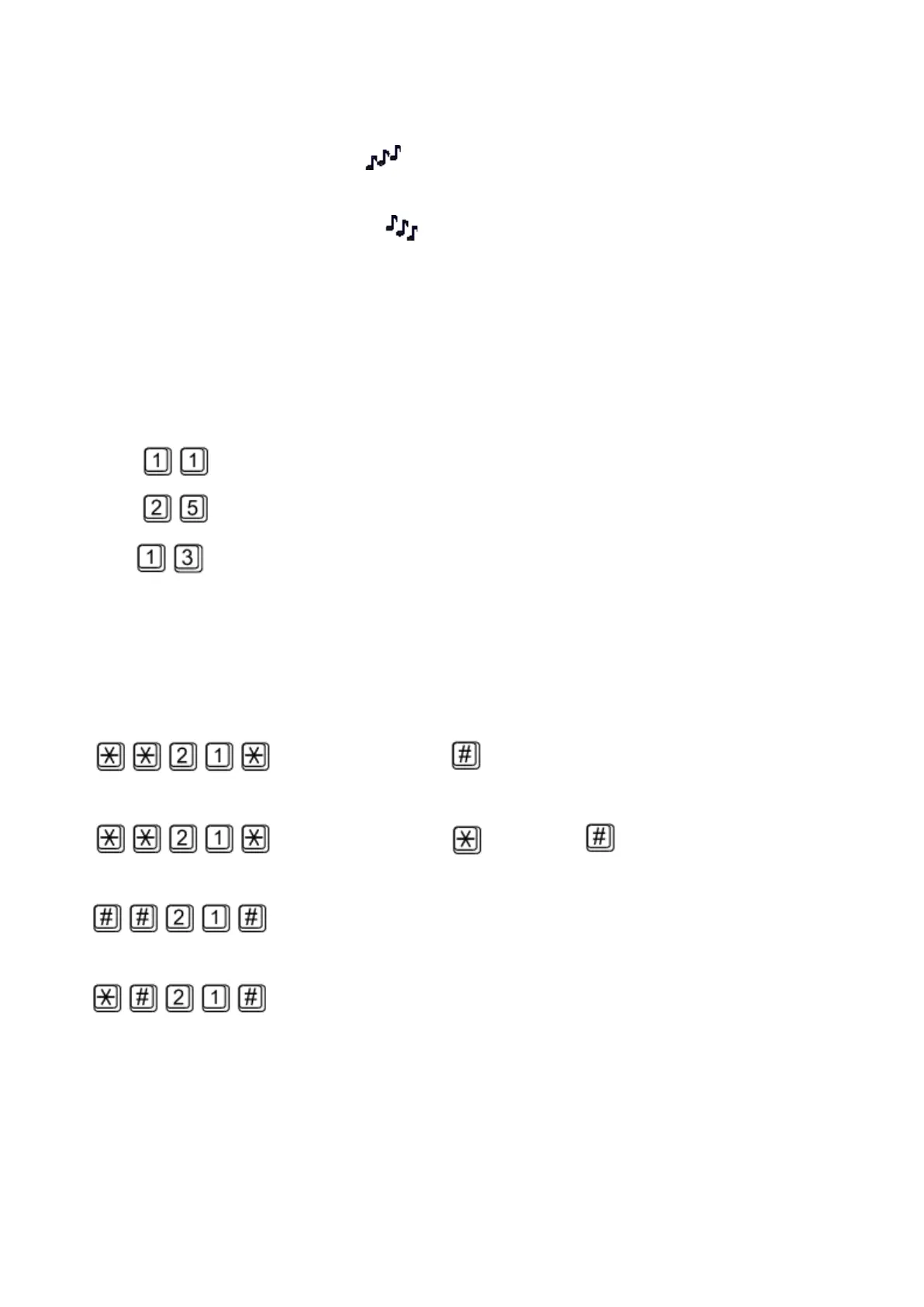
Confirmation– service activated:
Confirms that the service was configured correctly and the service is activated.
Confirmation– service deactivated:
Confirms that the service was configured correctly and the service is deactivated.
Call forwarding
For forwarding activation you must specify <Telephone number> the calls will be forwarded to.
You may specify <Call type>, if you want to forward specified call type only. You may specify
<Delay time> in seconds for forwarding if no answer too.
Description of <Call type> field codes:
Voice:
Data:
Fax:
Call forwarding unconditional
If activated, incoming calls will be always forwarded to the configured telephone number.
Activation for all call types:
<Telephone number>
Activation for selected call type:
<Telephone number> <Call type>
Deactivation:
Status check:



 To Next Page