173D Systems, Inc.
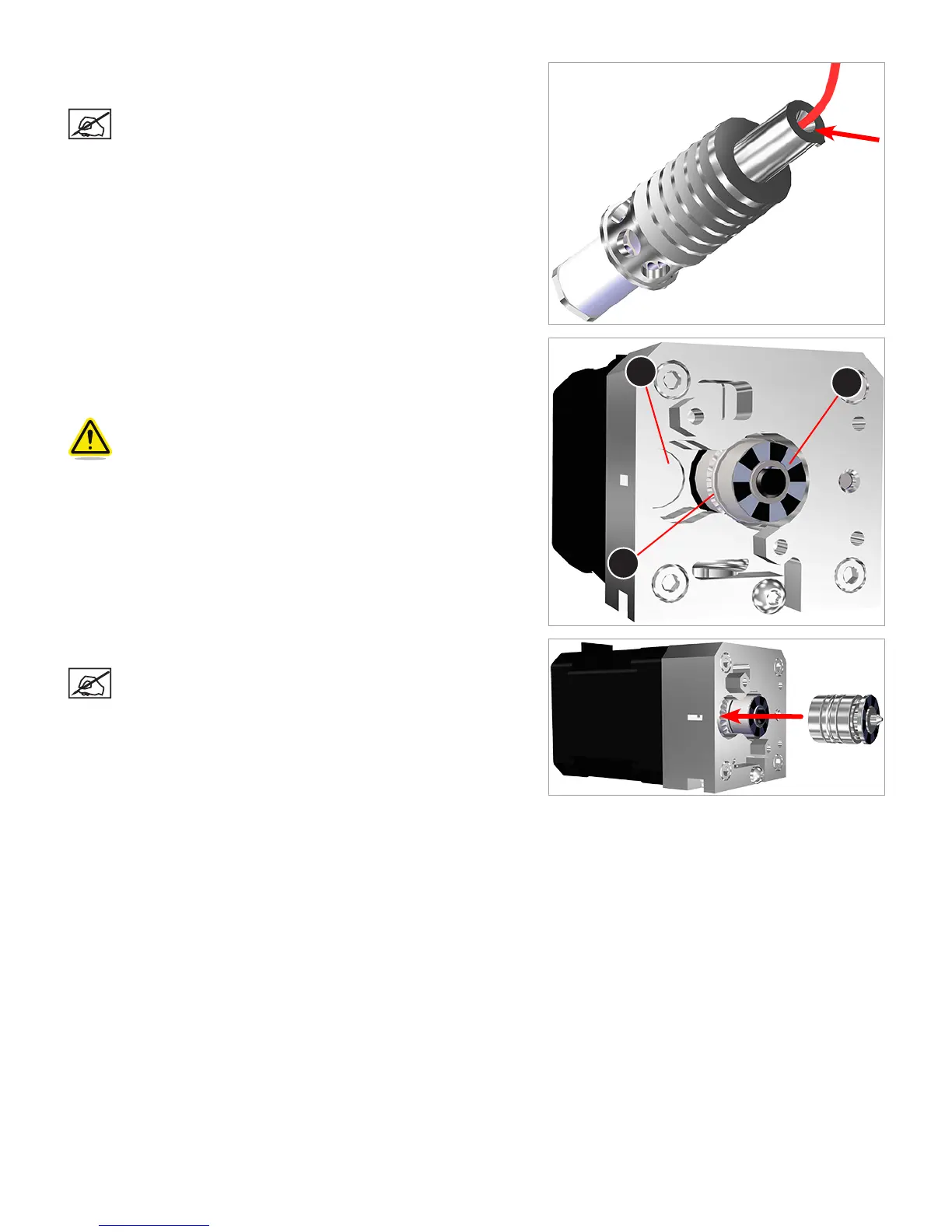
29. Using the supplied wire cutters, carefully cut away the print material
from the intake portion of the print jet.
NOTE: Cut the material as deep as possible in the cavity. This
will help when purging the print material.
30. Inspect the idler wheel cavity (A) in the extruder for any broken pieces
of print material. Remove any print material from the cavity. Then,
manually rotate the extruder drive wheel (B) and inspect it for any
broken print material. Remove all print material from the extruder.
CAUTION: Be careful not to damage the drive wheel sensor
disk (C). If it becomes damaged, the extruder assembly will
need to be replaced.
31. Carefully insert the idler wheel into the extruder.
NOTE: Ensure the idler wheel is fully seated in the extruder
housing.
A
B
C












 To Next Page