163D Systems, Inc.
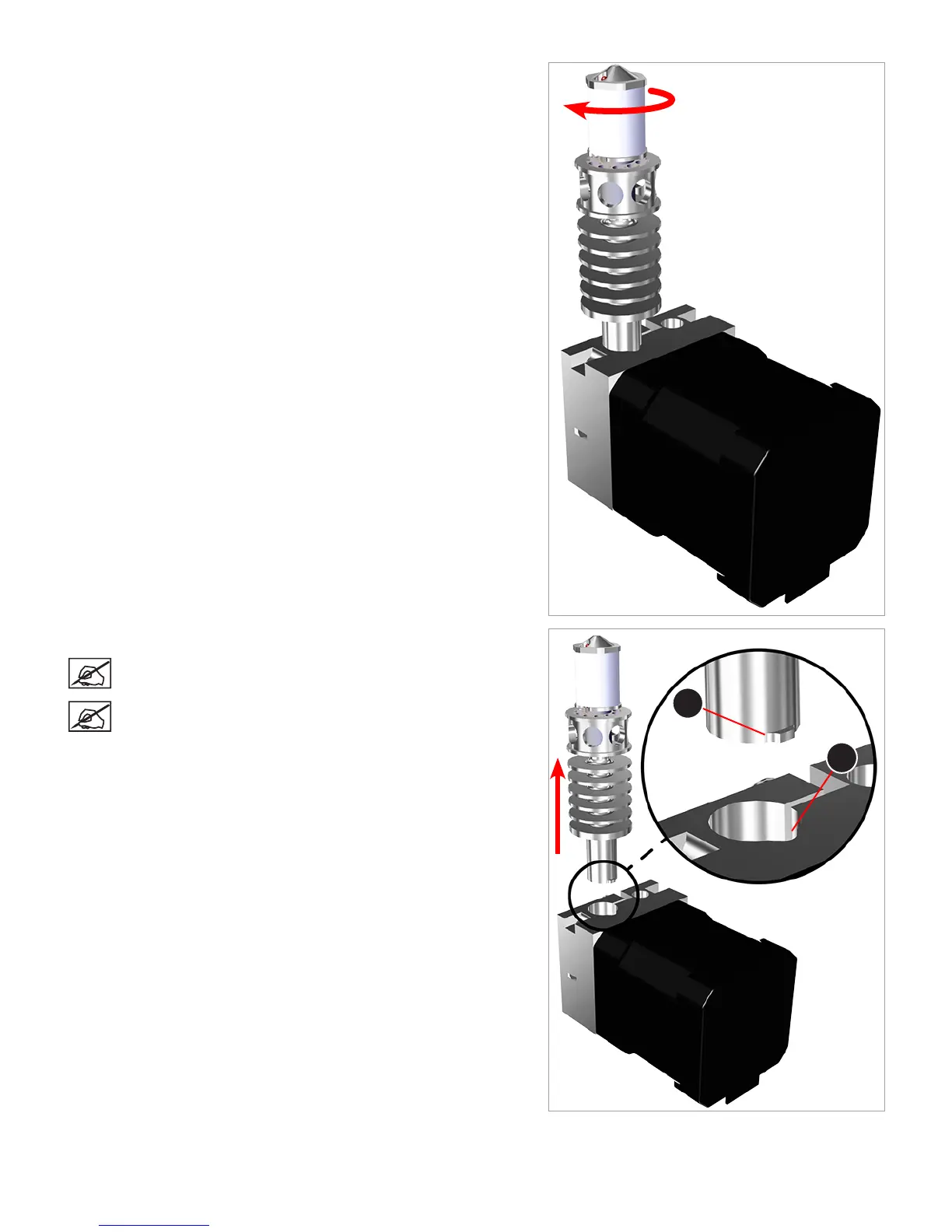
27. Rotate the print jet clockwise 180 degrees.
28. Carefully remove the print jet from the extruder.
NOTE: There is a tab (A) on the end of the print jet that aligns
with the channel (B) in the extruder.
NOTE: It is normal to feel some resistance. As you remove
the print jet from the extruder, the print material will break off
in the extruder.
A
B












 To Next Page