213D Systems, Inc.
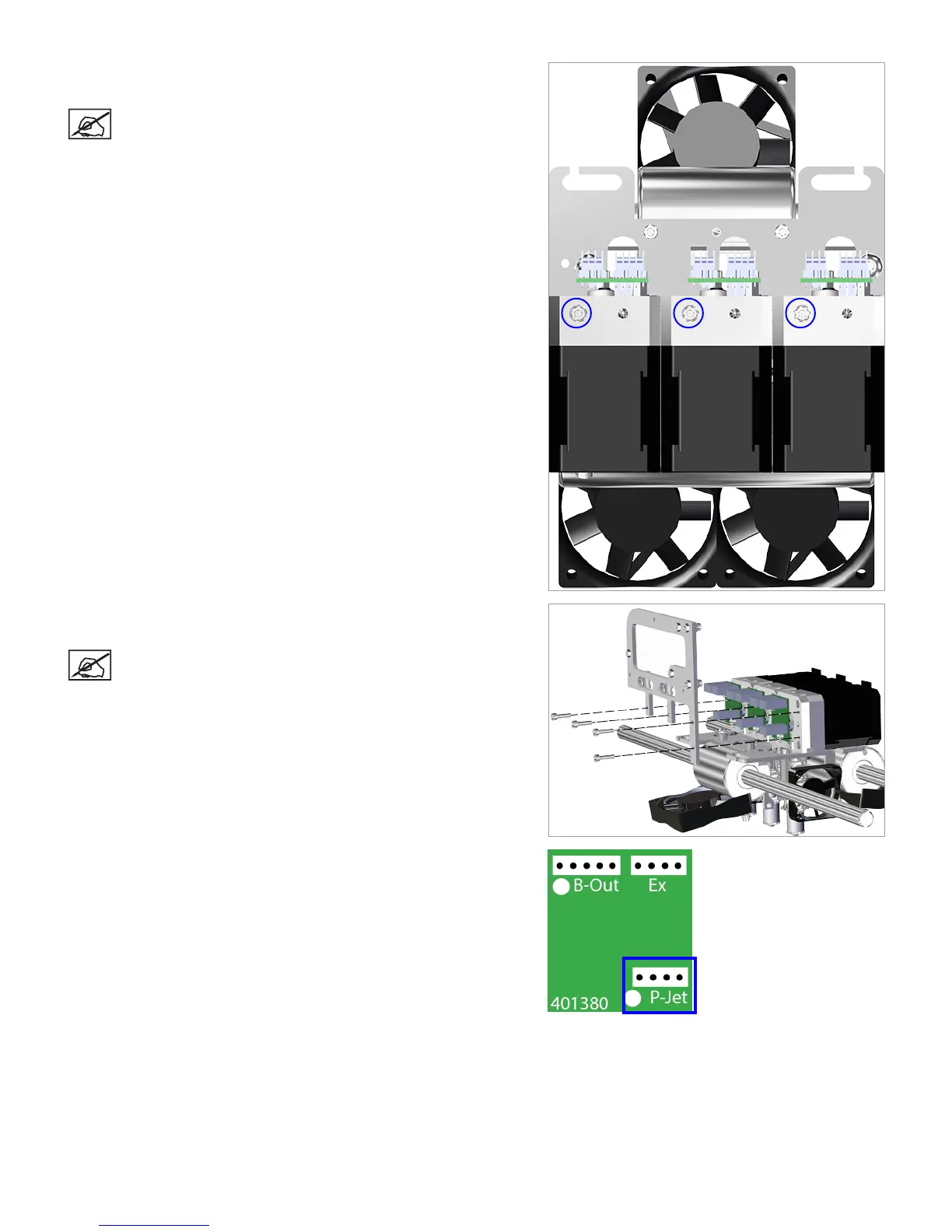
38. Using a 2.5 mm hex head driver, tighten the 2.5 mm hex head screw on
the affected extruder.
NOTE: For clarity, the main extruder PCB was removed
from the illustration. It does not need to be removed for this
procedure.
39. Using the 2.5 mm hex head driver, reinstall the delivery tube bracket to
the extruders using the original bolts.
NOTE: For clarity, the main extruder PCB was removed
from the illustration. It does not need to be removed for this
procedure.
40. Reconnect cable X1 to junction P-Jet of the affected extruder PCB.












 To Next Page