273D Systems, Inc.
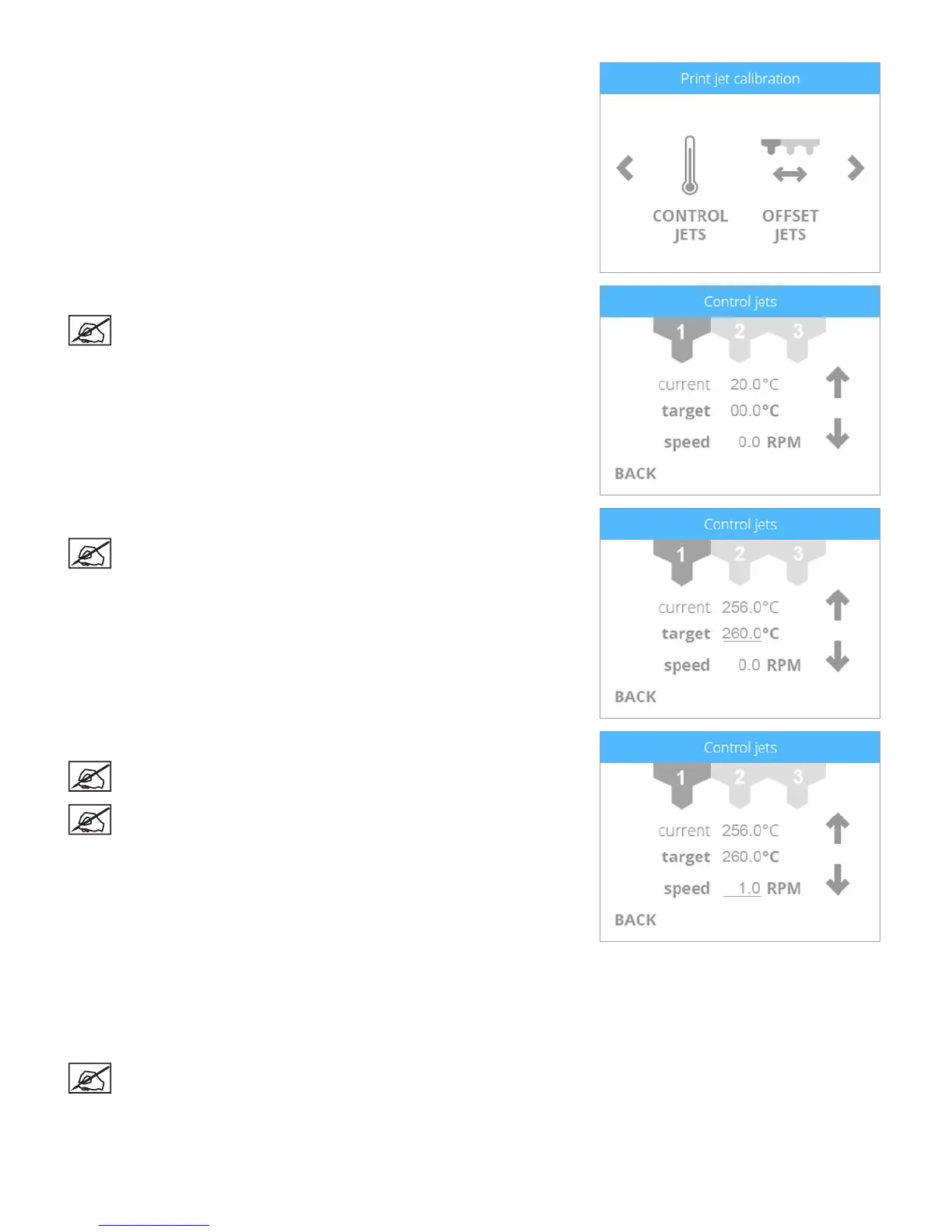
71. Navigate to the Print Jet Calibration screen and select CONTROL JETS.
72. Select the affected extruder print jet.
NOTE: In the illustration, extruder print jet 1 has been selected.
73. Select the target temperature and set it to 260˚C.
NOTE: After selecting the temperature value, use the up or down
arrows to set the target temperature.
74. Select the speed and set it to 1.0 RPM.
NOTE: After selecting the speed value, use the up or down arrows to
set the speed.
NOTE: The speed must be slow to allow the print material to melt
and move properly through the print jet.
75. Manually feed the material coming from the cartridge into the material tube until
the print jet begins to extrude melted print material from the affected extruder.
76. Once the print material begins to extrude from the print jet, set the target
temperature and speed to 0.0.
77. Perform the Level Gap procedure.
NOTE: The Level Gap procedure can be found in the following
section of this guide.












 To Next Page