283D Systems, Inc.
5
CALIBRATING THE LEVEL GAP
Leveling the print pad is very important to ensure quality prints. Checking the Z-Gap and Level Gap becomes necessary after replacing
a print jet, an extruder assembly, or the print pad.
The Level Gap calibration le is always printed with print jet 1. There are two independent les for checking Level Gap: one for ABS
printing and one for PLA printing.
NOTE: Ensure the le used matches the material type installed in cartridge bay 1. (Ex. If cartridge bay 1 has an
ABS material cartridge, print the ABS Level Gap le.)
These les are available at www.Cubify.com.
NOTE: The Z-Gap (A) should always be checked and adjusted before the Level Gap (B).
Level Gap Calibration Print Overview
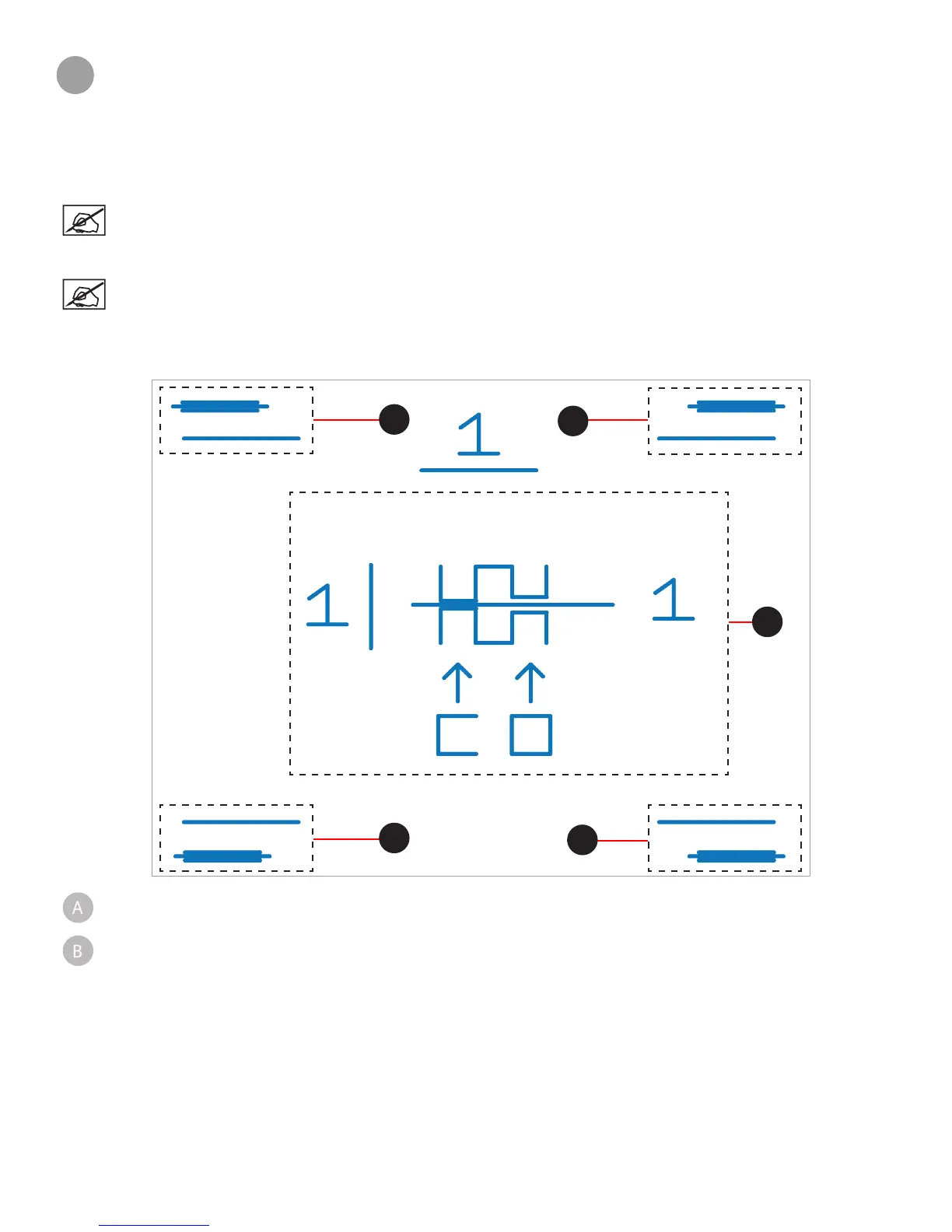
The following diagram illustrates a leveled print pad with a proper Z-Gap:
Z-Gap - The Z-Gap is the distance between the print pad and the print jet nozzles. The Z-Gap should always be checked
and adjusted rst before the Level Gap.
Level Gap - The Level Gap is a measurement to determine if the print pad is level with the print jet nozzles. The Level
Gap should be checked and adjusted once the Z-Gap is correct.
A
B
B
B
B












 To Next Page