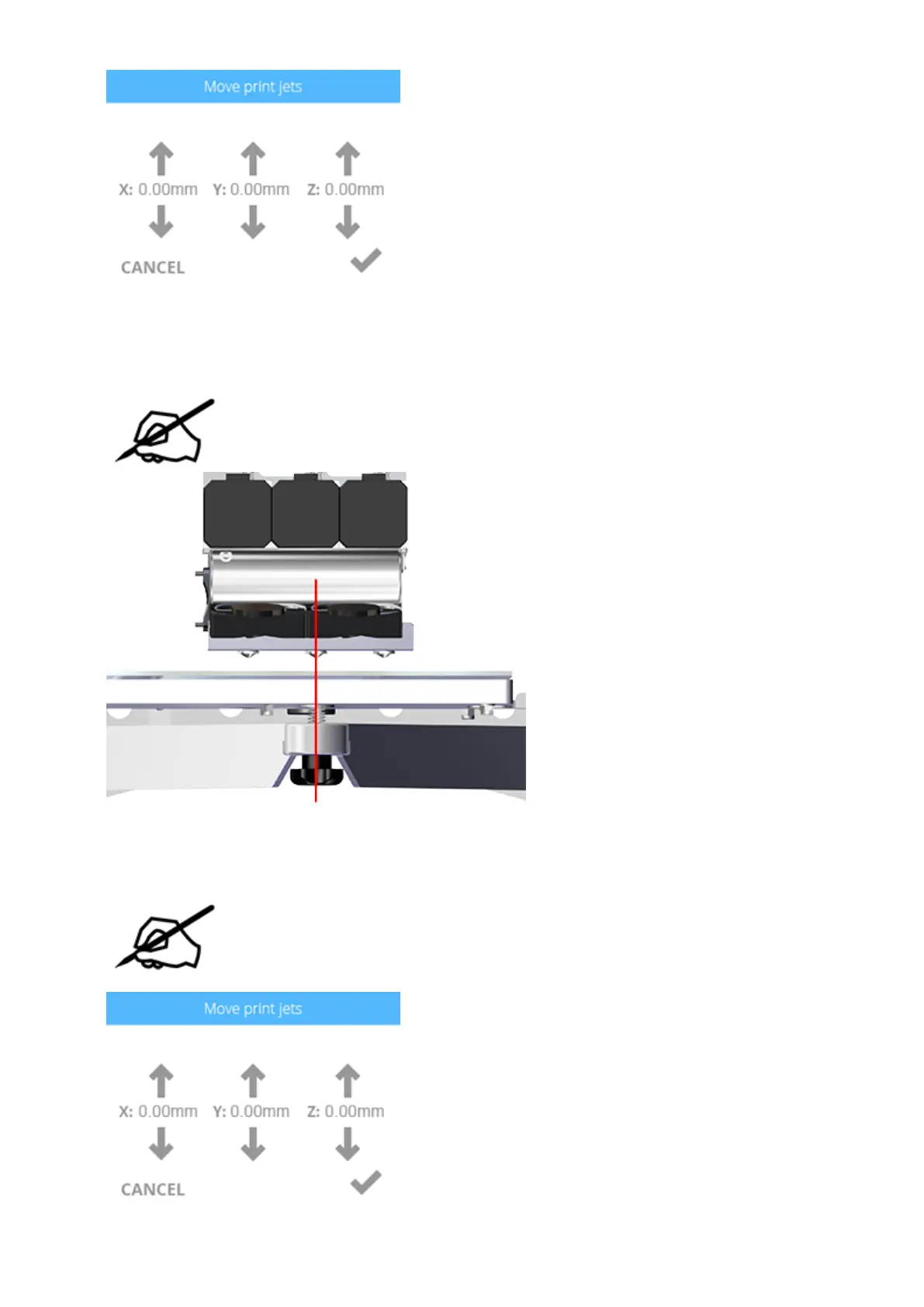
Press the X and Y adjustment arrows until print jet 2 is closely aligned above the front40.
print pad adjustment knob.
NOTE: The red line in the illustration demonstrates an approximate
alignment of print jet 2 and the front print pad adjustment knob.
Press the Z: up arrow until the nozzle of print jet 2 lightly touches the print pad.41.
NOTE: If there is still a gap between the nozzle of print jet 2 and the print
pad, and the Z: up arrow will not raise the print pad further, rotate the front
print pad adjustment knob counter-clockwise (from the bottom side) until
the nozzle lightly touches the print pad.





 To Next Page