3D Systems, Inc.
41
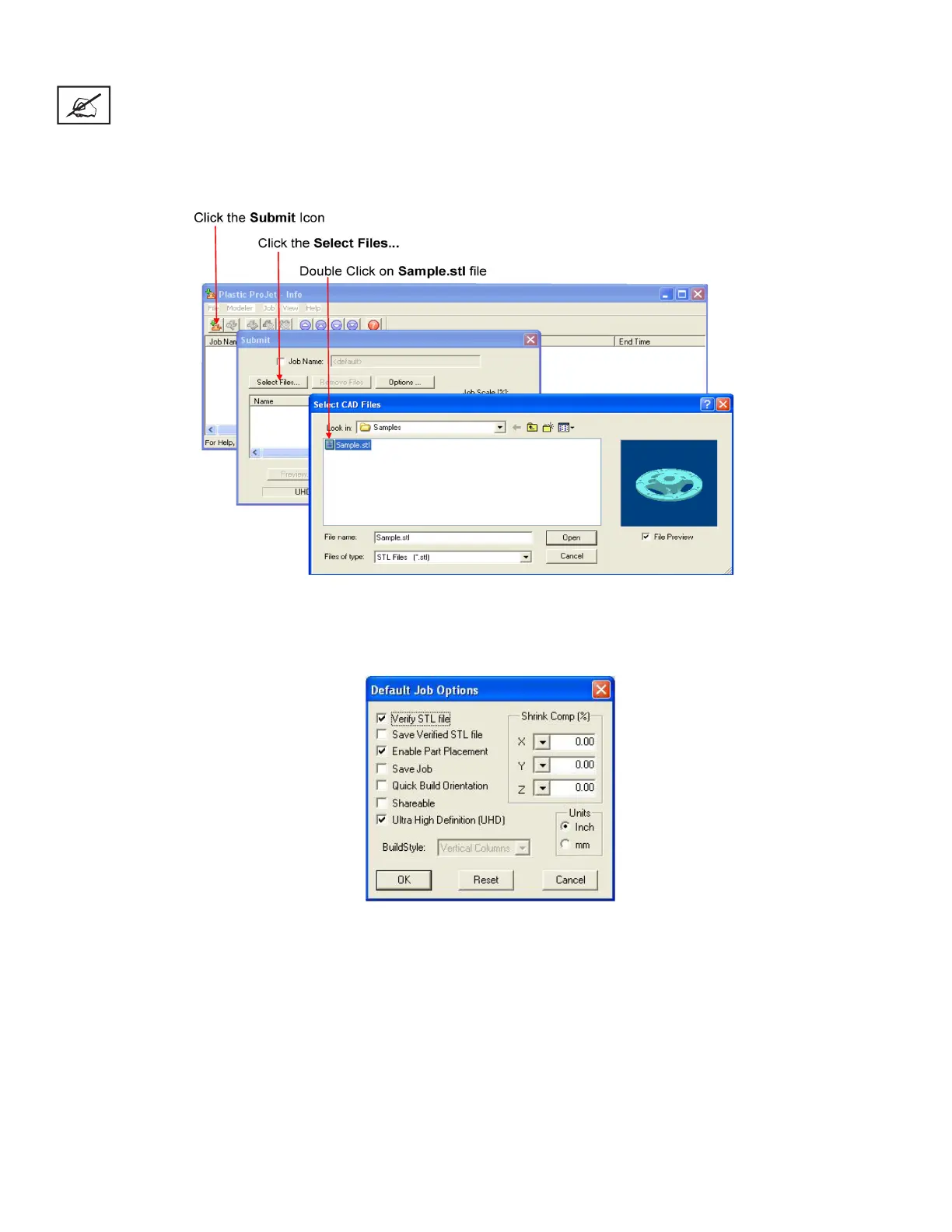
• Click Select Files on the Submit dialog box to add one or more parts to the build job.
NOTE: More than one STL le can be selected at a time.
• In Select CAD Files dialog box, hold down the Ctrl key and click on several STL les. Add parts in Preview window. After you have
added at least one STL le, use Preview window to view build jobs in three dimensions, and to add more STL les if desired. Sam-
ple STL les are in the \3-D Modeling Client\Samplesfolder.
• Browse les in Select CAD les window. When les are selected, le names appear in build job parts list of Submit dialog box.
• Click Options button on Submit dialog box. The Default Job Options dialog box appears.










 To Next Page