3D Systems, Inc.
52
Running the application
The ModelerBatch.exe application can be invoked from command line or program. The command line format is as follows:
• RootDir\bin\ModelerBatch.exe IniFile ReportFile
• Descriptions:
• RootDir - the installation folder of the ProJet client, which can be obtained from the registry by using:
• Key = “HKEY_LOCAL_MACHINE\SOFTWARE\3D Systems\3D Modeling Accelerator”
• Name= “RootDir”
• ReportFile - returns a report to a specied le on the job submission
NOTE: If a lename is not specied for the report le, the data will be written to a default le named ReportFile.txt.
This le will be overwritten every time the modelerbatch.exe or modelerstatus.exe applications are run without a
report le specied
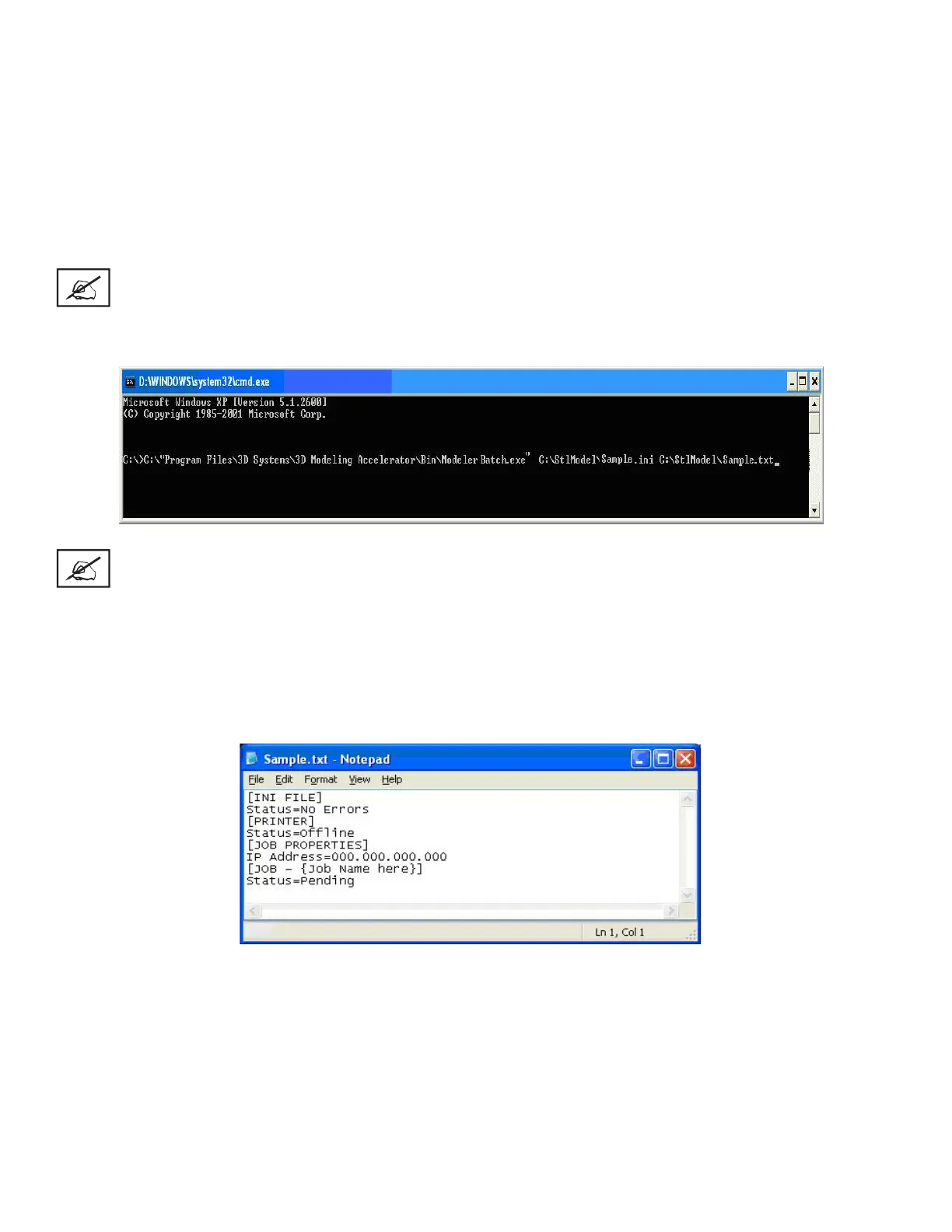
The DOS window show below is an example of running the ModelerBatch.exe via command window.
NOTE: If any of the directories specied in the command script have folders with spaces in the folder name
quotes will required around the directory structure for the script to work. If no spaces are present, the quotes
are unnecessary.
Example: “C:\Program Files\3D Modeling Accelerator\Bin\ModelerBatch.exe”
Output Report
• After a successful run of the modelerbatch.exe application, the job will be submitted to the designated printer’s build queue and the
application will output a report (ReportFile or IniFile) to the location designated in the command script. The gure below is an exam-
ple of the report output after the ModelerBatch.exe completion.










 To Next Page