18
7-3-4-6 Actuator
Choose Linear / Rotary mode.
Choose mounting of the transmission pin in the case of Linear actuator.
○ Sequence
①Unlock
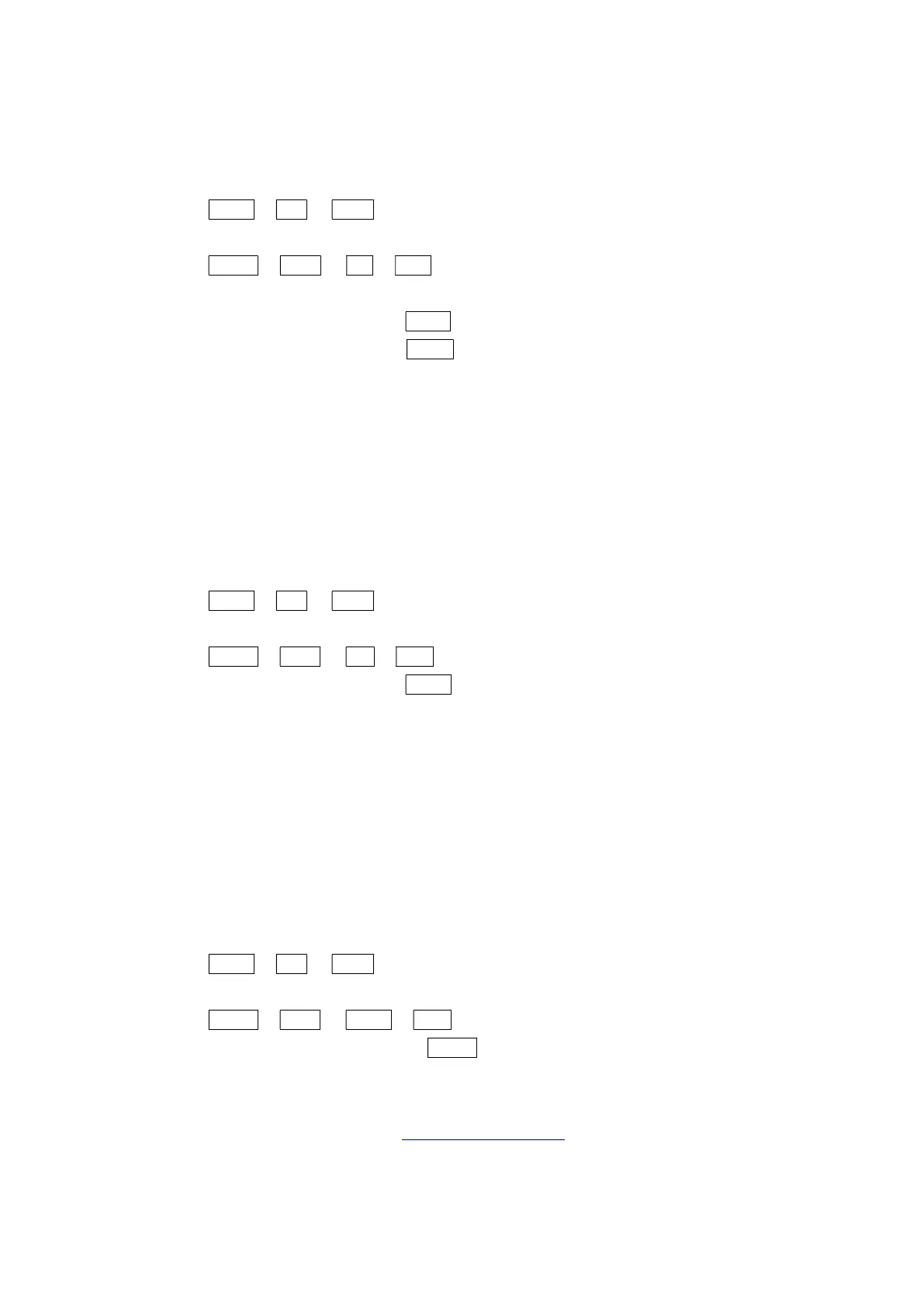
LOCK ⏎ LK? ▼ ULK? ⏎
②Operation
MANU ⏎ SPLT ▼ L/R ⏎ LIN? ⏎ : Linear actuator mode, fixed transmission pin to the
actuator side
▼ ROT? ⏎ : Rotary actuator mode
▼ LINS? ⏎ : Linear actuator mode, fixed transmission pin to the
positioner side
○ Notice
・When the selection is wrong, linearity is worse.
7-3-4-7 Single / Double action
Choose Single / Double acting mode
○ Sequence
①Unlock
LOCK ⏎ LK? ▼ ULK? ⏎
②Operation
MANU ⏎ SPLT ▼ S/D ⏎ SIN? ⏎ : Single acting mode
▼ DOB? ⏎ : Double acting mode
○ Notice
・The default setting is SIN
7-3-4-8 Direction of rotation
Choose the direction of rotation.
This is usually CW mode, it is possible to match the position display by the CCW mode when the
direction of rotation has changed.
○ Sequence
①Unlock
LOCK ⏎ LK? ▼ ULK? ⏎
②Operation
MANU ⏎ SPLT ▼ SENS ⏎ CW? ⏎ : Position is reduced in the clockwise
▼ CCW? ⏎ : Position is reduced in the counter-clockwise
○ Notice
・The default setting is CW
・When changing this setting, 7-3-5-4 Direction D / R changes. Please execute the A-1 tuning
once again.



 To Next Page