Copyright © 2017, 4ipnet, Inc. All rights reserved. All other trademarks mentioned are the property of their respective owners.
Step 3: Configure General Wireless Settings
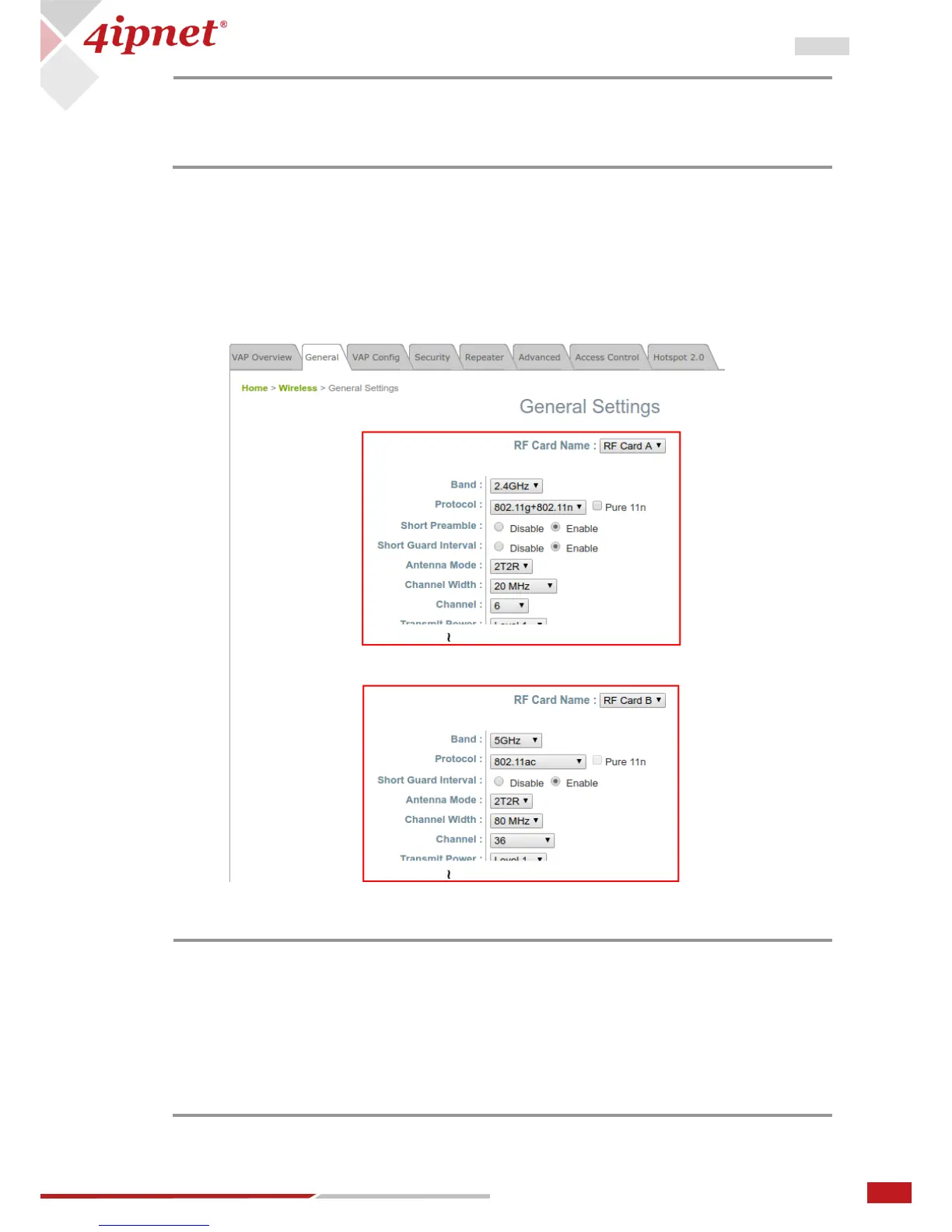
Under Home > Wireless > General, there are global settings for RF Card A and B. RF Card A is operating in
2.4 GHz band and RF Card B is operating in 5 GHz band, both of which are enabled by default.
For initial configuration, you might want to change the default basic settings shown below:
RF Card A – 2.4 GHZ, 802.11g+802.11n, Antenna Mode 2T2R, Channel Width 40 MHz, Channel 6
RF Card B – 5 GHz, 802.11ac, Antenna Mode 2T2R, Channel Width 80 MHz, Channel 36
You can make changes to other settings at a later time.
Congratulations! After a system restart, the AP should be able to operate with these settings.
- DHCP Profile and DHCP Server are activated only when the VAP is set to NAT mode.
- If the VAP is in NAT mode, the CAPWAP Tunnel Interface will only work in two
states:
Disable (No Tunnel) or Split Tunnel.
SSID, ESSID, and BSSID:
- Service Set Identifier (SSID) is a key identifying the Name of a Wireless LAN.
- Extended Service Set Identifier (ESSID) = SSID; multiple physical APs can be
configured to use the same SSID such that roaming across multiple physical APs is
supported.
- Basic Service Set Identifier (BSSID) = MAC address of AP; unique BSSID will be
transmitted (in the Beacon management frame) when multiple physical APs
broadcast the same ESSID.



 To Next Page