User’s Manual
WHG Controller / HSG Gateway ENGLISH
10.2 Client Related Status
10.2.1 Online User
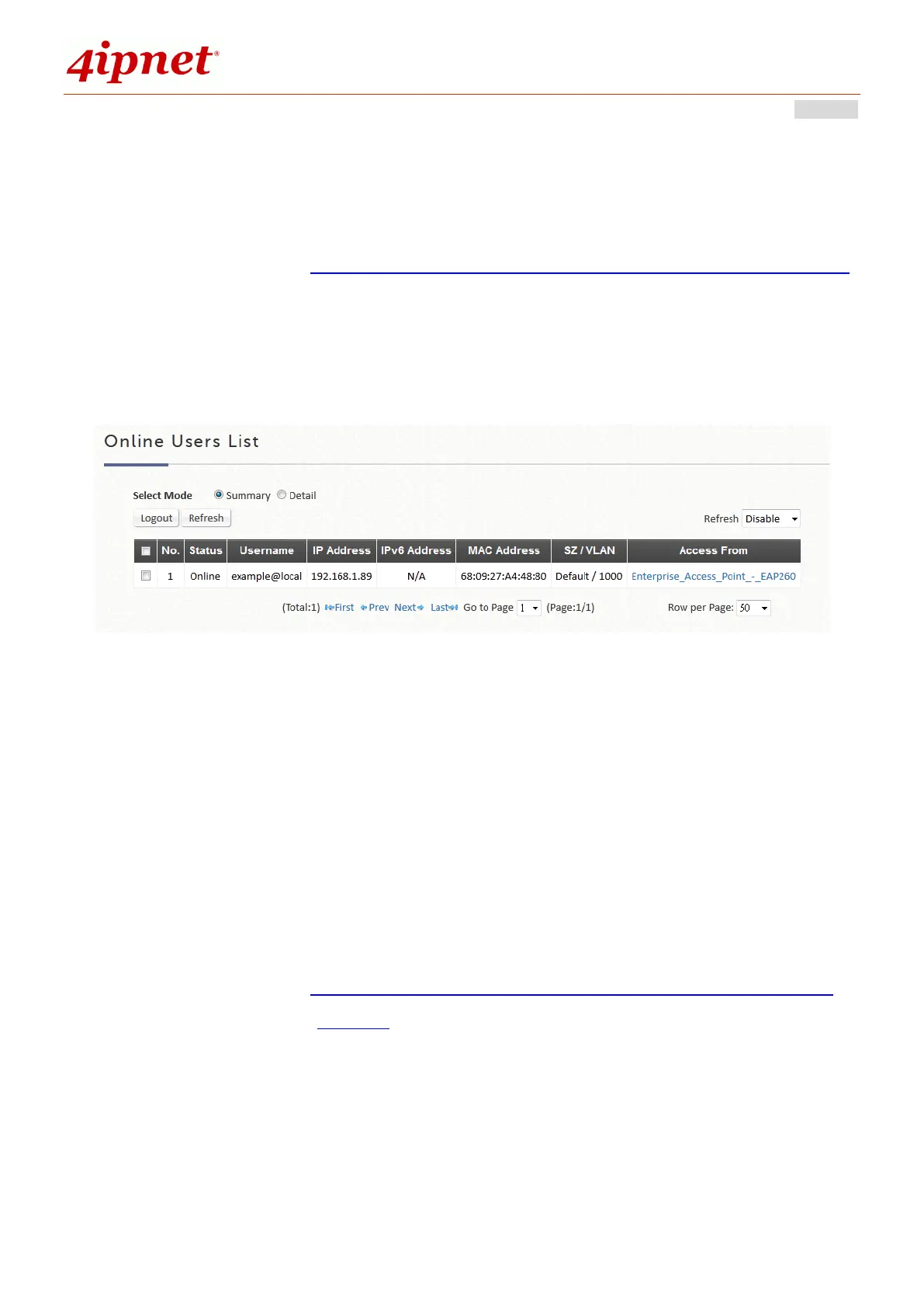
Configuration path: Main Menu >> Status >> Monitor Users >> Online Users
Users displayed on this page are the ones that are authenticated by this
Controller under its managed network either LAN or remotely tunneled site.
There are 2 modes to select from. Select ‘Detail’ to display more information,
such as Pkts In/Out, Bytes In/Out and etc. Administrators can force out a
specific online user by clicking Kick Out and check the user access AP status
by clicking the hyperlink of the AP name for Access From. Click Refresh to
update the current users list or you can select the time interval for automatic
refresh from the drop-down box in the lower right corner of this page.
10.2.2 Associated Non Login Users
Configuration path: Main Menu >> Status >> Monitor Users >> Non-Login
Devices
This page shows users that have acquired an IP address from the system’s
DHCP server but have not yet been authenticated, either under the LAN or
remotely tunneled site. This feature is designed for administrators to keep
track of systems’ resources from being exhausted. The list shows the client’s



 To Next Page