User’s Manual
WHG Controller / HSG Gateway ENGLISH
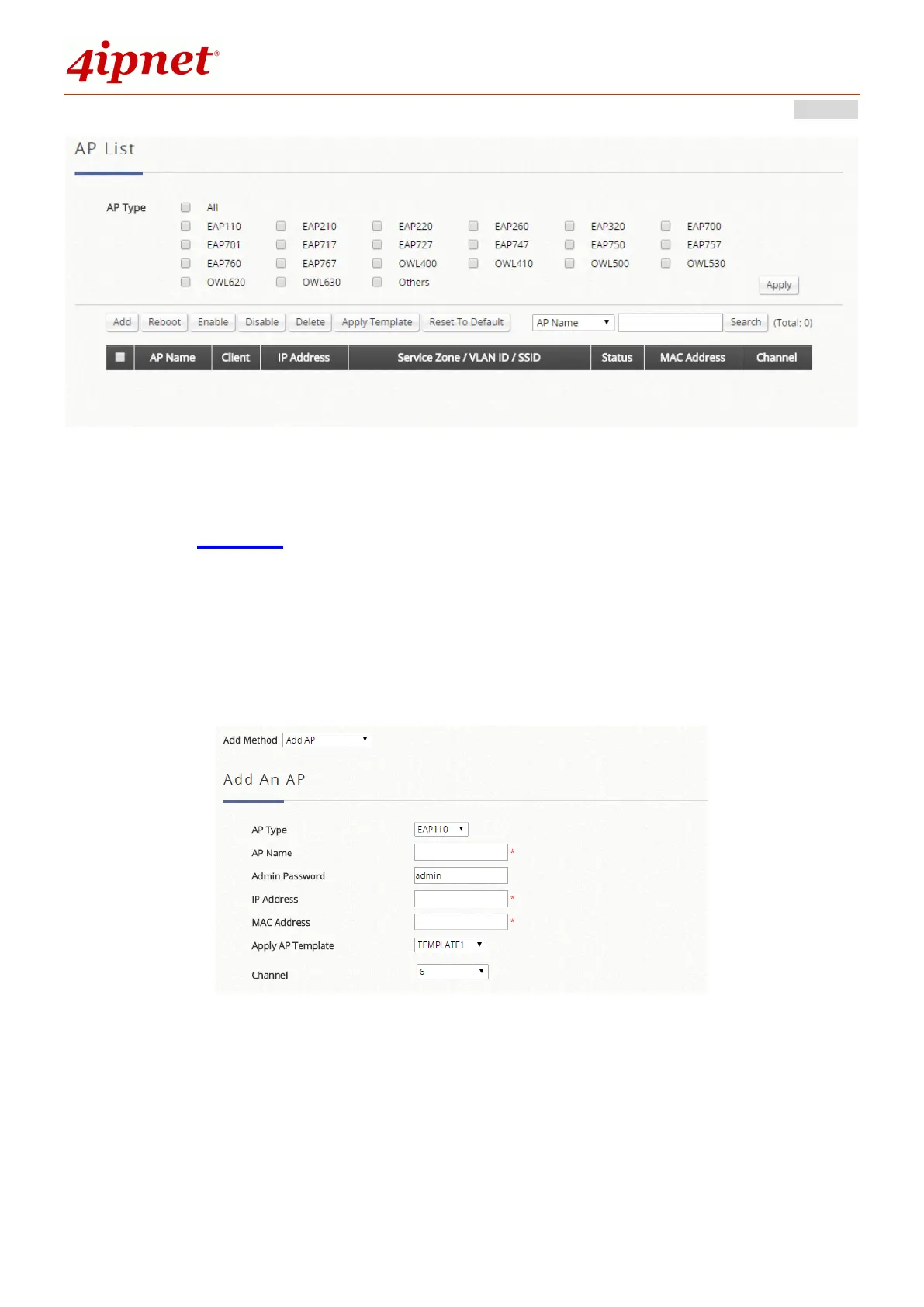
Select any AP by checking the checkbox on the list and then click the buttons to Reboot, Enable, Disable,
Delete, Apply Template and Reset to Default to the selected AP if desired.
c) Adding
The Adding function is used to manually set up an AP via filling in the required information for that AP.
The system provides templates that can be used to simplify the AP configuration.
The administrator can add supported APs into the List table manually by clicking “Add” and selecting
“Add AP”. The system will attempt to configure the AP with the value specified. After processing, the AP's
status will display "online" or "offline" on the AP List.
AP Type: The model type of the AP for adding to the List.
AP Name: Mnemonic name of the specific AP.
Admin Password: Password required for this AP.
IP Address: IP address of the specified AP.
MAC Address: MAC address of the specific AP.
Apply AP Template: Select the AP Template to be applied to this added AP.
Channel: The selected channel will be applied to the added AP.



 To Next Page