User’s Manual
WHG Controller / HSG Gateway ENGLISH
7.3.1. Adding an Access Point
Configuration path: Main Menu >> Access Points >> Wide Area AP Management
>> AP List >> Add
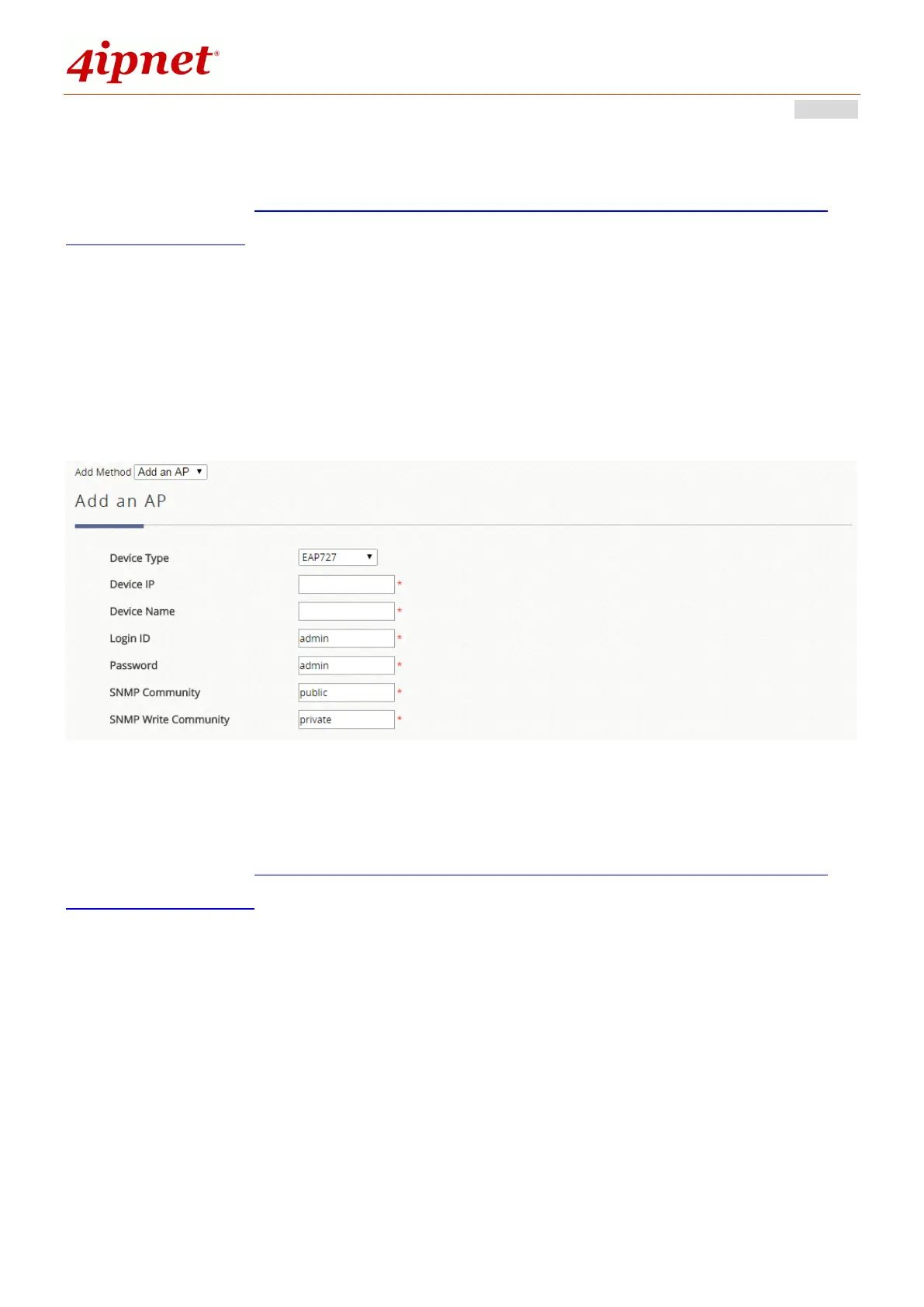
The Adding page allows administrator to directly add a single Access Point to the
management list regardless of its Status. Simply configure the device’s IP address,
name and login credentials, set a SNMP community string and click the Apply
button.
7.3.2. AP Discovery to find Multiple Access Points
Configuration path: Main Menu >> Access Points >> Wide Area AP Management
>> AP List >> Add
With the AP Discovery feature, administrator can scan for APs regardless of their
physical location as long as their IP addresses can be reached. An IP scanning
range may be configured. Select the target Device Type, define the scan IP range
and Admin Settings, then click “Discover”. After the discovery process, newly found
AP’s will be listed under Device Results where the administrator can specify the
individual APs Device Name and SNMP Community string. Select and click the Add
button and the discovered APs will be added into List.



 To Next Page