User’s Manual
WHG Controller / HSG Gateway ENGLISH
4) Managed AP Simulation
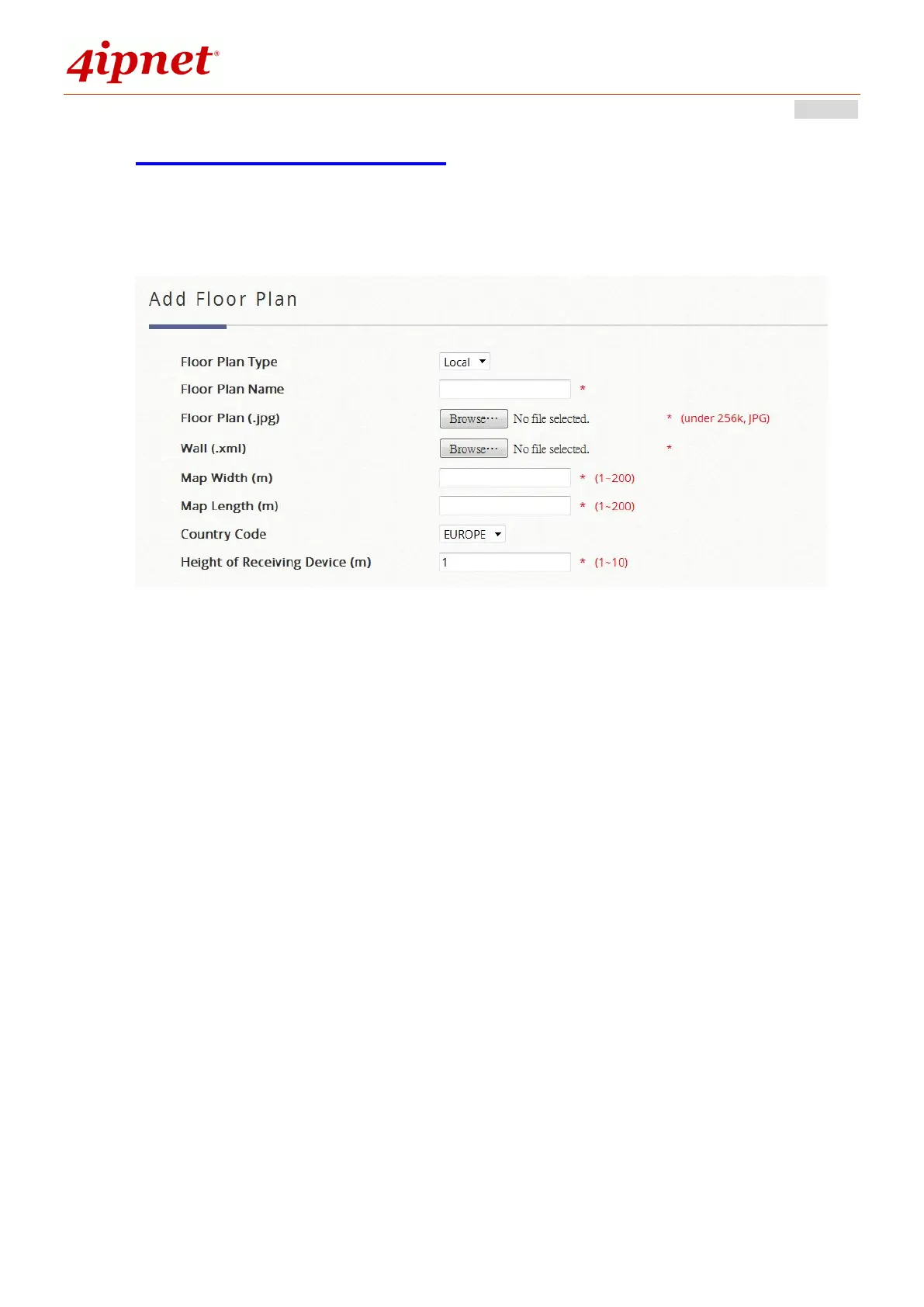
Managed AP Simulation allows administrators to upload a 2-D floor plan for a visualization report of
managed APs. Click the Add Floor Plan button to first add a floor plan.
Floor Plan Type: Determine if floor plan will be used for Local Area Managed APs or Wide Area
Managed APs.
Floor Plan Name: Self-defined name for Administrator’s reference.
Floor Plan: Select file for floor plan (.jpg format).
Wall: Select file for wall (.xml format).
Map Width: Actual width of floor plan.
Map Length: Actual length of floor plan.
Country Code: Select the country code (EU/US). This will determine the max output power of access
points
Height of Receiving Device (m): The assumed average height of receiving client devices.



 To Next Page