User’s Manual
WHG Controller / HSG Gateway ENGLISH
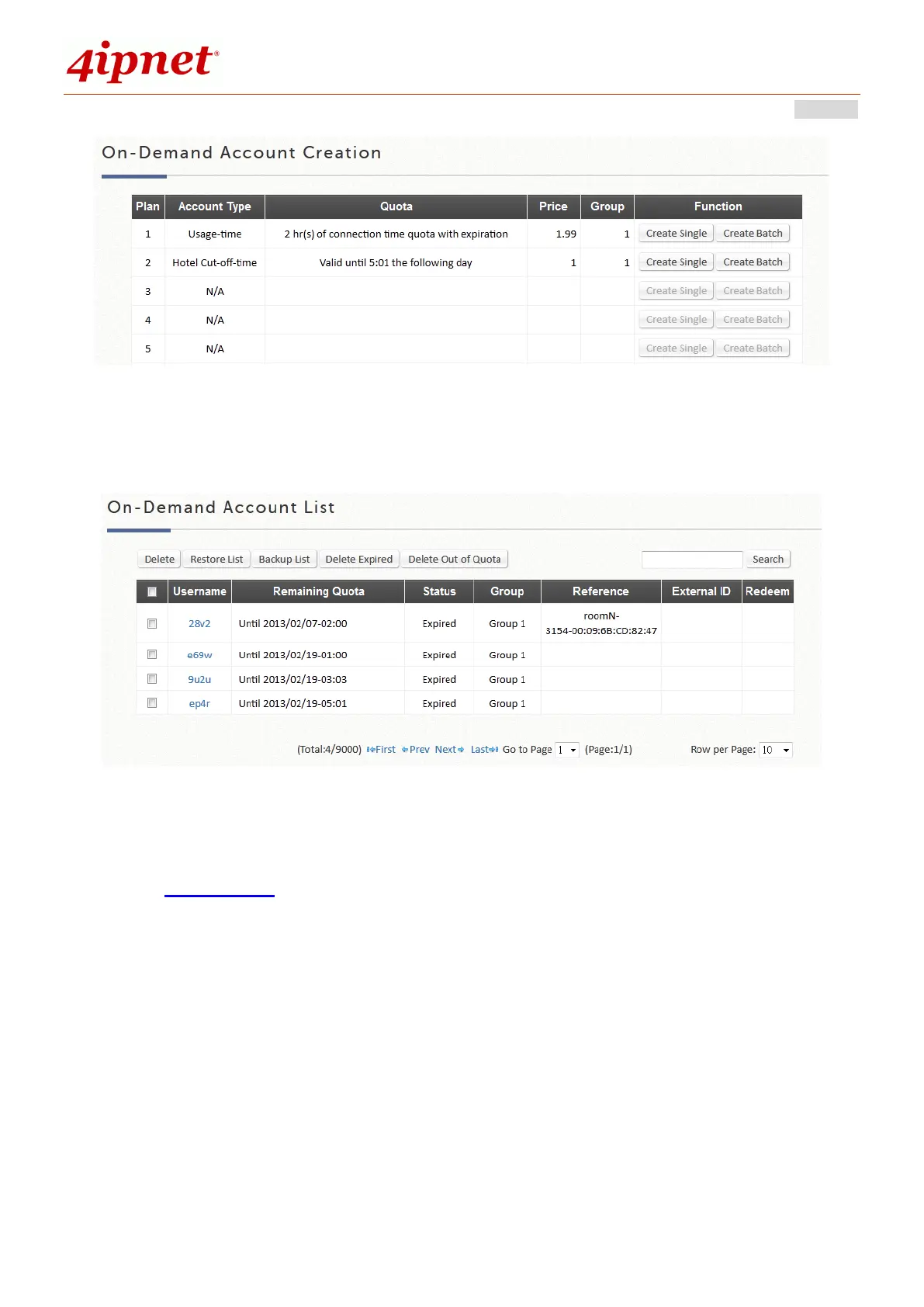
Account Creation: Administrators can choose to create a single account or multiple accounts
using the "Batch Create" function. Before accounts can be created, at least one Billing Plan needs
to be set up and activated. Accounts can be created with random Usernames and Passwords or
created manually (up to 8 characters). Usernames and Passwords can also be created manually
for batch creation. (eg. Prefix = ABC, Postfix = DEF, Serial Number 0001.)
Account List: All created On-Demand accounts and related information are listed on this page.
The list also allows administrators to manipulate On-Demand accounts, such as restoring/deleting
accounts and Admin Redeem.
5) Schedule
The Administrator gets to set different Login Hour permissions to be applied to User Groups in enabled
Service Zones. To apply the configured Schedule Profile, go to Groups Configuration.



 To Next Page