User’s Manual
WHG Controller / HSG Gateway ENGLISH
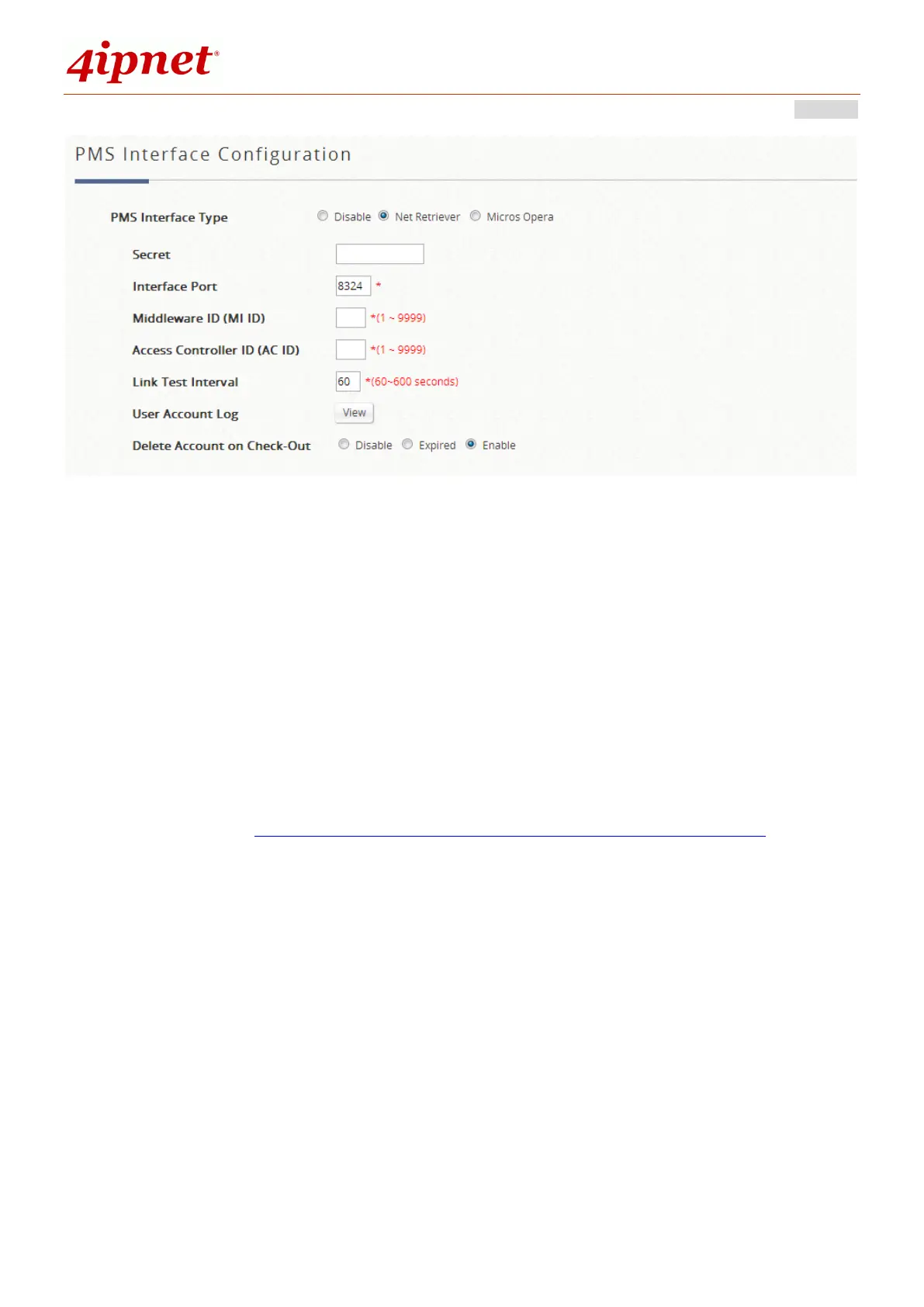
Configure the corresponding middleware’s ID and the Access Controller ID to
establish the link. Use the default Interfacing Port number unless modified on the
middleware side. A common secret key is required to successfully setup the link.
Link test frequency is customizable. Furthermore, the room guest’s status may be
optionally altered upon receipt of a check out message from the middleware
system, either making the account expire, deleted or take no action.
12.3 Micros Opera
Configuration path: Main Menu >> Users >> Middleware >> Micros Opera
In the Middleware tab page of Users category, administrator may choose to select
the interfacing protocol that is compatible with their site’s hospitality management
system or PMS system.


 To Next Page