User’s Manual
WHG Controller / HSG Gateway ENGLISH
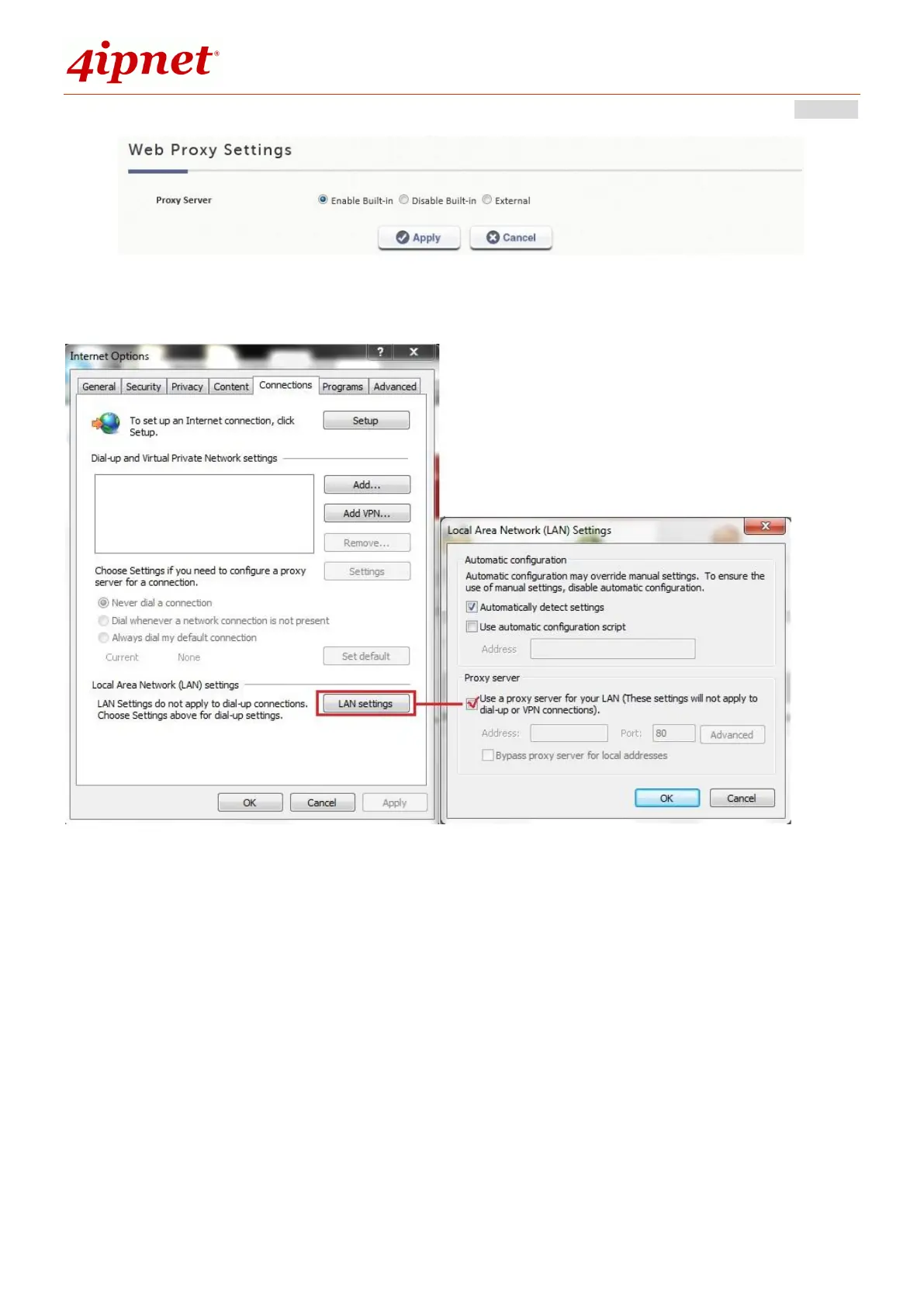
Step 3. Enable Proxy Server Settings in Internet Options on Client Stations.
By enabling the built-in Proxy Server, all traffic is forwarded to the local Proxy Server on the controller.
Using an External Proxy Server
To specify an External Proxy Server, choose the option “External” and fill in the appropriate IP address of the Proxy
Server and the utilized port.
Follow the following steps to complete the proxy configuration:
Step 1. Log in to the system by using the admin account.
Step 2. Network >> Proxy Server >> Web Proxy Settings. Select External for Proxy Server.
Add the IP address and port number of the Proxy server into External Proxy Servers setting. Click
Apply to save the settings.



 To Next Page