User’s Manual
WHG Controller / HSG Gateway ENGLISH
Min password Category allows an admin to define how complex the passwords of the sub-admins are
required. Below shows what each number stands for:
passwords will not be checked
Passwords should include at least 1 form (capitalized
letters/ small letters/ digits/ special characters )
Passwords should include at least 2 forms
Passwords should include at least 3 forms
Passwords should include at least 4 forms
Limit Login Attempts (if enabled): enter the number of times you would like sub-admins to retry their
passwords. If trying out more than this number, the sub-admins are not allowed to type in strings again.
Password expiration (if enabled): this is a function for admins to decide the number of days the
password will expire in. A valid period can be defined for each password, counting from the first login.
When a password expires, the operator will need to setup a new password for future use. Expired
passwords cannot be reused.
Password Limits (if enabled): it is to determine how many utilized passwords in the past should be
checked. For instance, if the admin enters ‘5,’ the system will check if the newly added password is
identical to one of the five most-recent ones; if it is, the server would ask the admin to choose a new
password string again.
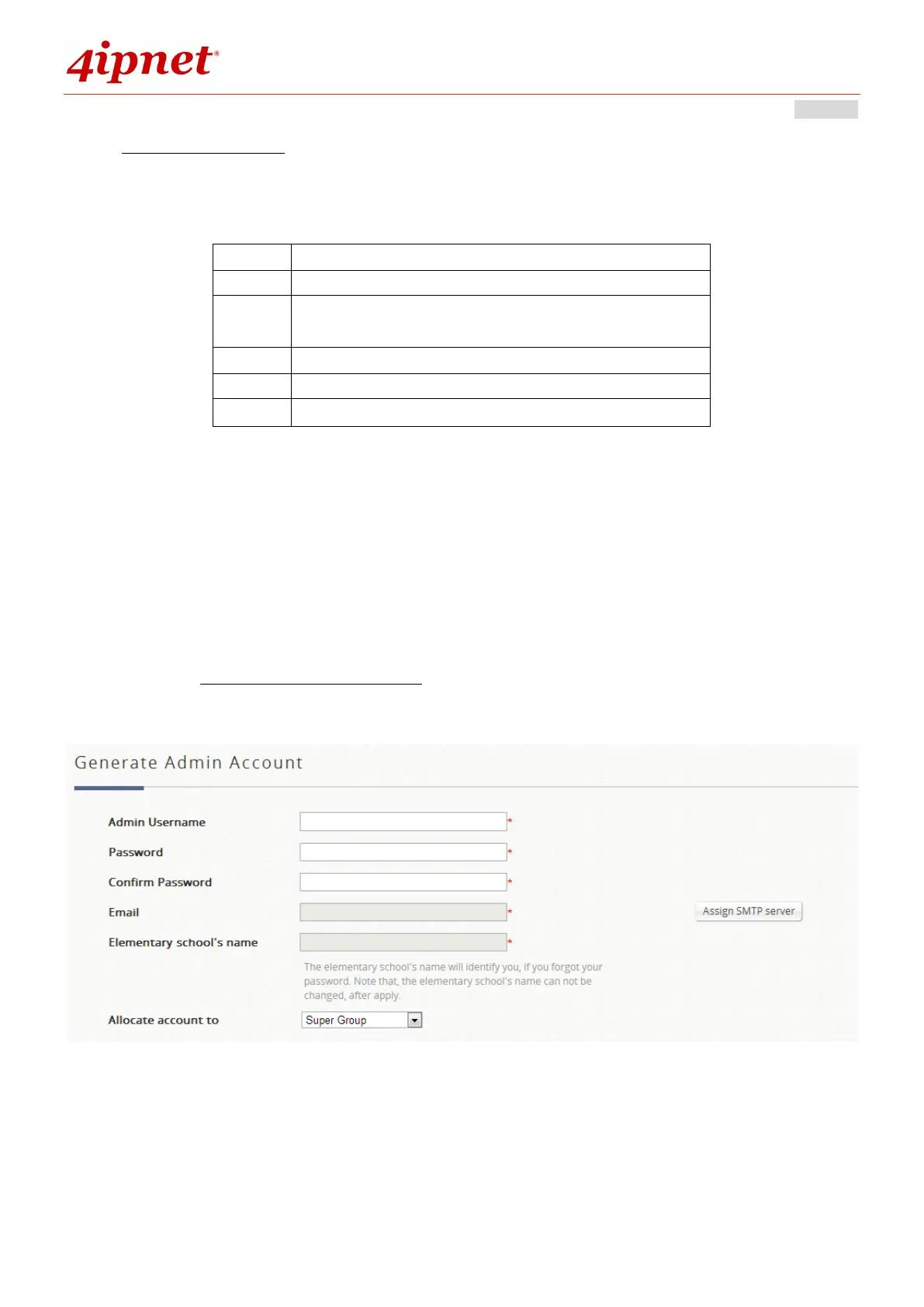
Sub-admin creation
Go to the Generate Admin account table to create a sub-admin and define his/her authority limits. In case
the administrator forgets his/her password, by entering the Elementary School Name, the account credential
will be email to the assigned email address. Note that an SMTP Server needs to be setup for the system to
send email reminders.



 To Next Page