User’s Manual
WHG Controller / HSG Gateway ENGLISH
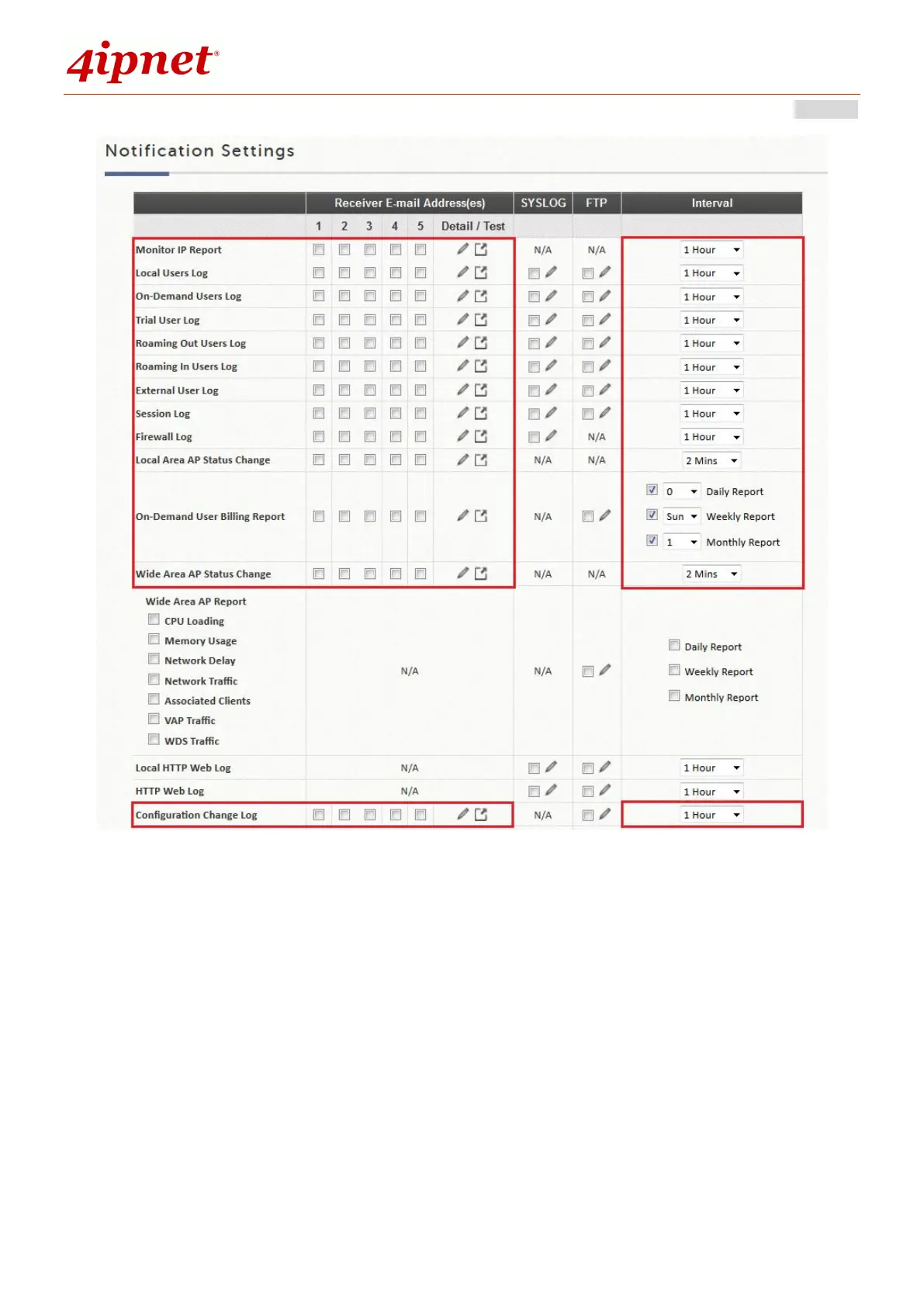
Detail: Clicking this radio button allows the configuration of the E-mail subject for the corresponding log.
Send: Clicking this radio button sends a test log to the selected E-mail address.
Sending Logs to SYSLOG
The following log types can be sent to external SYSLOG servers configured in “SYSLOG Settings”: Local
Users Log, On-Demand Users Log, Trial Users Log, Roaming Out Users Log, Roaming In Users Log, External
User Log, Session Log, Firewall Log, Local HTTP Web Log, HTTP Web Log and DHCP Server Log. Click the
desired log type and select the time interval for sending log.



 To Next Page