User’s Manual
WHG Controller / HSG Gateway ENGLISH
4. QoS Profile allows administrator to edit traffic configuration.
5. Specific Route Profile is where the administrator may statically assign routing
nodes to forward traffic to a certain destination.
6. IPv6 traffic class and 802.1p mapping (for global policy only) - to map IPv6
traffic class to 802.1p when IPv6 traffic is being forwarded into VLAN IPv4
networks.
Select one of the policies in the drop-down list and start configuring each attribute
by clicking Configure. After the setting, remember to always click Apply to save
the changes made. Note again that the Global Policy is the policy that applies to all
users in all service zones that is not explicitly governed by a policy profile.
Schedule
Configuration Path: Main Menu >> Users >> Schedule
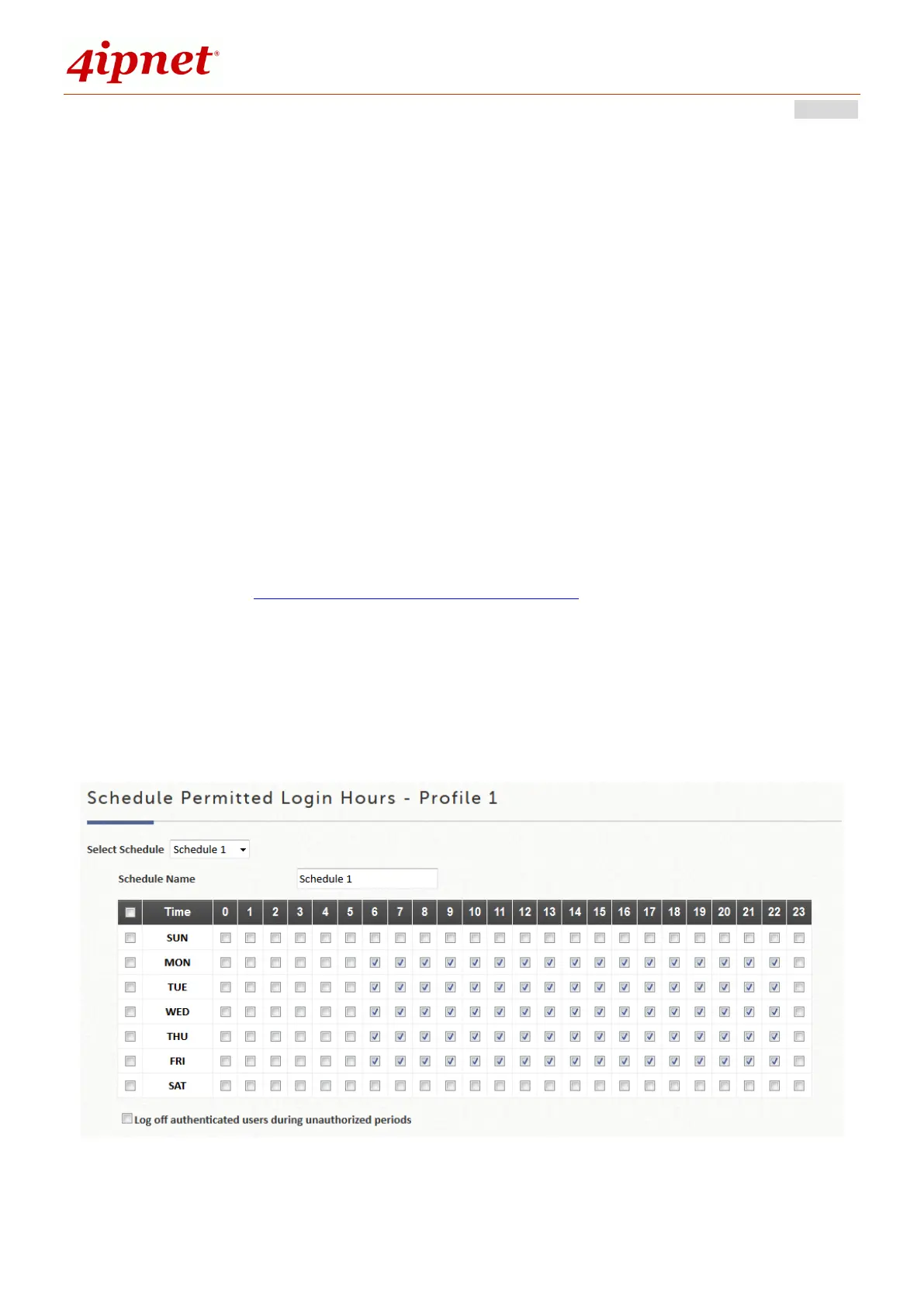
The Schedule is the assignment of allowed user login periods from clock time on an
hourly basis. The unchecked time slots imply that user under this policy will be
unable to login under that specific time interval.
Defined Schedules are then applied in Group Configuration.



 To Next Page