User’s Manual
WHG Controller / HSG Gateway ENGLISH
Zones, so the maximum number of service zones is equivalent to the number of
LAN ports on a 4ipnet WHG controller.
On the contrary, Tag-based service zones are not limited by the number of ports,
for they are specified by the VLAN tag ID pre-defined by the admin, regardless of
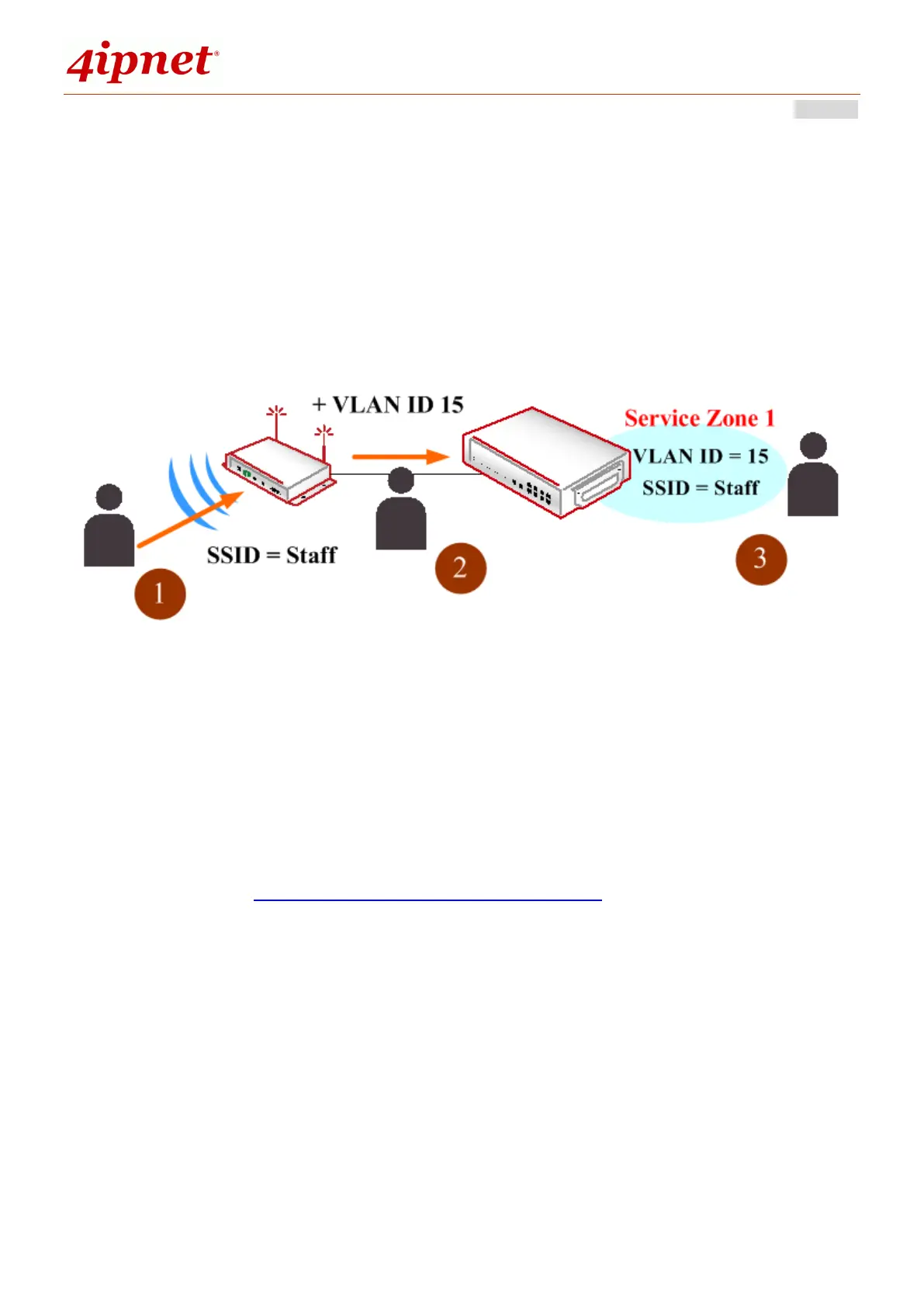
which LAN port. A simple concept is displayed in the picture below.
As the figure depicts, a staff of a firm is associated with a certain SSID broadcast
by an access point. This SSID belongs to, let’s say, VAP with VLAN ID 15. Therefore
the AP’s traffic when forwarded back to the Controller will be mapped to Service
Zone 1 with configurations set for staff access.
Configuration Mapping
Configuration Path: Main Menu >> System >> LAN Ports
Admin can change the type of service zones. There are some grayed-out service
zones because they have been disabled. Therefore, admin should first go to
‘System > Service Zones > Configure’ to enable the needed service zones.



 To Next Page