User’s Manual
WHG Controller / HSG Gateway ENGLISH
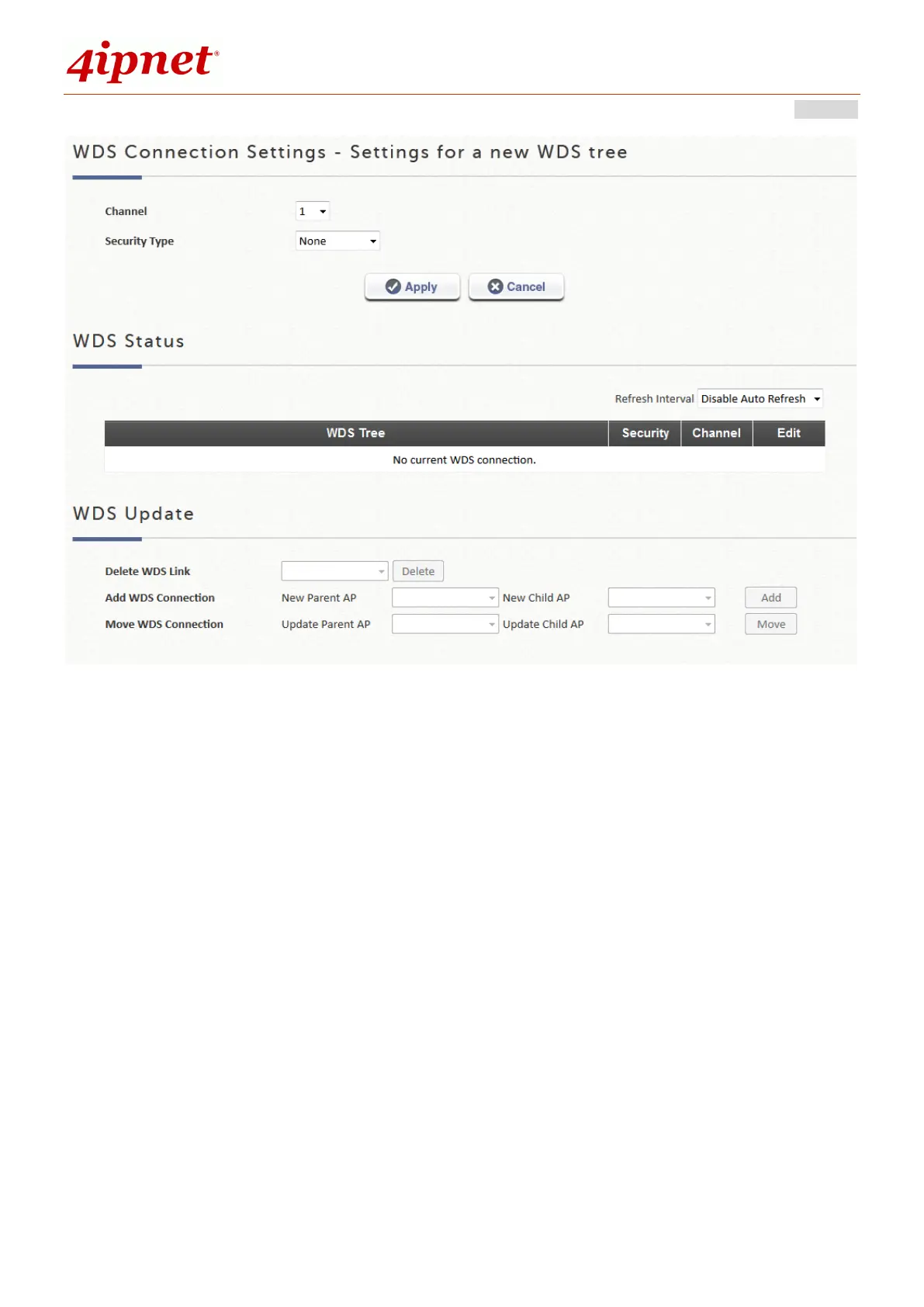
WDS Connection Settings: Determine the Channel and Security Type for the APs
deployed in the WDS network tree.
WDS Status: Shows the added APs in the WDS Tree with Security and Channel
settings. More than one WDS Tree can be set up in your network. Click "Edit" to
change the WDS connection settings for the associated WDS Tree. This list can be
set to refresh automatically at fixed intervals (10s, 20s, 30s, 40s, 50s, 60s).
WDS Update: To add a new WDS connection, select New Parent AP and New Child
AP from the respective drop-down list and click "Add". Note that a new WDS Tree
will be added if the selected Parent AP is not in any of the current WDS Trees. To
update the current WDS tree, select Update Parent AP and Update Child AP from
the respective drop-down list and click "Move". Note that the link to the original
parent AP of the selected Update Child AP will be removed. To delete a WDS link,
select the AP from the drop-down list and click "Delete". Note that all WDS



 To Next Page