50VCCX2 Controller Technical Guide
SEQUENCE OF OPERATIONS
Alarms
Compressor Alarms
Compressor Module #1 - #6
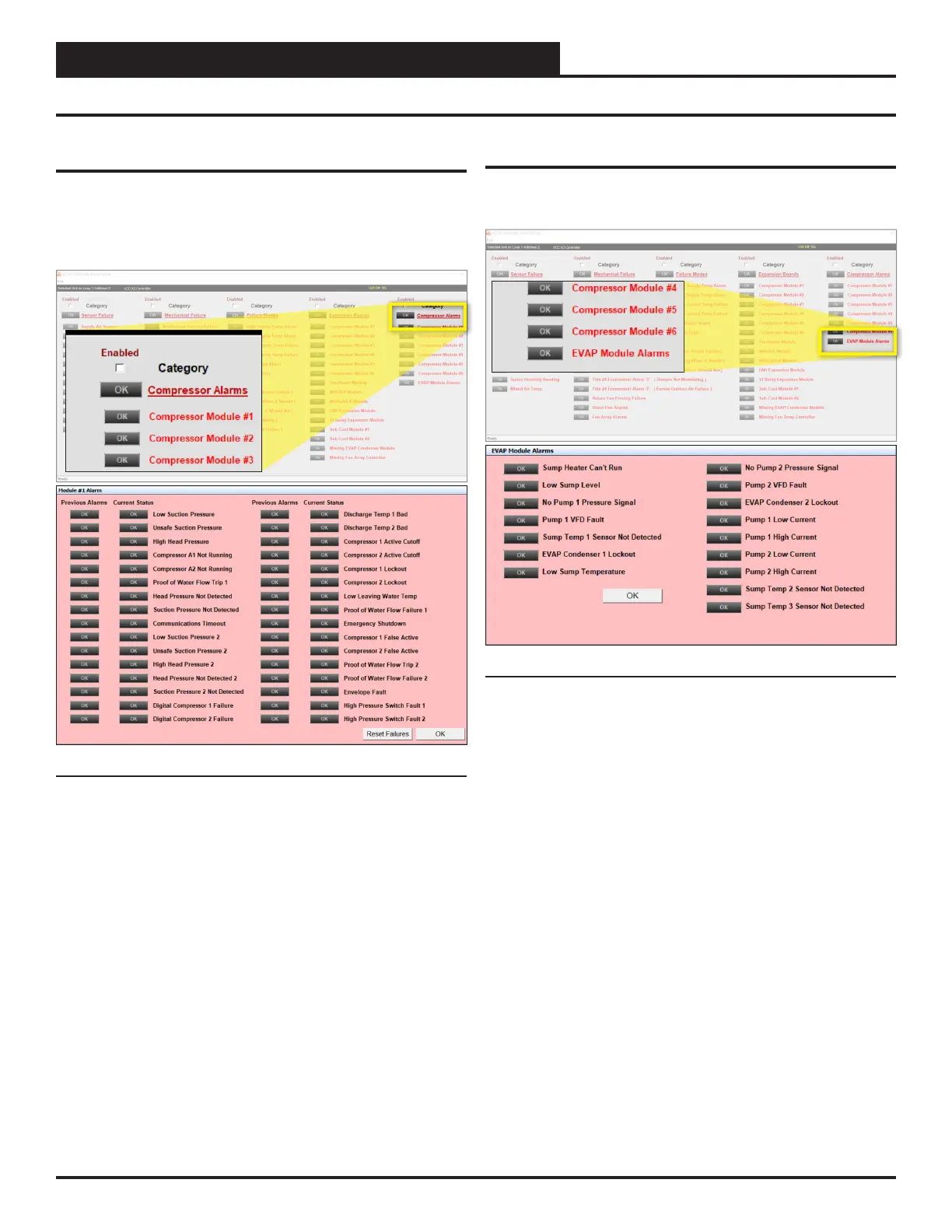
In the Prism 2 Alarm Menu, Click OK on Compressor Alarms and
the following detail screen will appear: Refer to the individual RSM
Technical Guides for more details.
Figure 17: Prism 2 Compressor Alarms Screen
EVAP Module Alarms
In the Prism 2 Alarm Menu, Click OK on EVAP Module alarms
and the following detail screen will appear:
Figure 18: Prism 2 EVAP Module Alarms Screen


 To Next Page