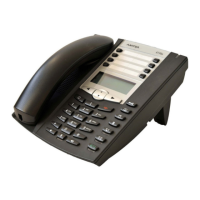
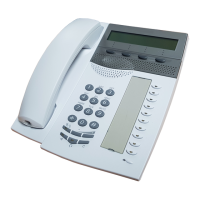
Operating and Display Elements
eud-1095/1.0 – I7.8 – 07.2009
Aastra 630d 3
Right softkey/
foxkey
short • Idle state
•Menu
• Call up configured call number
• Executes displayed function above key.
approx.
2 sec-
onds
each
Idle state Configures key
6 Loudspeaker
key
short • Idle state
• In a connec-
tion
• Activate/deactivate open listening
• Activate/deactivate open listening
7 Correction key short • Editor
•Menu
• Deletes last character
•Scroll back in the menu
8 Navigation key
top • Idle state
•Lists
• Call up activated features
•Navigation
right • Idle state
•Menu
•Editor
•Lists
• Call up complete menu
• Goes forward one step in the menu
•Navigate cursor
• Call up details
bottom • Idle state
•Lists
• Call up phone book
•Navigation
left • Idle state
•Menu
•Editor
• Call up profiles
•Scroll back in the menu
•Navigate cursor
9Call key short • Idle state
•Lists
• Call up redial list
• Dial select call number
10 End key short • In a connec-
tion
•Menu
•Editor
•Ending a Call
• Back to idle state
• Exit Editor without changes
long Idle state Switch phone on/off
11 Key block short • Idle state
•Editor
• Digit input
• Characters as per Table in Chapter "Digit
keys", page 20
12 Asterisk key short Idle state, Editor * input
long Idle state Activate/deactivate ring tone
key Press In the state... Description
eud-1095_en.book Page 3 Monday, July 13, 2009 1:56 PM



 To Next Page