Quality Control and Calibration 5-5
6. Select
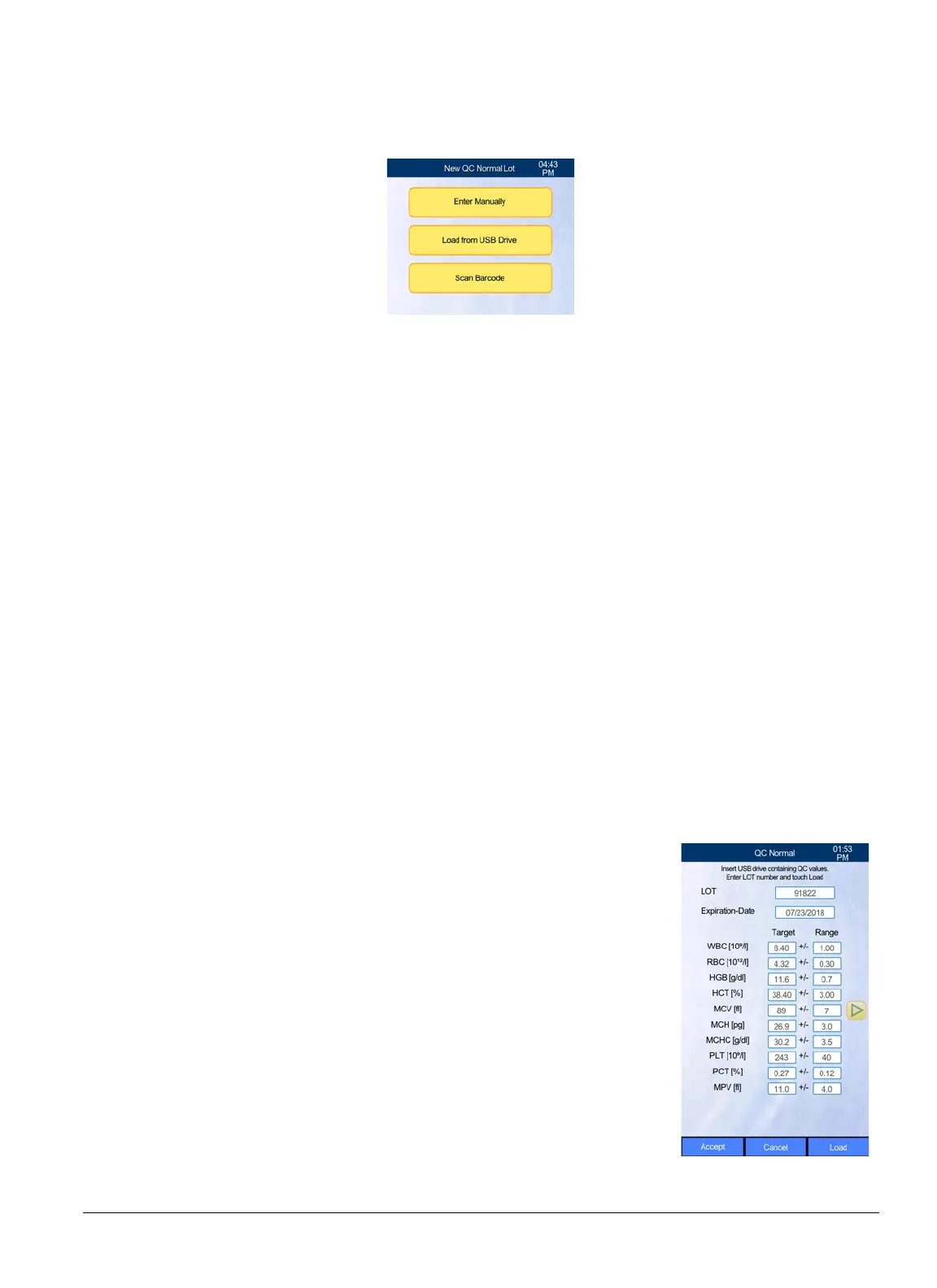
Enter Manually
to enter values using the touchscreen and keyboard,
Load from USB
Drive
for downloading the values from a USB Drive (with the values downloaded from
www.abaxis.com) or
Scan Barcode
if a 2D barcode scanner from Abaxis is present.
7. When Manual is selected, enter the lot number, expiration date, Target (assay) values and Gap
(ranges) from the pack.
8. Select
Accept
, followed by
Confirm
.
9. Go to
“Running a Quality Control Sample” on page 5-8
.
5.1.3.2 Loading Values from a USB Drive
1. Download the most recent control lot values files from
www.abaxis.com
onto a computer.
Unzip the files then open it. Copy the files in the unzipped folder onto a USB drive. See the
Abaxis website for more detailed instructions on extracting the files.
2. From the Home screen, select
Maintenance > Quality Control
.
3. Select
QC Normal
(or another level)
> Measure
.
4. Select
Run QC
then
New
.
5. Select
Load from USB Drive
.
6. Insert the USB drive containing the unzipped control values files downloaded from
www.abaxis.com.
7. Enter the control lot number from the tube or control pack pack-
age insert into the LOT field on the screen, then select
Load
. The
HM5 then loads the lot number file from the USB drive.
8. Verify that the loaded values are correct and match the package
insert. Correct any incorrect values, then select
Accept
.
9. Verify that the lot number and expiration date match that on the
tube to be measured, then select
Confirm
. Select
Accept
again
then
Run QC
.
10. Go to
“Running a Quality Control Sample” on page 5-8
.



 To Next Page