5-6 Quality Control and Calibration
5.1.3.3 Loading Control Values with a 2D Barcode Reader
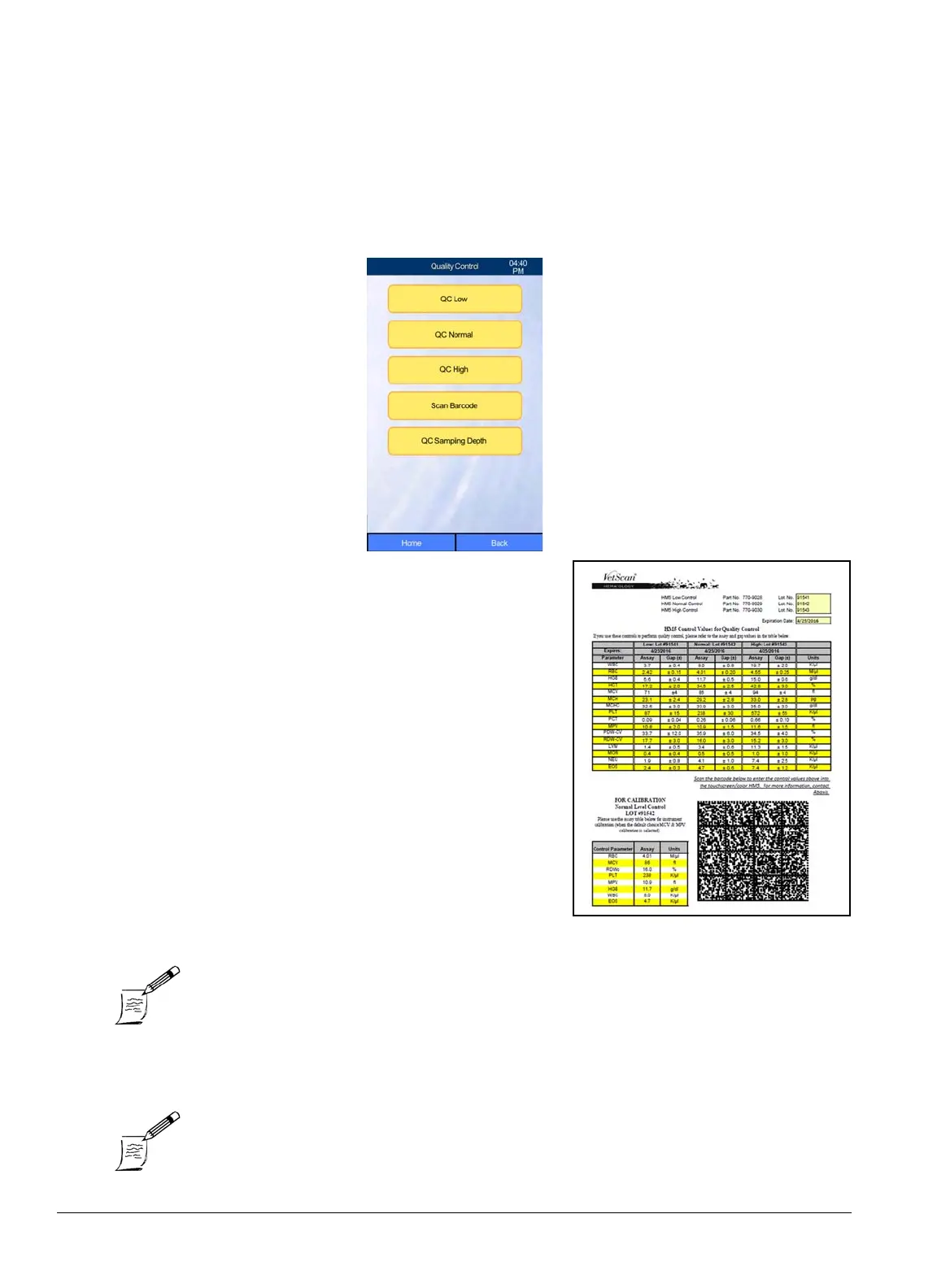
A 2D barcode reader can be used to quickly and accurately enter control values from an HM5 control
values sheet.
1. Plug the 2D USB barcode reader into a USB port on the HM5.
2. From the Home screen, select
Maintenance > Quality Control
.
3. Select
Scan Barcode
, then scan the 2D barcode on the
HM5 value assignment sheet provided with the control
tube.
Note: When scanning the barcode, make sure the control sheet is on a
flat surface.
Note: Scan Barcode can also be selected after choosing the QC level
and selecting New.



 To Next Page