USER’S MANUAL
15/26
Panel bus
One ACH-AP-x control panel can be connected to up to 32 drives. Before beginning make sure that every
drive is assigned with a unique drive id in the parameter number 49.01.
Use standard Ethernet cable for daisy chaining the democases to a single control panel. (Cables are not
delivered with a democase).
1. Make sure that the I/O panel is connected to democase using Ethernet –type (CAT5e) cable be-
tween connection A and connection B.
2. Remove the control panels from I/O-panels of all democases.
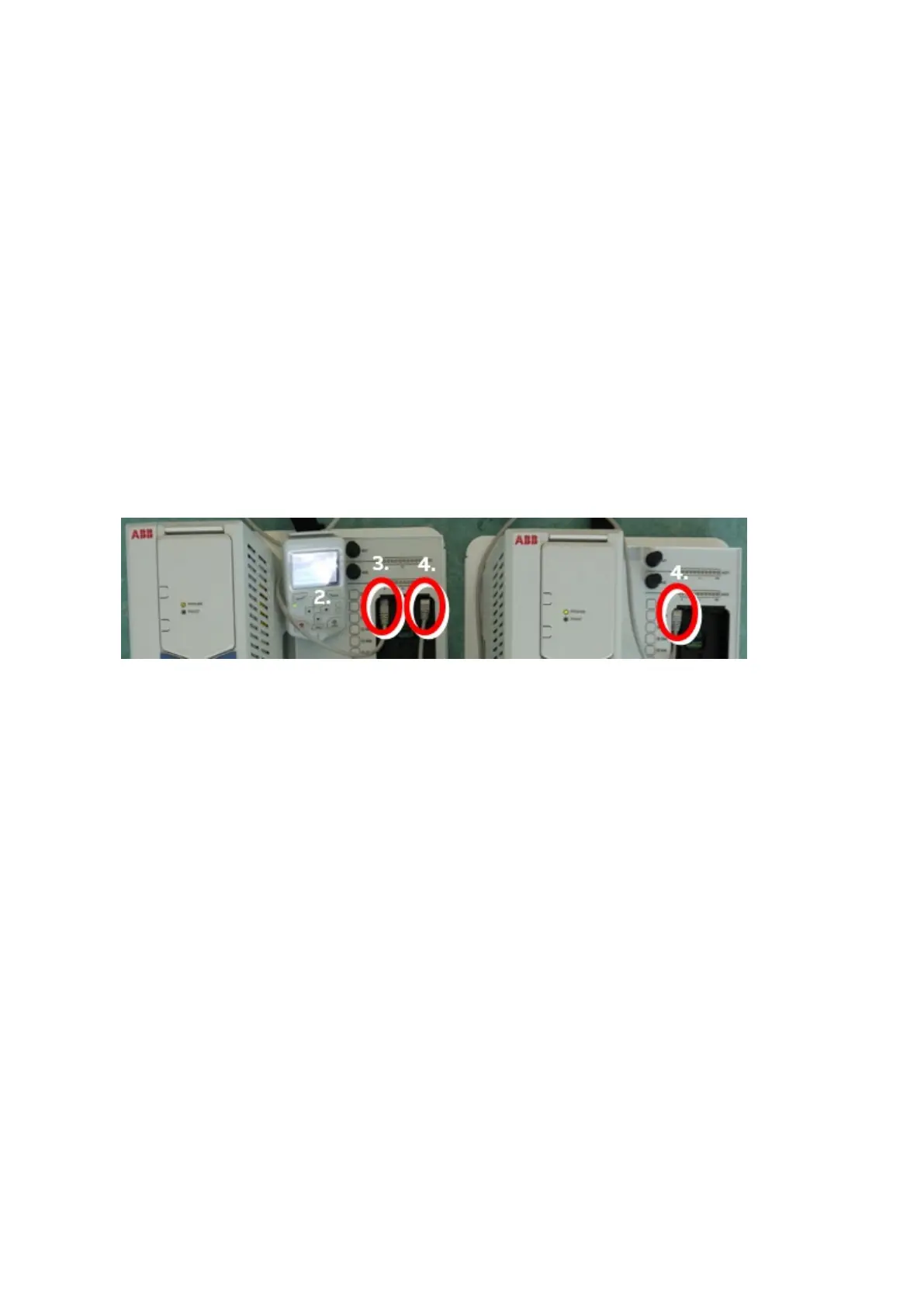
3. Connect master control panel to the leftmost connector of the I/O panel of the first drive using
Ethernet cable
− Note: The connection is EIA-485 serial communication.
− The RJ45 connector is located on top inner side of the control panel mounting slot (see
photo below).
4. Connect second and further Ethernet type (CAT5e) cables between panel mounting slots of the
I/O panels.
CDPI-01 must be connected to the panel slot of the drive in order for the panel bus to work.
2.
4.



 To Next Page