USER’S MANUAL
8/26
Supply switches
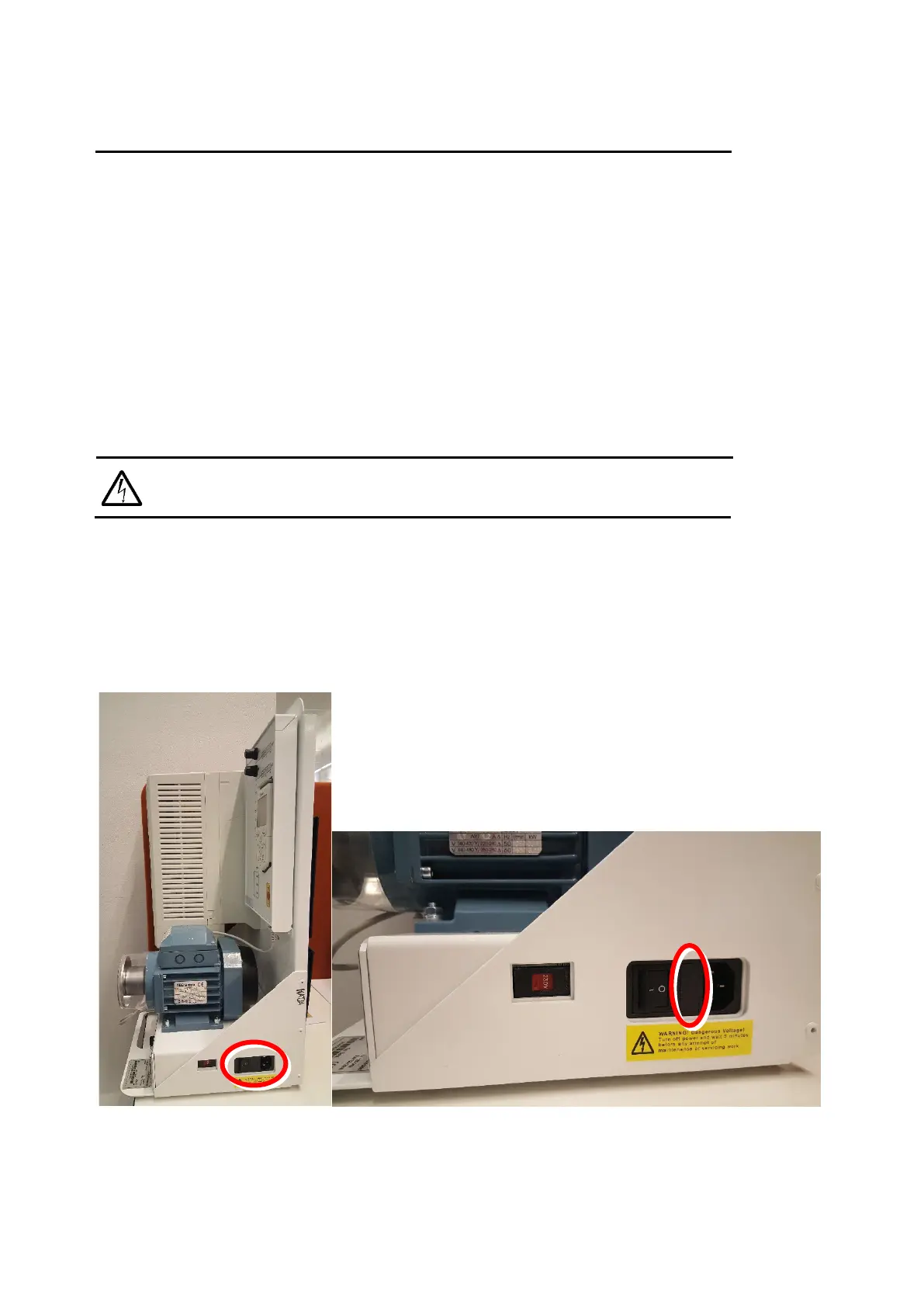
The demo supply can be controlled with the 24VDC external power supply switch and drive main supply
switch. The two switches work separately. The 24VDC supply switch controls the external 24VDC supply
to the control unit of the drive and the drive main supply switch controls the 400V main supply to the
drive.
For information about the internal connections refer to Technical data section.
Replacing the fuses
WARNING! Turn off the democase and disconnect the power cord before changing the fuse. Re-
place the fuse with the same type of fuse.
Replacing the fuse does not require any tools. Open the fuse terminal by pressing together the pins on
the top and bottom of the fuse terminal and pulling the terminal out. Pull out the old fuses and replace
them with new fuses of the same type. Push the fuse terminal back in.
Correct fuse type is: T2AL250V (Slow, 2.0A, 250V glass tube fuse)
There are two fuses of this type in the fuse terminal.



 To Next Page