2CDC172114M0201 8 www.abb.com/lowvoltage
2019-09-06 V1.3
3. Functional description
Enabling button
The enabling button works in accordance with the three-position principle. This allows for
operators to be protected if the button is released or fully pressed down (e.g. if cramping).
An enabling button with three positions transmits signals, which:
• When activated, allow the machine or equipment to be initiated using a separate start
control and
• When deactivated, initiate a stop function which prevents the machine or equipment
from starting
Two three-position enabling switches are operated and analyzed redundantly to create a two-channel
architecture.
• The symbol for a three-position enabling switch identifies the three positions
(OFF, ON, OFF) using O and I, the movement direction from left to right, as well as the
possible ways to move the switch.
• An important feature of the three-position enabling switch is that when shifting back
from position 3, the ON position is not actuated, i.e. the contacts remain open.
The three positions function as follows:
• Position 1 (O): OFF mode (enabling button has not been pressed, contact is open)
• Position 2 ( I ): ON mode
(Enabling button has been pressed as far as the release position, contact is closed)
• Position 3 (O): OFF mode (enabling button has been fully pressed down, contact is open).
When released, the three-position enabling switches always go back to position 1, regardless of whether
they were in position 2 or 3.
Notice on operation
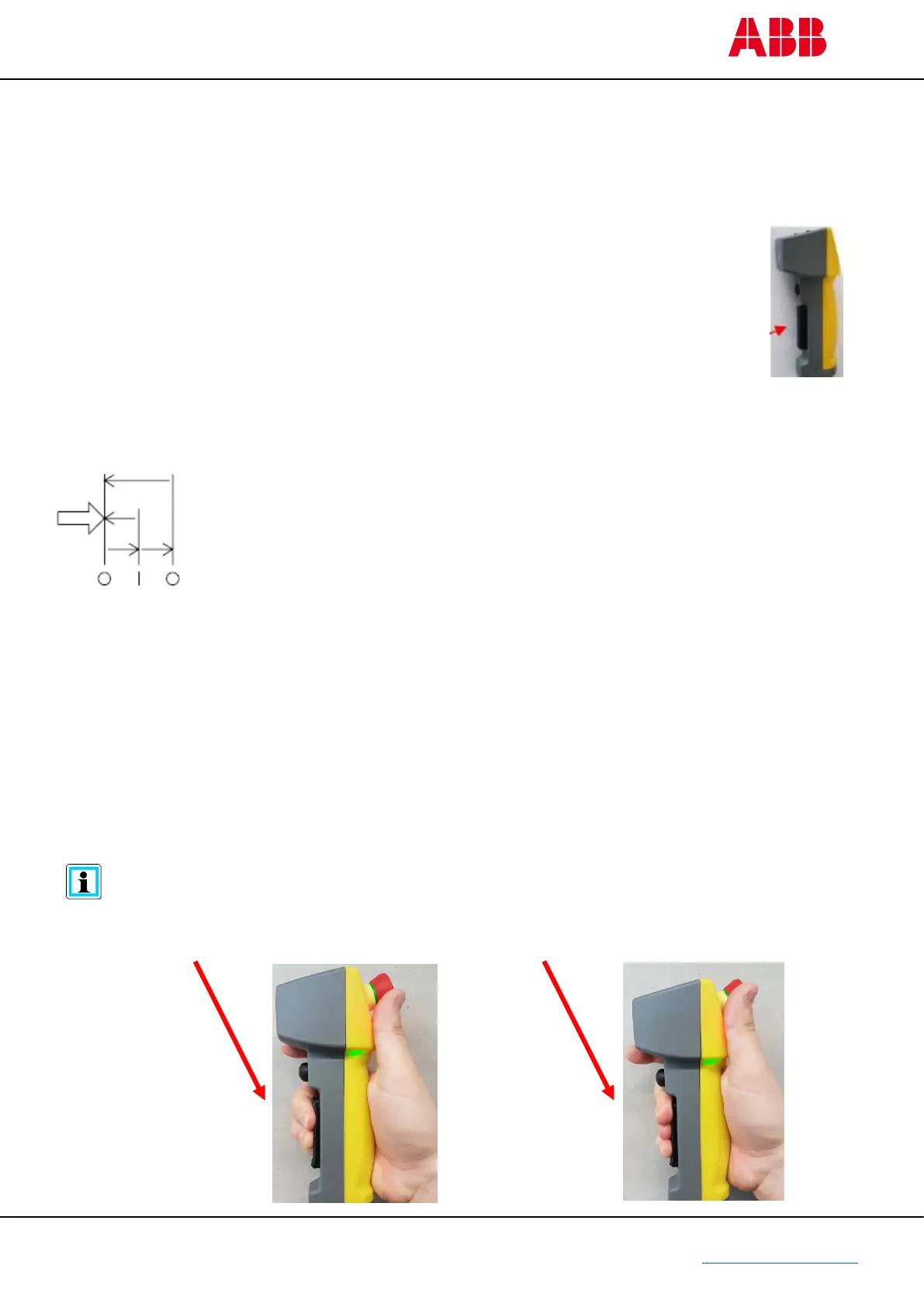
To ensure a correct and safe operation, the enabling button must be pressed in the middle
with two fingers or three fingers



 To Next Page