12
1MRS 751108-MUM
3URWHFWLRQ5HOD\
Technical Reference Manual, General
5(;
“Appendix C: Parameters which cause reset” on page 64 for a list of these
parameters. Measured values and registered data, for example current, digital input
states, can be uploaded by means of the 0HDVXUHPHQWV5HJLVWHUHG'DWD view.
When uploading or downloading parameters with Relay Setting Tool by
using the option $OO, it covers only the parameters of the selected view
(that is, 6HWWLQJV, &RQILJXUDWLRQ, or 0HDVXUHPHQWV5HJLVWHUHG
'DWD).
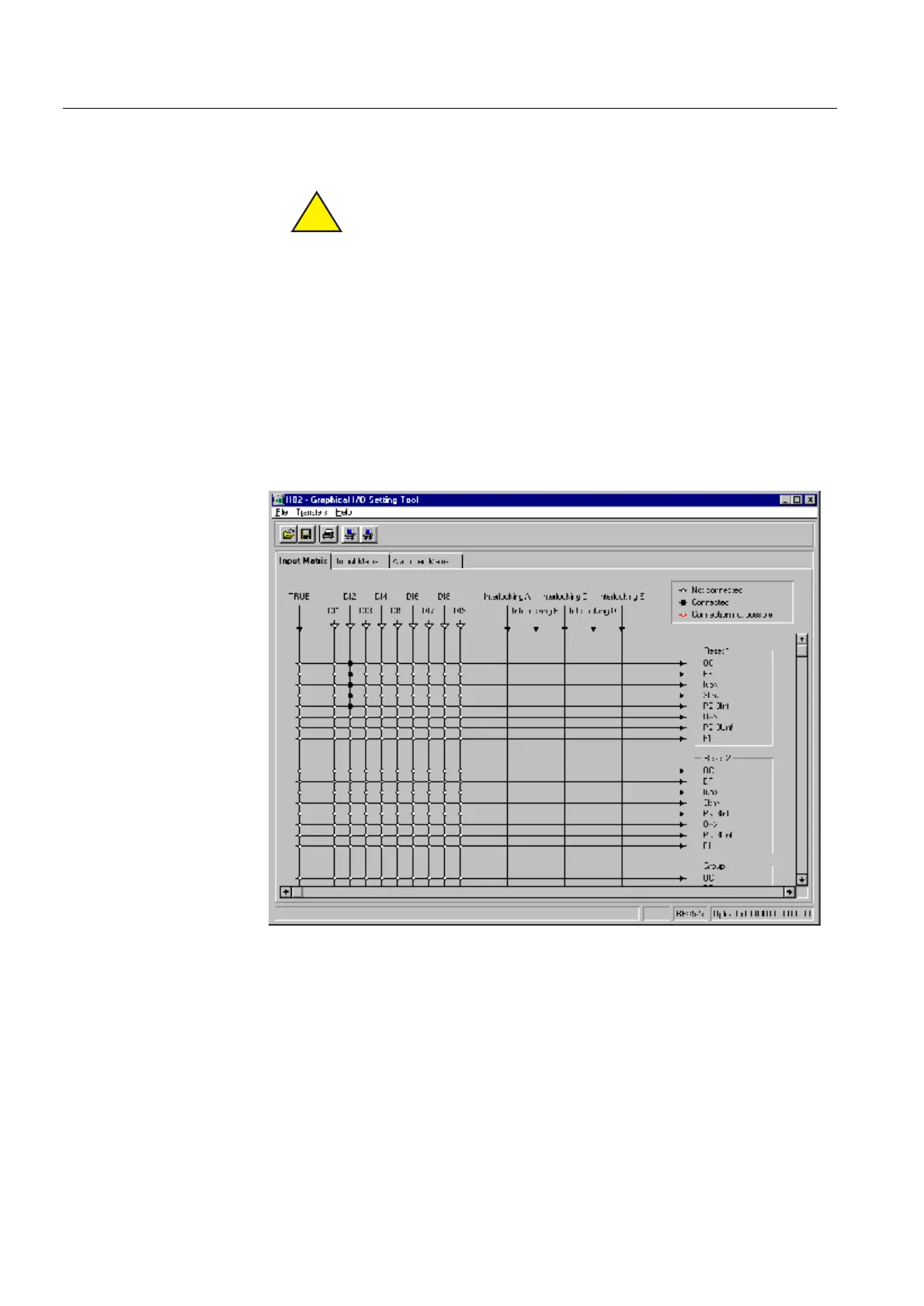
*UDSKLFDO,26HWWLQJ7RRO
To make the external relay parametrization even easier, a REX 521 specific
Graphical I/O Setting Tool has been added to the Relay Setting Tool. The Graphical
I/O Setting Tool offers a user-friendly environment for better visualization and
makes it easier to get a complete overview of the settings.
The tool is used for setting input switchgroups, output switchgroups, and Alarm
LED switchgroups. Using this tool is instructed in
7RROVIRU5HOD\VDQG7HUPLQDOV
8VHUV*XLGH
(see “References” on page 51).
graphicalsettingtool.tif
)LJ *UDSKLFDO,26HWWLQJ7RRO
)DFWRU\VHWWLQJV
The factory settings for the relay can be restored by selecting “Activate” from HMI
path Configuration\General\Software\Factory settings. After
this, the relay will reset itself immediately and start with the factory-set parameter
values.
!


 To Next Page