1MRS 751108-MUM
3URWHFWLRQ5HOD\
Technical Reference Manual, General
5(;
35
The actual state of the alarm LEDs can also be read from the parameter Alarm LED
states by using serial communication, or by reading the state from HMI
(Configuration\Display\Alarm LED states).
In HMI, the state of the alarm LEDs is shown bit-wise starting from the right with
LED1. The LEDs that were activated by writing to parameter Alarm LED
states can be acknowledged by pressing the [C] button for 2 s in the main view.
Clearing a certain LED without affecting the other LEDs can be done by setting the
corresponding bit to 0 in parameter Alarm LED states. Writing to parameter
Alarm LED states from HMI is useful when testing if a certain LED lights up.
:ULWLQJVLJQDOQDPHVRQDODUP/('ODEHO
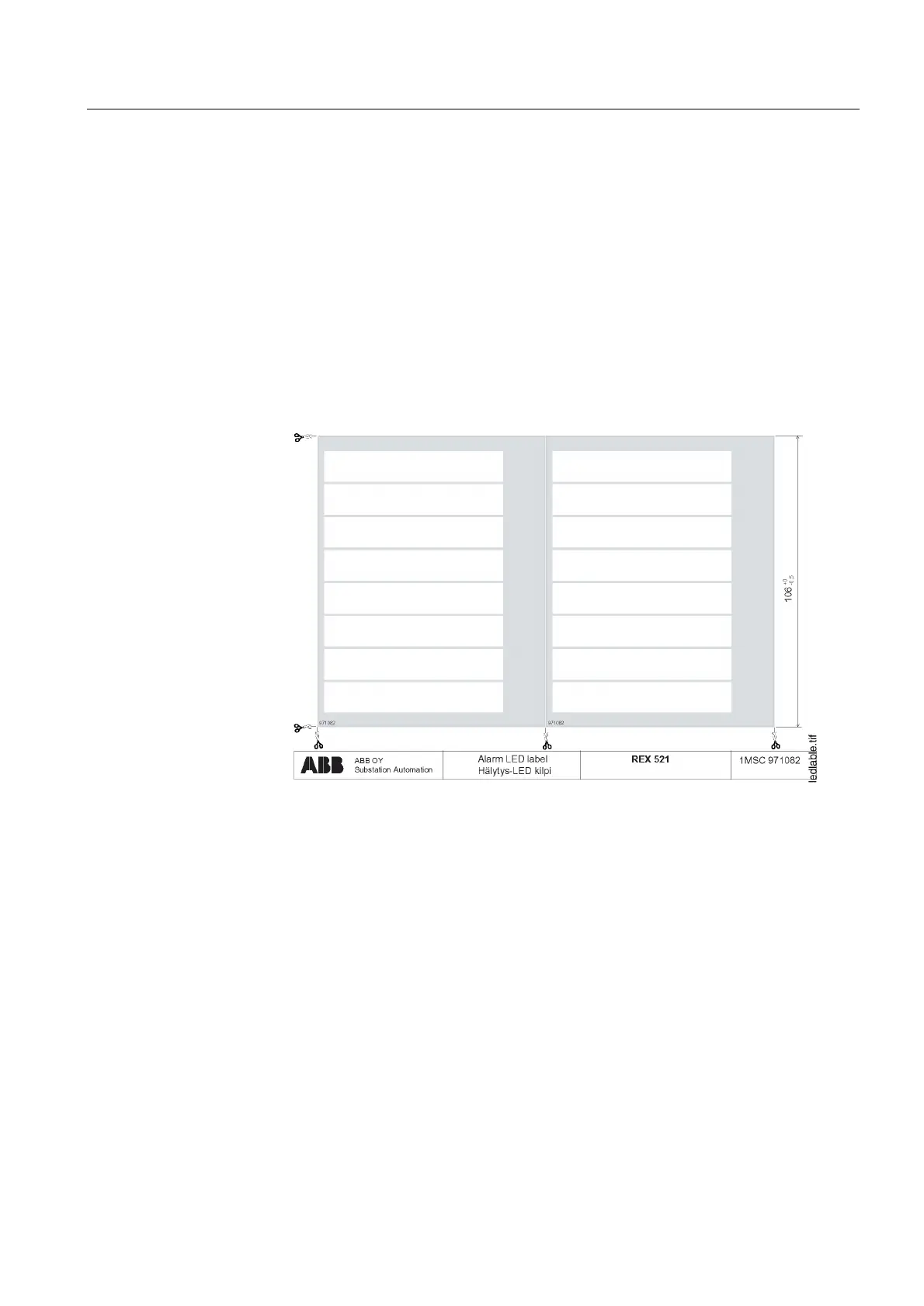
You can write or print the alarm LED signal names on a special label presented in
Figure 4.1.16.2.-1. The transparencies for the label are delivered with the relay. The
label contains eight text rows, one for each alarm LED.
)LJ $ODUP/('ODEHO
:KHQZULWLQJVLJQDOQDPHVRQWKHODEHOE\KDQG
1. Use the pre-printed transparency.
2. Write the names on the transparency with permanent pen or by typewriter.
3. Put the label in the pocket on the front panel of REX 521.
:KHQZULWLQJVLJQDOQDPHVRQWKHODEHOE\XVLQJFRPSXWHU
1. Select a template for the label. The templates can be found in
7HFKQLFDO
'HVFULSWLRQVRI)XQFWLRQV
CD-ROM (see “References” on page 51) and in the
Internet address www.abb.com/substationautomation (under Shortcuts, select
the option REX 521 from the Distribution products list box).
• Excel-format template (Label1MRS151301.xls) can be used when you want to
save the signal names for example on the hard disk of your PC.


 To Next Page