34 Program features
Fan service
The inverter has three fans that run on a need basis depending on the temperature inside
the inverter. The fan speed is variable and controlled by the software. The lifetime of the
fans depends on the installation and the internal temperature of the inverter. A typical
replacement time for the fans is eight years.
The inverter indicates a warning when the fan run time counter is near the calculated life
time. After the run time counter warning, the inverter and fans continue their normal
operation, but the fans must be replaced with new ones to guarantee optimal operation of
the inverter.
The inverter indicates a warning if the fans are not running when they should be. In that
case the inverter continues operation but may limit the output power or may trip due to
overtemperature.
Resetting fan run time counters
See PRO-33.0-TL Product manual (3AUA0000123261 [English]), for information on how
to replace the fans. Note that the inverter must be stopped and disconnected from the grid
when the fans are replaced.
After replacing the fans, reset the fan run time counters according to the below procedure.
Do not reset the counters after only cleaning the fans.
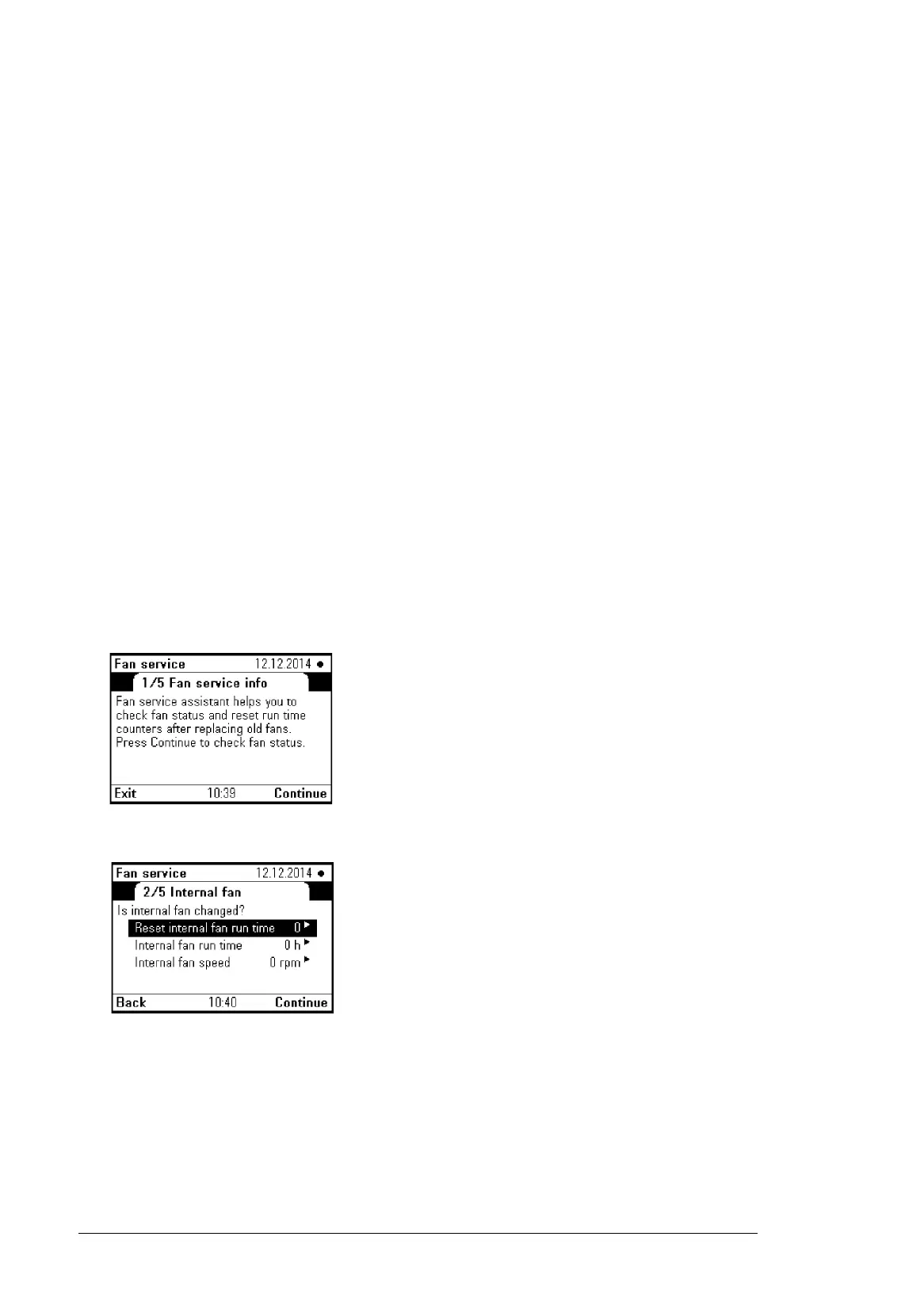
1. Enter the Service menu, select Assistants and Fan Service.
Fan service assistant info is shown.
2. Press Continue to proceed.
3. Change between different fans (Internal fan, External fan 1, External fan 2) menus
with Back and Continue.
4. Reset the counters of the fans that were changed by pressing the right arrow key and
setting the value to 1.





 To Next Page