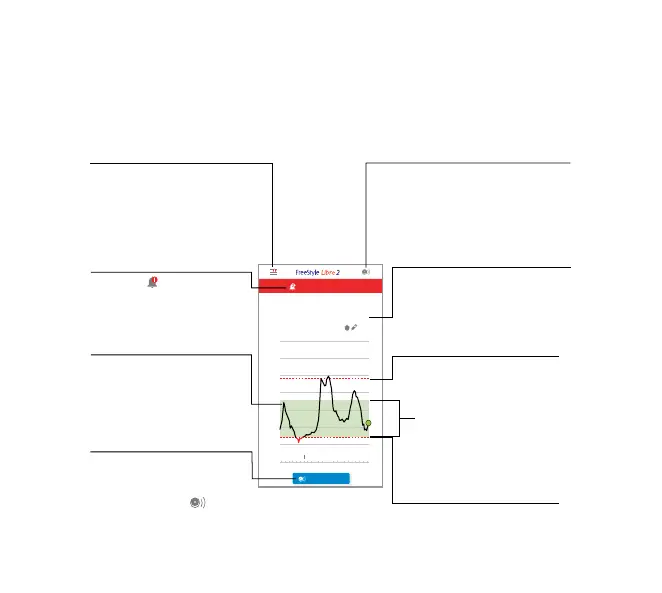
Main Menu
Tap to access the Home screen,
Alarms, Logbook, other history
options, and Connected Apps.
You can also access Settings,
Help, and other information.
Glucose Information
Your Time In Target, information
about your last scan, and average
glucose for the last 24 hours.
High Glucose Alarm Level
Your High Glucose Alarm level.
Low Glucose Alarm Level
Your Low Glucose Alarm level.
Target Glucose Range
The graph shows your target
glucose range. This is not related
to glucose alarm levels.
Scan Button
Tap when you are ready to scan your
Sensor. You can either tap this
symbol or the blue box at the
bottom of the Home screen.
Glucose Graph
Graph of your stored Sensor
glucose readings.
Alarms Unavailable
The symbol displays if
alarms are not available.
Scan Button
Tap when you are ready
to scan your Sensor. You can
either tap the blue box on the
Home screen or the symbol
at the top right.














 To Next Page