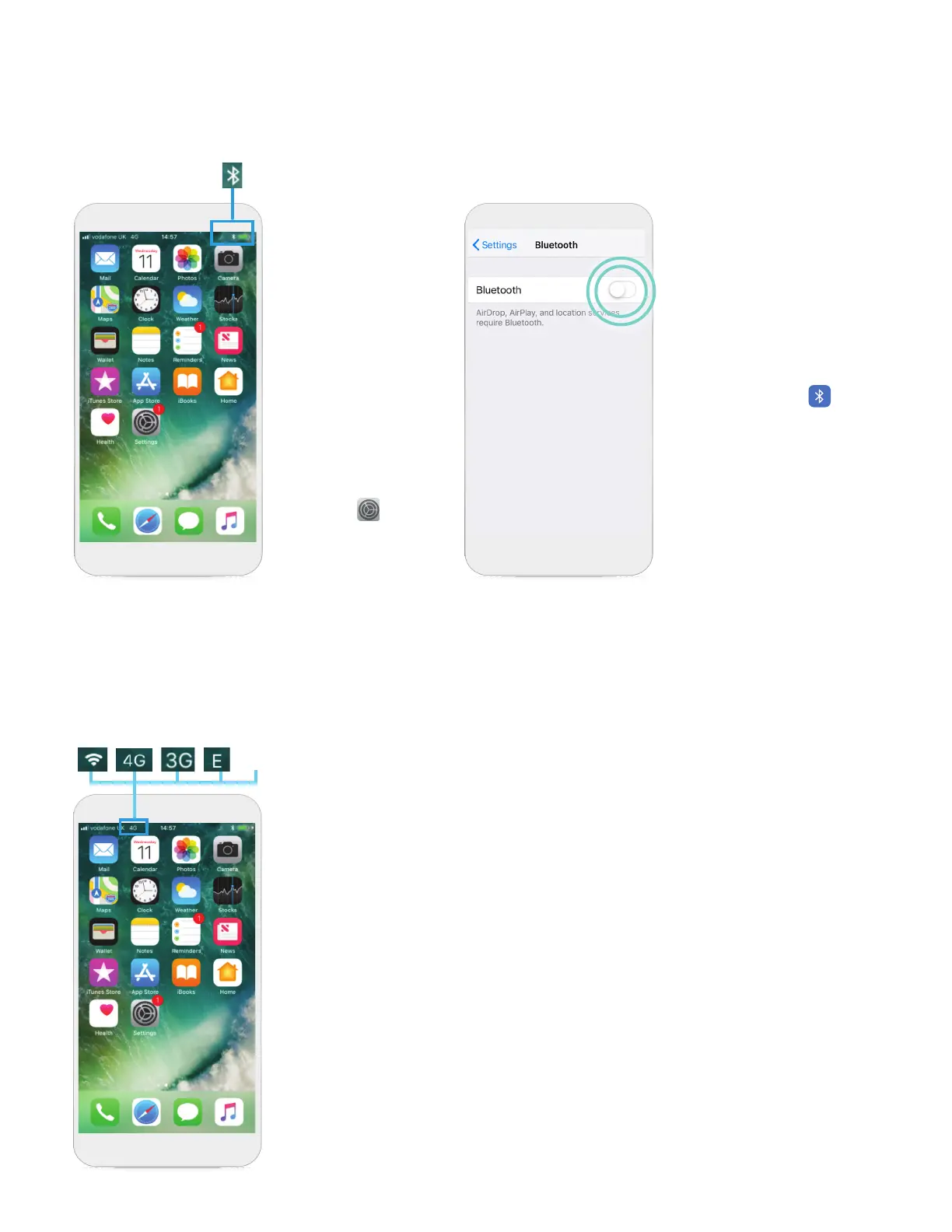
STEP 1
This symbol
indicates your
Bluetooth® is ON.
Ifyou see this
symbol, tap
Settings .
STEP 2
Tap Bluetooth® .
Tap the slider next to
Bluetooth® to OFF. Then
tap the slider again to turn
it ON/green.
CHECK YOUR
BLUETOOTH
®
CONNECTION
CHECK YOUR
INTERNET CONNECTION
STEP 1
If you’re connected to internet, you will see a
Wi-Fi
‡
or cellular data symbol on the top left
corner of your screen. If you don’t see one of these
symbols, you are not connected to the internet.
GRPS
18












 To Next Page