RESTART YOUR iPHONE
‡
If you have completed the previous troubleshooting suggestions and are still having issues,
you may need to restart your phone.
STEP 2
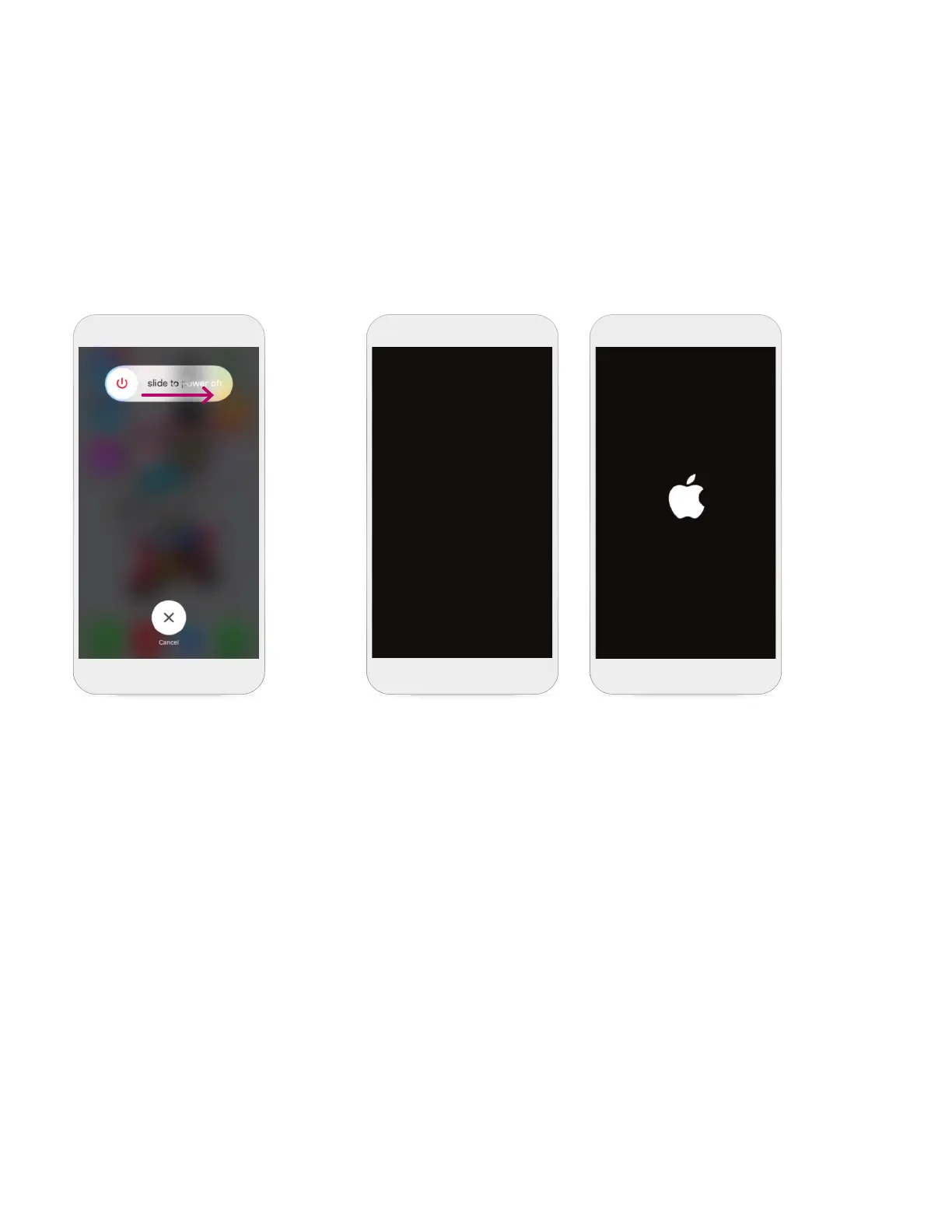
Swipe your finger from
left to right where it says
slide to power OFF to
shut down your phone.
STEP 3
Once the screen is black, press and hold the power
button again until you see the Apple
‡
logo. This
means your iPhone
‡
is powering back ON. After
your iPhone
‡
has finished powering ON, you will
need to open your myMerlin
™
app again.
STEP 1
Press and hold the power button found on the side or top of your iPhone
‡
.
20












 To Next Page