Symptom/Error Message Explanation How To Respond
During Any Test:
Chapter 10: Troubleshooting
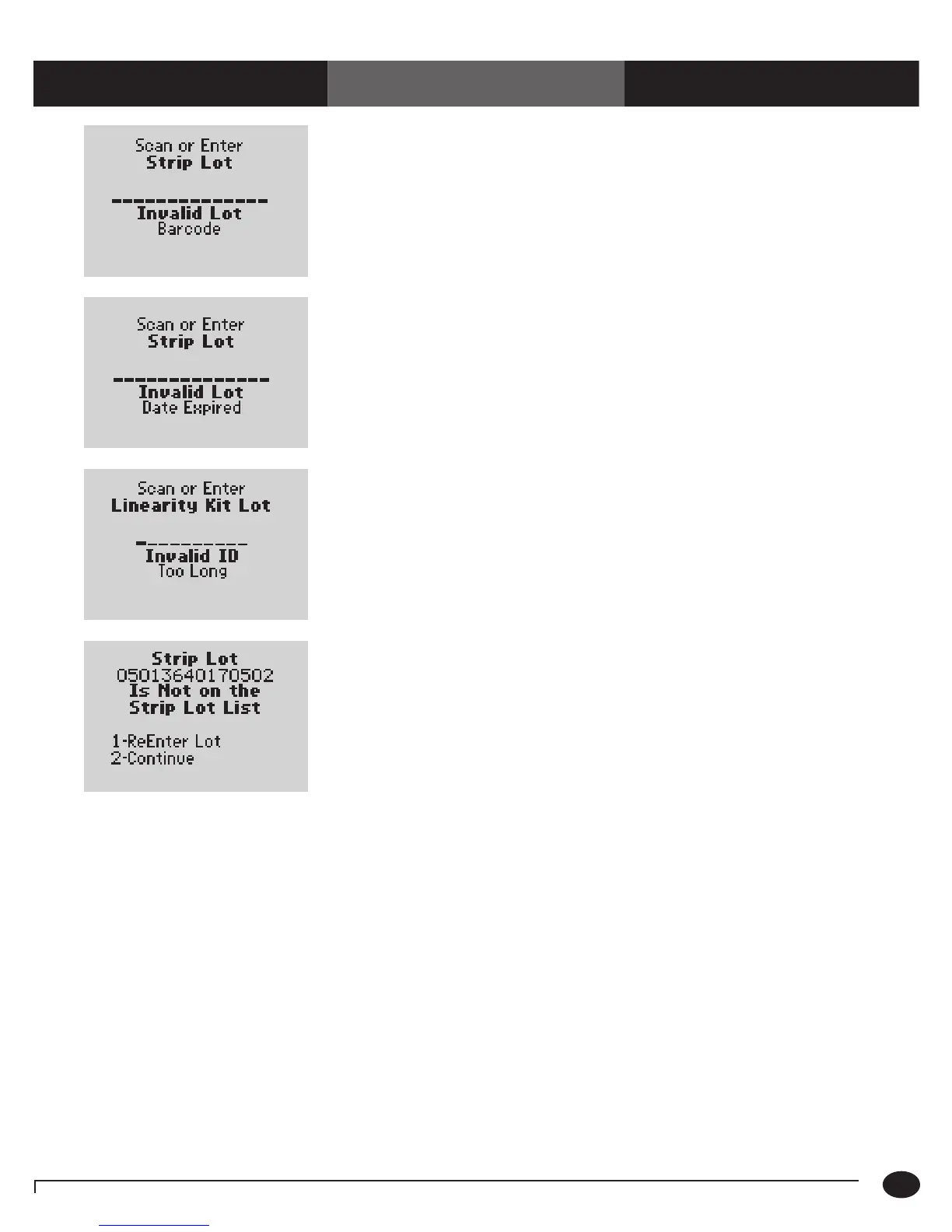
The barcode just scanned was not read
correctly. Possible reasons are:
•Theredscannerbeamdidnotpassacrossall
the bars of the code.
•Thebarcodewasdamagedor
poorly printed.
•Thebarcodewasnotofthetypespecifiedfor
this ID or lot number.
1. Re-enter the lot number using the barcode
scanner or keypad.
2. Notify the system administrator. The
problem may be the printing of the barcode
or the setup.
The barcode just scanned is from a foil packet
of test strips that has expired.
1. Discard the expired test strips.
2. Repeat the scan with a new, unexpired foil
packet of test strips.
The ID or lot number just scanned or entered
is too long or too short, according to format
defined during the setup of this monitor.
1. Verify and re-enter the ID or lot number
using the barcode scanner or keypad.
2. If the problem persists, notify the
system administrator.
The ID or lot number just scanned or entered
is not on the list of acceptable ID’s or lot
numbers defined for this monitor. (The menu
items 1– ReEnter Lot and 2 – Continue
appear only if this option is set to Warn.)
1. Press 1 to ReEnter the ID or lot number
using the barcode scanner or keypad
Or,
Press 2 to Continue testing.
2. If the problem persists, notify the
system administrator.
10-5
Questions? Refer to Page 10-9 For Technical Support Instructions.














 To Next Page