47Reset PIN (Forgotten PIN)
Reset PIN (Forgotten PIN)
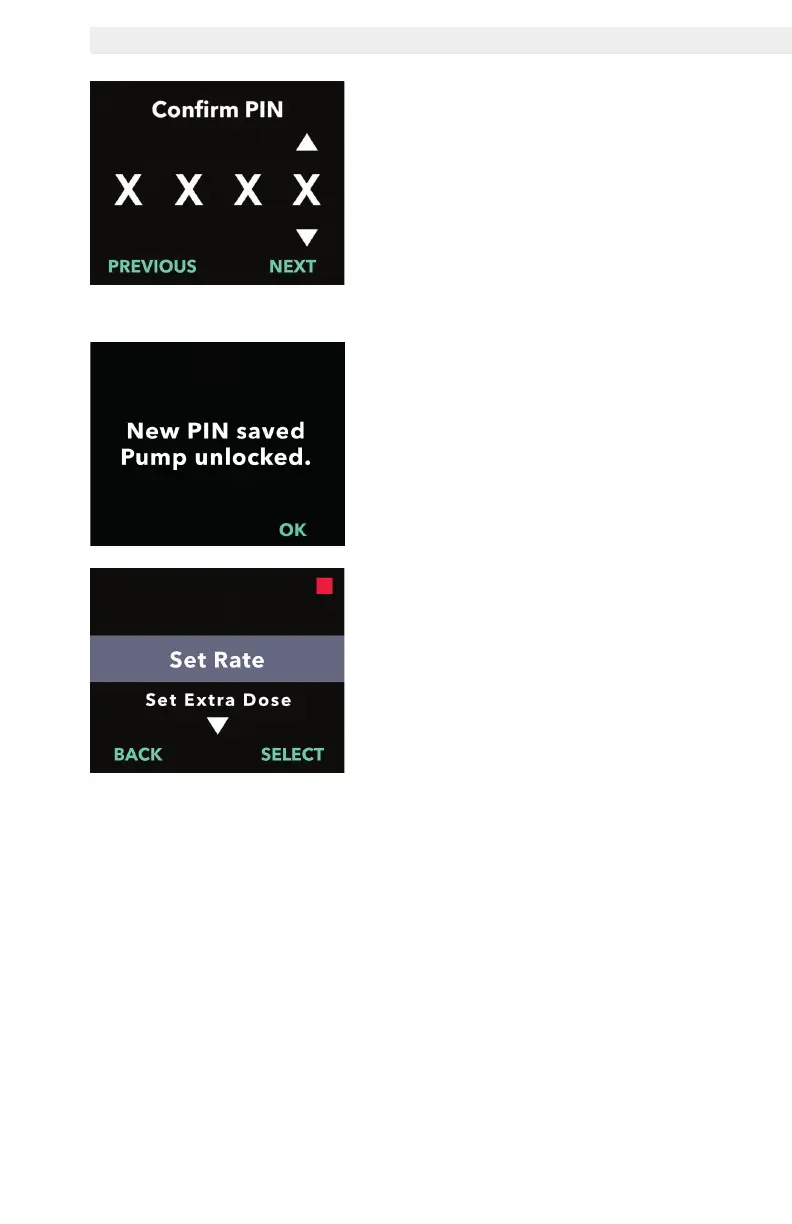
7. Re-enter the new PIN.
a. Use the arrow keys to choose the
number.
b. Use the NEXT and PREVIOUS
buttons to select each digit.
c. Once the same PIN has been
entered, press NEXT to save
the PIN and advance to the next
screen.
8. Press OK and remain in the
Clinician Settings menu.
a. Scroll through the list to select
another setting to change. Press
BACK to exit clinician settings.


 To Next Page