ABEM Terrameter LS Toolbox
17
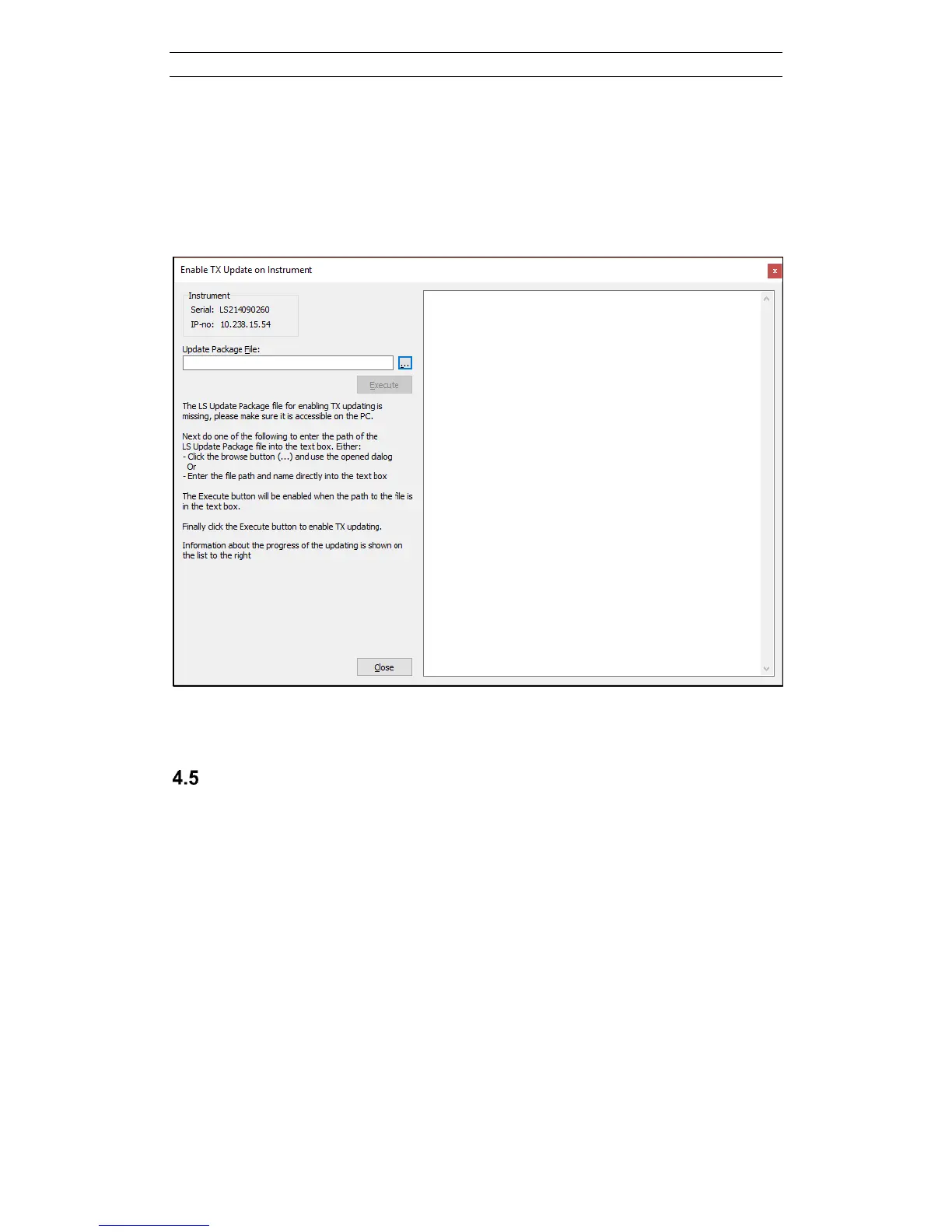
If the script file is not automatically found the LS Toolbox will open a different
dialogue (Figure 20) that allows the user to manually select the script file by pressing
the “…” button. If LS Toolbox has been installed correctly, a script file called
“txusbbootmode.tar” should be found in the folder
“C:\Users\Public\Documents\TerrameterLS\Resources”. Once the script file has been
selected the Execute button can be pressed for setting the current transmitter in
programming mode.
Figure 20. Manually select TX Update script file
Setting Timezone and Time
The Terrameter LS will upon delivery be pre-set to a time and timezone according to
the known information about the end user. If this information was not correct or if the
time needs to be changed the Change Timezone & Time dialog (Figure 21) can be
used. The dialog is opened by right-clicking on the tree node of the instrument and
selecting Set timezone and time. The time and timezone information installed on the
instrument will be read and depending on how many time zones are installed this can
take a little while.



 To Next Page